
When it comes to video editing, beat drop synchronization, seamless transitions, and 4K-quality rendering are the latest evolution of video editing in 2026. Once applied correctly, this effect highly enhances the viewing quality of your content, especially if you plan on editing fan-made Anime Music Videos or AMVs. In this article, we will provide everything you need to learn when it comes to editing high-quality videos in AMV format by featuring useful tips on editing anime content. We will also recommend two of the best video editing software programs you can use for AMV content production, including AnyMP4 Video Converter Ultimate and traditional editing programs.

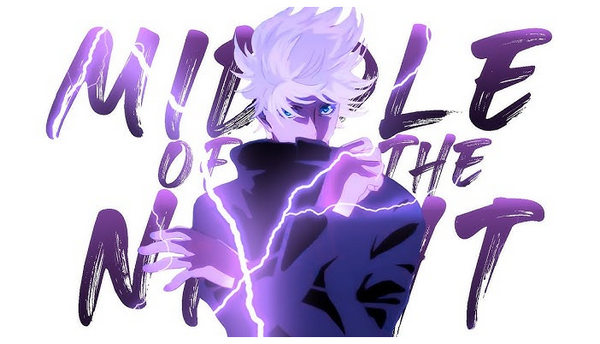
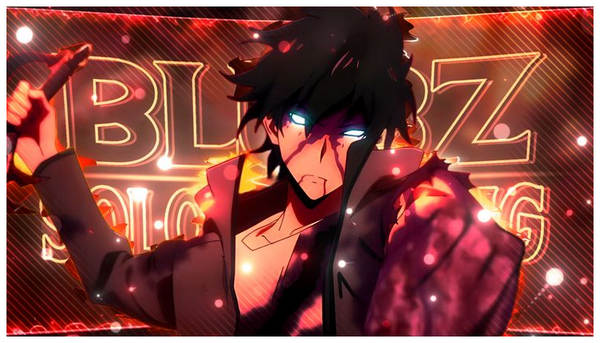
Anime Music Videos, or AMVs, are fan-made edited videos designed to be posted on social media and video-sharing platforms to create a montage of popular anime characters and iconic scenes. Videos in AMV format require advanced editing skills such as beat-matching, smooth transitions, and heavy visual effects.
As such, it requires an advanced skill to produce, since gathering the assets for the editing work also takes a significant amount of time. The editing part is even more complicated since these videos require accurate beat matching and the transitions you apply to the videos.
To learn the essential skills when editing modern AMVs, we provided useful tips for a smooth workflow when using video editing software, as AMV editors do.
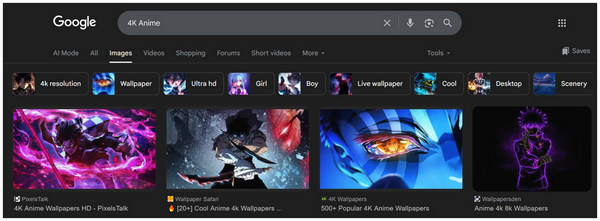
When producing AMV content, ensure the assets you use have high quality and resolution, both in images and video files. When it comes to anime photos, make sure that their resolution is at least 4K to make it suitable as an editing asset for AMV format content.
This is more important than traditional videos, since the images you use in AMVs are usually blended with 3D effects or applied with minor AI-driven animations. The color quality of the videos and images should also be easily adjustable since blending them with visual effects is also another major element of AMVs.
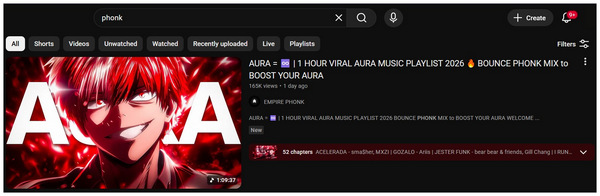
With the visual aspect of AMV editing now discussed, let us move forward to the second element that makes AMV video file editing stand out from other projects. This is none other than the selection of proper audio.
Since AMVs require beat-matching and smooth transitions, the genre of the music you will select should have heavy beat drops and natural transitions. With that in mind, the most recommended type of music for these videos is usually instrumental-heavy or those with long electronic mixes saved in MP3 format for compatibility. Some examples of which are hip-hop, rock, phonk, or modern remixes of popular songs.
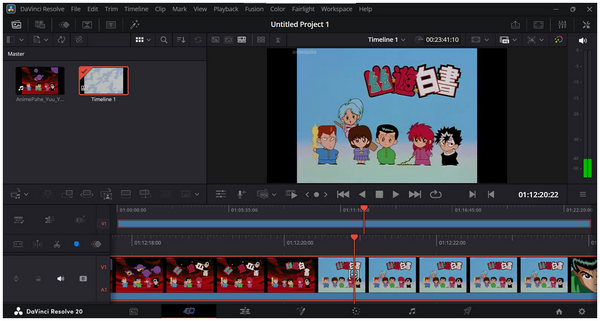
Since AMV video editing requires advanced creative and technical skills during video production, it is advisable to use high-end traditional video editors for making such types of content. Some examples of which are Adobe After Effects and DaVinci Resolve.
These programs offer highly advanced practical tools for adding visual effects to videos. However, their highly technical nature requires their users to be equipped with advanced video editing skills since AMV content is heavy in this regard.
Alternatively, you can also use a less technical alternative that can be used as an all-in-one solution for setting up anime clips to be editing-friendly, have enhanced video quality, and be equipped with accurate audio sync. For such an option, please proceed to our next recommended software below.
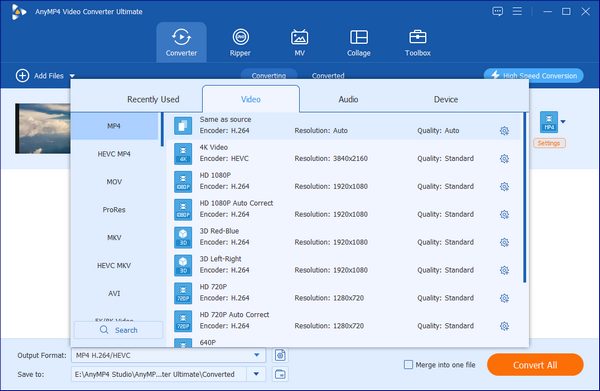
Whether you want to make a video optimized as an editing asset for AMVs or you want to use a video editing tool perfect for beginners, AnyMP4 Video Converter Ultimate will definitely get the job done.
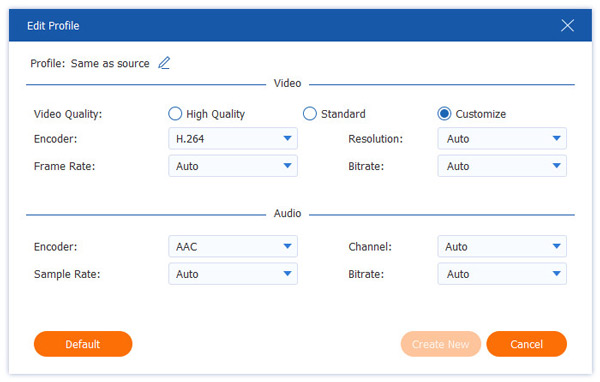
If you are looking for software to convert anime episodes into editing-friendly formats, the Format Converter feature of AnyMP4 Video Converter Ultimate is the perfect option to do so. It can be used to convert these videos into MP4 or MKV, as well as edit advanced elements in the file, such as Video Quality, Encoder Type, Frame Rate, Resolution, and others.
These adjustments can be applied to multiple files at once since the tool offers a batch conversion feature, making it possible to convert entire seasons of anime into video editing assets up to 70x faster than other multimedia programs.
If you are worried about quality decline, fear not, since the program offers lossless quality conversion for videos already saved in UHD. Alternatively, it is equipped with a video enhancement tool to improve the resolution of videos that require a quality upgrade.
Finally, miscellaneous utility tools are also available in the program, from a practical audio syncing adjustment tool, video reverser, playback speed controller, GIF maker, and more within the Toolbox section of the program.
With all these multimedia editing tools in mind, you can now ensure that any anime videos you want to use for AMV can be used as such. Make sure to download the software to enjoy the all-in-one editing solutions of AnyMP4 Video Converter Ultimate.
Once you are done editing your AMV content, the next step is to choose the right encoding type and video format. In this case, what is considered the gold standard for video content is 8-bit in H.264 instead of H.265, often considered the best option for online video content due to its superb compatibility, good compression rate with minimal quality loss, and optimized hardware acceleration.
Moving forward to video formats, the most recommended one is MP4. Similar to the selected encoder, this file type is also known for maximum compatibility. Making it perfect for YouTube, Facebook, TikTok, or any other social media platform.
If you are experienced enough with video editing, traditional video editors are the better option. They offer more advanced tools, a higher ceiling when it comes to visual effects, and are generally more advanced. Unfortunately, it is not a good option if you are a complete beginner since the technical requirements of these programs are quite high.
If you are an amateur video editor or an experienced one looking for a video editing asset converter, AnyMP4 Video Converter Ultimate is a solid option for both. It is equipped with a beginner-friendly video editor for complete beginners. If you are having trouble with low-quality assets, it can also handle it with its multimedia features designed for quality enhancement.
Make sure to save your AMV projects into MP4 and use the 8-bit H.264 encoder type. These format settings are the best solution to ensure that your AMV project will be uploaded properly on your social media and video-sharing accounts.
Since VFX editing is the most complicated skill in multimedia, it is important to ensure that you practice this skill, since it is the most important editing element when producing AMV content. Make sure to practice your color blending, effects timing with the audio, and use proper transition effects.
Finally, proper transitions and beat-synced videos are the most prominent elements of AMVs. As such, it is important to make sure that you are slowly improving in this department. Practice audio-video syncing by applying transitions from a slow audio build-up.
Is making AMVs legal?
Yes, it is. AMVs are legal, and it does not violate any copyright issues. However, make sure to only use audio that is properly licensed to avoid copyright claims.
Where do I find high-quality anime clips without subtitles?
You can download subtitle-less anime on video-sharing websites such as Animedia. You can also download anime episodes and then crop them to remove subtitles. However, you need multimedia tools to apply video quality enhancement to cropped videos.
What is the best frame rate for AMVs?
When editing AMVs, standard 24FPS is good enough. However, using 60FPS footage may also improve your content’s appeal, especially when you are using a UHD resolution. 60FPS videos are best used for short-form content during transitions with heavy visual effects.
Can I make an AMV on my phone?
Yes, you can. There are mobile video editors that offer basic AMV templates. A good example is CapCut.
How do I stop my AMV from looking blurry on YouTube?
Save your video in high quality so that it's the one you want to use. Also, make sure to use the proper encoding type and format. Adjusting this will greatly enhance your video’s quality retention since YouTube compresses videos uploaded to it.
Now that we have discussed everything you need to learn about what AMV content is, we hope that this article has provided you with useful information in producing such video projects. Whether you are an amateur or an experienced editor, we recommend using AnyMP4 Video Converter Ultimate as an all-in-one solution for all your video editing work.
 Updated by Alice Thorne to Glossary
Similar Readings
 MP3 Vs. MP4 | Uncover the Key Differences of These Formats
This post will focus on MP3 Vs. MP4 overview. Understand their distinct qualities and discover which one suits your audio and video preferences.
 What Is AAC and Why It Matters in Audio Technology
This post will highlight what AAC is. Discover the origins, advantages, disadvantages, and versatile applications of the Advanced Audio Coding files.
 What is DTS? Everything You Need to Know About DTS is Here
In this guidepost, you will learn what DTS is and its impact on audio quality. Also, discover how to play and convert DTS files for a richer audio experience.
 What Is FLV? Defining the Flash Video and How to Access it
This informative post will focus on what FLV is. Additionally, we will present tools for playing and converting these files. Check the answers you need here!
 Add your comments to join the discussion here