Reduce Any Audio File Size Online
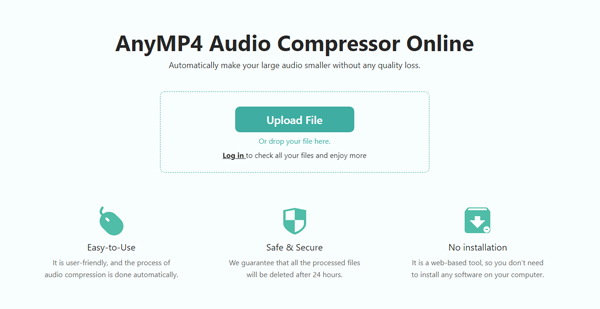
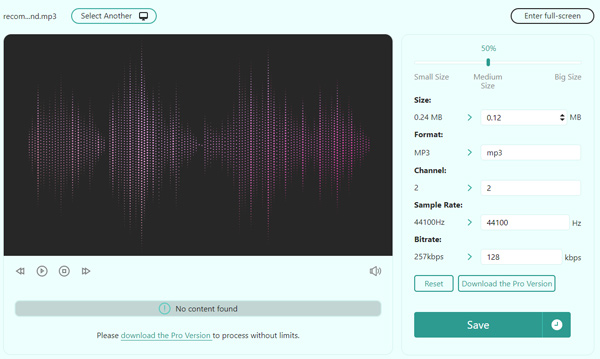
AnyMP4 Audio Compressor is completely online, which means that you can compress your audio file online without downloading any software. It works with any popular audio format, such as MP3, AAC, AC3, WAV, OGG, WMA, AMR, FLAC, and much more. Additionally, it allows you to customize compression settings. For example, you can select a target file size, set sample rate, change the audio encoder, and more.
Compress Audio While Keeping the Quality
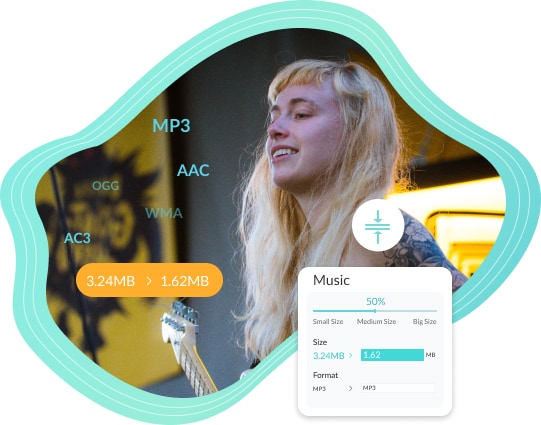
Have a large audio file for uploading or hosting? It’s not a problem anymore! With AnyMP4 Audio Compressor Online, you can easily reduce the size of audio files without losing quality. You can set the parameters like encoder, sample rate, etc., to maintain the quality of the file as much as possible. The process of audio reduction is simple, and you don’t need to have any audio editing skills or read guidelines to use it.
Why Do You Need AnyMP4 Audio Compressor Online
It is a top-notch audio file reducer to shrink MP3, WMA, AAC, OGG, FLAC, or other audio files. After getting the compressed audio, you can share it with your friends.

Free to Use
This online audio file compressor is free to turn your audio smaller without cost.

Serve Multiple Purposes
You can compress audio files for Instagram, YouTube, TikTok, Facebook, Vimeo, and more.

Adjust Audio Parameters
It is perfect for changing the output settings like audio encoder, sample rate, channel, etc.

Works for Any Web Browser
It is accessible from any web browser, including Chrome, Safari, Firefox, Bing, and more.
3 Steps to Compress Audio Online
- Step 1. Upload audio
Click Upload File to select your MP3, WAV, or audio recording.
- Step 2. Set compression ratio
Choose the target size or compression ratio. (If you want to compress audio file for WhatsApp, make sure the final file size is under 16MB/64MB).
- Step 3. Compress and Save
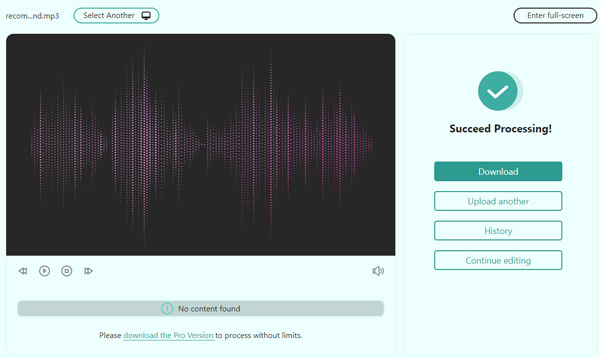
Click Save to compress and download your smaller audio file instantly.

FAQs of AnyMP4 Audio Compressor Online
-
How do I reduce the size of an audio file?
ust upload your audio file from your device by hitting the "Upload File" button. Then, set your desired file size (from MB to KB) and adjusting other parameters. When you’re ready, press the "Compress" button to start reducing the audio file size instantly.
-
How can I compress audio files for WhatsApp?
AnyMP4 Audio Compressor Online is an excellent choice for WhatsApp audio compression. Simply upload your audio file and adjust the target size to under 16MB (WhatsApp's media sharing limit) or 100MB (for documents). It helps you easily shrink large audio files for quick sharing on WhatsApp without losing clarity.
-
How can I compress audio files for WhatsApp?
AnyMP4 Audio Compressor is an excellent choice for audio compression. You can use it to reduce the audio file size for WhatsApp.
-
Can I compress large voice recordings or call recordings here?
Absolutely. This free online tool also serves as an efficient voice recording compressor. Whether it is a lecture recording, interview, or call recording, you can significantly reduce its MB size while preserving the high quality of the vocal audio.
-
Can I compress MP3 and other audio formats?
Yes, MP3 files can be easily compressed using our online audio compression tool. In addition to MP3, it fully supports reducing the file size of WAV, AAC, OGG, WMA, FLAC, M4A, and many other popular audio formats with high efficiency.
-
Is it safe to use AnyMP4 Audio Compressor?
Sure. AnyMP4 Audio Compressor Online is 100% safe and secure to use. It requires no installation or registration, and your uploaded audio files are fully protected with no risks of spam, privacy leaks, or malware.
What Users Say AnyMP4 Audio Compressor Online
-
This tool is really intuitive. Just upload my audio files and decide the target size to compress.
Gurleen Marsh
-
The free audio reducer can quickly compress my audio files. Before starting the audio compression, I can even preview the audio.
Caprice Richards
-
It only takes a moment for audio compression. With AnyMP4 Audio Compressor Online, I can easily compress audio without losing quality.
Olly Flowers
GMCROF


Dig More Free Helpers
-
 Free Video Converter Online
Convert almost any video files into MP4, AVI, MOV, MP3, GIF, etc., to meet all your demands.
Learn More ->
-
 Free Video Compressor Online
Compress the large video file in MP4, MOV, AVI, MKV, FLV, WebM, MXF, WMV, MTS/M2TS, M4V, etc., into smaller size.
Learn More ->
-
 Free PDF Compressor Online
Compress large PDF file size into smaller for sending via Email or sharing via the applications on your device.
Learn More ->

 Store
Store


 Download App