YouTube Create Review 2026: Is It Truly the Best App for Creators
Short-form content on YouTube Shorts has managed to compete with other social media options in terms of providing quick entertainment to its users. To support their mobile audience, YouTube has created the built-in YouTube Create app for quick editing and easy video production. After spending 20+ hours editing my latest Shorts and long-form videos on the YouTube Create app, I will provide a detailed review to provide a guide on where the app falls flat and excels compared to other desktop-based giants.

How We Tested YouTube Create
Sync Test
To test the audio-video sync of YouTube Create, I imported 5 minutes of footage into the video editor and applied more than ten transition effects to the video. Then I previewed the original video with the effects to test if the sync was maintained.
Export Test
Next, I also tested how YouTube Create performs in terms of video exporting and production. To do so, I exported a video clip of my 60-second 4K short-form video made for a standard smartphone.
Copyright Test
Finally, I uploaded the video using built-in music from YouTube Create itself to test immediate content ID claims. Fortunately, the video was uploaded without any copyright issues, as the audio that I used is available by default in YouTube Create itself.
Part 1. What is YouTube Create
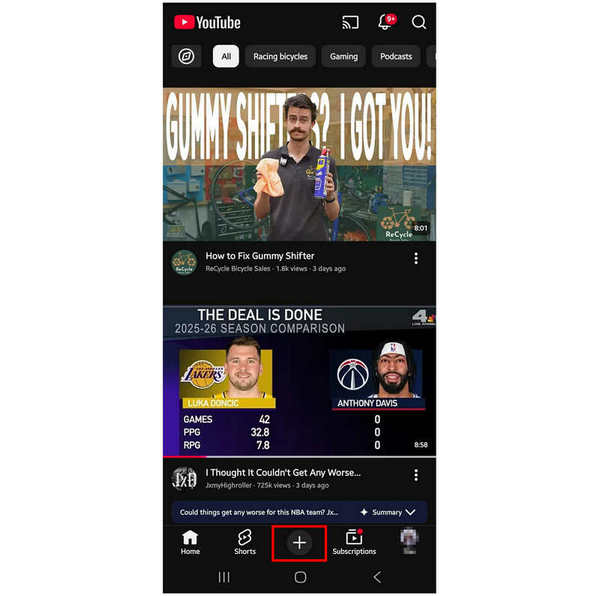
YouTube Create is the built-in video-editing tool in the mobile YouTube app. This was made to make producing and uploading YouTube Shorts faster and easier. It is exclusively available for the mobile app of YouTube on Android and iOS devices.
Although it works for basic video editing, YouTube Create’s features are not suitable as your only option for video production. It is only advisable for basic video adjustments. With that in mind, you still have to use more advanced video editors to produce higher-quality YouTube content.
Besides its limitations, YouTube Create still works as a good video editing app, especially since it has practical features connected directly to YouTube.
Part 2. Hands-On Experience: Top Features I Loved
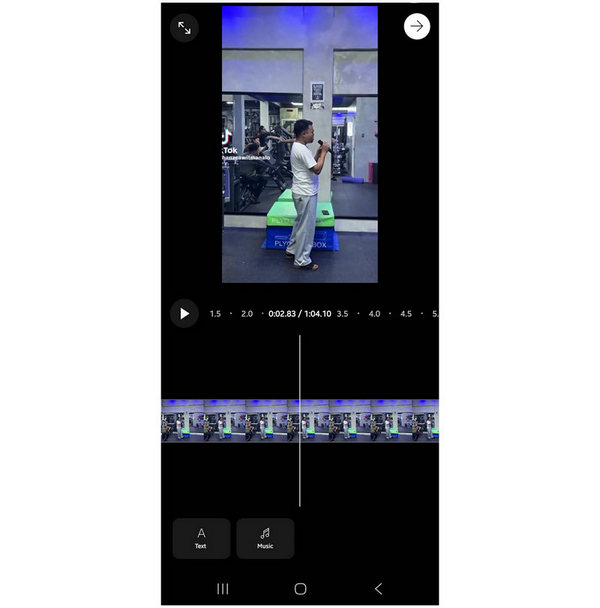
The Royalty-Free Audio Library (A Game Changer)
When using YouTube Create to edit videos, you can use the built-in library of royalty-free audio within the program. These include licensed pop music and not just generic stock audio. This allows you to create more thematic short-form videos, as you can use the appropriate music for your content.
AI-Powered Auto-Captions and Cleanup
If you wish to reach a wider audience, a good first step is to add captions to your video. This will help in general understanding, since the dialogue you will speak will have an optional caption that may be turned on. Additionally, a cleanup option is also available to fix any minor audio or visual issues. This makes it one of the best video editors for iPhone and Android.
Seamless Direct-to-YouTube Publishing
Since YouTube Create is available in the YouTube app itself, publishing it was made very simple. After editing the video, you can directly upload it as a YouTube Short to your channel.
Part 3. The Desktop Gap: Why Mobile Editing Isn’t Always Enough
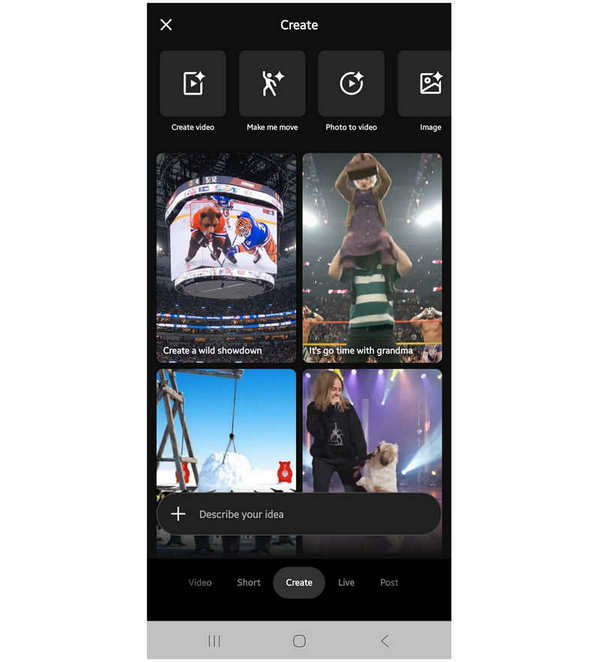
Although YouTube Create allows it to become an iOS or Android video editor for practicality and instant video production, mobile editing will not be enough if you plan on creating high-value production videos.
Accurate editing tools are not available in YouTube Create, and the effects that can be used on it are only template-based, which may limit the editing capacity of users who are already skilled enough for high-value production.
With that in mind, it is best to use a companion editing tool if you want to create high-quality YouTube Shorts content. You may also do the opposite and use the desktop-based video editors and use YouTube Create to apply final touches before uploading.
Part 4. The Best Companion Tool: AnyMP4 Video Converter Ultimate
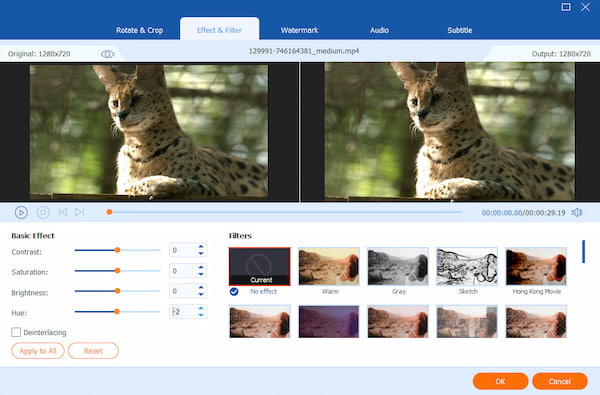
If you plan on producing short-form content by editing files unsupported in mobile format, it is advisable to use an alternative option since YouTube Create cannot support 8K videos, DVD media, MKV files, and other uncommon formats. With that in mind, you need a bridge to produce content using these videos, and AnyMP4 Video Converter Ultimate is an excellent choice.
To start, this desktop-based companion tool supports editing videos from 500+ digital formats as well as DVD and Blu-ray content ripped from physical media. This makes the tool a good option for editing short-form videos using files unsupported by YouTube Create.
Additionally, it can also convert these video files into a mobile-friendly format, which will allow editing such videos in YouTube Create. Videos saved in 4K/8K UHD quality can also be converted to MP4 or MOV to make them readable in the YouTube app.
Together with the program’s format bridging function, it is also equipped with an AI video enhancement function designed for upscaling standard 1080p videos to 4K, which highly appeals to the YouTube algorithm.
To start using the best desktop-based companion tool for YouTube Create, make sure to download AnyMP4 Video Converter Ultimate using the link below.
Part 5. YouTube Create vs. CapCut vs. Desktop Editors
When producing videos for YouTube content, popular video editors such as CapCut and desktop-based options are still the top-of-mind selection for most users. With that in mind, we will provide a detailed table to help our readers choose which among YouTube Create, CapCut, and PC-based editors is the best option for them.
We will highlight the main features of these editing tools in terms of their supported platform, ease of use, biggest advantage, music library, AI-supporting features, and pricing plans.
| Video Editing Tools |
Primary Platform |
Ease of Use |
Primary Strength |
Music Library |
AI Features |
Costing |
| YouTube Create |
Android
iOS |
Very Easy |
Built-in on the YouTube app. |
YouTube Audio Library |
Audio cleanup.
Automated captions. |
Free |
| CapCut |
Mobile
Browsers
Desktop |
Intermediate |
Viral editing templates. |
Popular TikTok music. |
Auto-editing.
AI effects.
Voice changing. |
Free - $89.99 |
| Desktop Editors |
Windows
macOS |
Complex |
Total control and professional features. |
Local files and Adobe assets. |
Deep AI by Adobe. |
$30.00 - $50.00
Monthly Subscription. |
Part 6. How to Choose the Right Editing Tool for Your Channel
To choose which video editing tool is the best for your needs, you first have to identify what type of content you will upload to your YouTube channel. This is very necessary since the editing needs you have to use are directly connected to the type of content you will create.
For creating YouTube Shorts videos coming from your regular uploads, YouTube Create might be good enough since it can directly access the videos uploaded on your channel. However, if you will produce high-quality standard or long-form videos, traditional video editing tools such as AnyMP4 Video Converter Ultimate or Adobe Premiere Pro may be better options.
In the end, choosing the right editing tool for your channel will always be based on the content you plan on releasing. You have to identify this first before choosing which software you will use as your main production tool.
Part 7. FAQs About YouTube Create Review
Is YouTube Create free?
Yes, it is completely free with no watermarks. YouTube Create is a built-in feature in the app itself. The video editing tool is available without any additional payment for its users.
Can I use it on a PC?
No, it is currently mobile-only. YouTube Create for the YouTube browser is not yet available or developed. As such, you are still required to use a desktop-based option like AnyMP4 Video Converter Ultimate.
Does it support 4K?
Yes, but performance depends on your phone’s hardware. This is very important since 4K videos have extremely high quality, and playing them requires so many resources. Editing consumes even more, which will require your device to work even harder.
Is the YouTube Create app available for iOS?
Yes, it is. YouTube for iOS devices also offers the Create feature. This is a smart option since iOS devices are primarily known for their high-quality cameras, making them suitable for YouTube content.
Is YouTube Create available for PC?
No, it is not. YouTube Create is an exclusive video editing tool of YouTube for its mobile app. Unfortunately, it is not available if you access YouTube on your browser.
Conclusion
Now that we have provided our readers with everything they have to learn about YouTube Create, we hope that this review article has proven to be useful for your decision-making in picking the right video editor. If you plan on solely relying on the program for video editing, we do not recommend such action since YouTube Create only offers basic editing tools and effects. Using a desktop-based software like AnyMP4 Video Converter Ultimate still works better, and you can download it using the link below.





 Add your comments to join the discussion here