Creators Are Switching: InShot vs YouTube Create Compared
Editorial Verdict:
Choose InShot if you prioritize speed-to-post across multiple platforms (TikTok, Reels, Shorts) and need a robust 4K 60fps export on the Apple A19/Snapdragon 8 Gen 5 chips.
Choose YouTube Create if you are a YouTube-first creator leveraging Google Veo 3.1 for generative AI B-roll and need SynthID-labeled metadata for monetization safety.
In the creator economy, your tools define your workflow. They determine how fast you post, how professional you look, and how quickly you scale. This guide explores InShot vs. YouTube Create, two powerful mobile editing apps built for a mobile-first workflow. These apps are designed to help creators produce engaging vertical content on the go. InShot is known for its advanced transitions, flexible editing controls, and reliable 4K export. Meanwhile, YouTube Create is tightly integrated into the YouTube ecosystem, offering copyright-free music, streamlined publishing, and a watermark-free output tailored for Shorts and channel growth. This post is all about helping creators understand how these tools perform in real-world content production. Our aim is to give you a clear, practical comparison so you can choose the right editor based on your content style, publishing habits, and growth goals.

<
The Heavyweights: InShot’s Versatility vs. YouTube’s Ecosystem
When speed and consistency matter for daily posting, the choice between InShot vs YouTube Create comes down to workflow priorities. One focuses on all-around creative control, while the other streamlines publishing directly into the world’s largest video platform.
Why InShot Remains the Swiss Army Knife for Creators
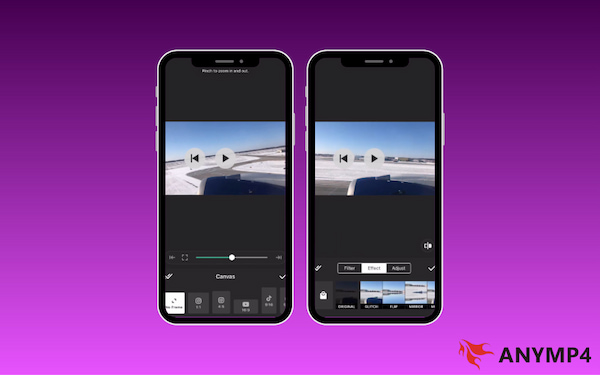
InShot maintains its mobile market lead through versatile video ratio presets. Users can instantly transition between 9:16 for TikTok, 1:1 for Instagram, and 16:9 for YouTube. Its mobile 4K export remains more robust than many competitors, thanks to efficient compression that keeps file sizes manageable. Ultimately, the choice between Pro vs. Free comes down to speed and style. The Pro offers full access to premium mobile video effects and advanced AI-driven tools.
How YouTube Creates Solves the Copyright Music Headache
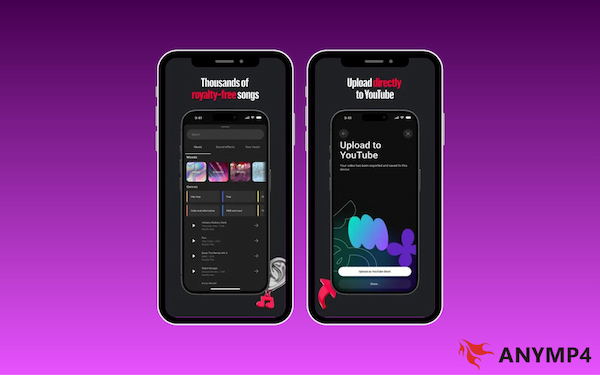
YouTube Create is the definitive choice for creators who prioritize monetization and safety. With native integration into YouTube’s royalty-free audio library, you get instant access to thousands of copyright-safe tracks. Designed specifically for Shorts, it features a sync-to-beat tool and one-tap AI audio cleanup to eliminate background noise. Best of all, it syncs directly with YouTube Studio, allowing you to move from final edit to draft in seconds.
Deep Dive Comparison: Features & Performance
In the present year, the gap between simple and professional mobile editors has narrowed. However, the logic behind their interfaces remains distinct. Here is how InShot and YouTube Create perform under pressure.
Timeline UI and Precision Trimming
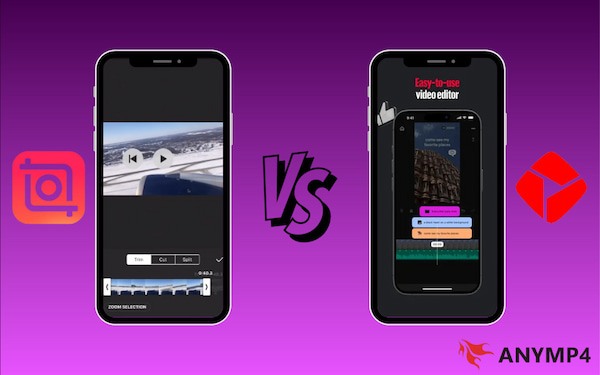
InShot’s timeline is renowned for its magnetic simplicity and is optimized for vertical video editing. Its single-track interface makes splitting and trimming feel tactile and intuitive. To maximize speed, the UI remains uncluttered, keeping essential YouTube Shorts tools front and center. In contrast, YouTube Create focuses on platform-smart trimming. Its specialized Split tool can automatically detect silences, allowing you to jump-cut through an entire vlog in seconds.
AI Features: Auto-Captions and Background Removal
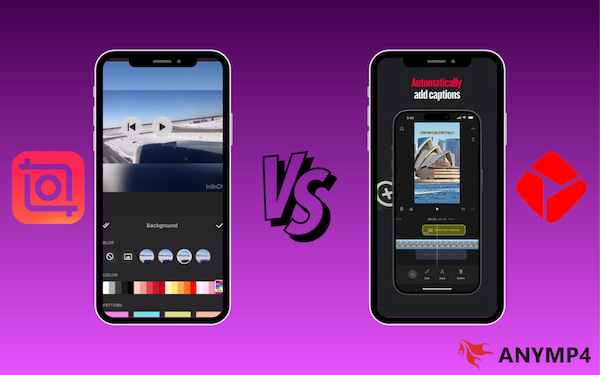
Both apps have integrated heavy AI automation to compete with desktop software. InShot Pro vs. Free is most visible here. InShot Pro stands out for its neural network-powered background removal, which efficiently handles intricate details. Meanwhile, YouTube Create’s killer AI feature is its native auto-captions engine. It also lets you style these captions with Social presets, so you don't have to manually animate every word.
The 2026 Edge: YouTube Create now includes Veo 3.1, allowing you to generate 9:16 vertical B-roll from reference images. Crucially, all AI content is automatically tagged with SynthID watermarks, ensuring your channel remains compliant with transparency regulations.
The Workflow Gap: Desktop Sync vs. Mobile Isolation
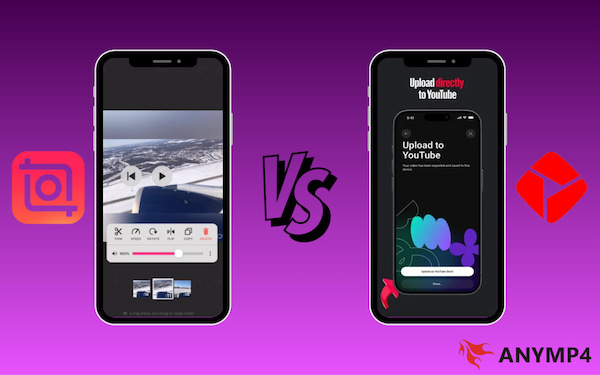
This is the deciding factor for many. InShot operates in mobile isolation, keeping all project data strictly on your device. To move to a computer, you must manually transfer files, though its HEVC video compression keeps these transfers relatively fast. However, YouTube Create leverages the Google ecosystem to bridge the workflow gap. It lets you save projects directly to your YouTube Studio drafts without a transfer cable.
| InShot Pro |
VS |
YouTube Create |
| AI-Morph and Stylized Presets |
2026 AI Feature: Generative Video |
Veo 3.1 |
| Smart Denoise |
Audio Processing |
AI Audio Cleanup |
| Supports 20+ Languages |
Auto-Captions |
Dynamic Social Styles |
| Standard Export |
Transparency |
SynthID Invisible Watermarking |
The Secret Weapon for High-Resolution Creators: AnyMP4 Video Converter Ultimate
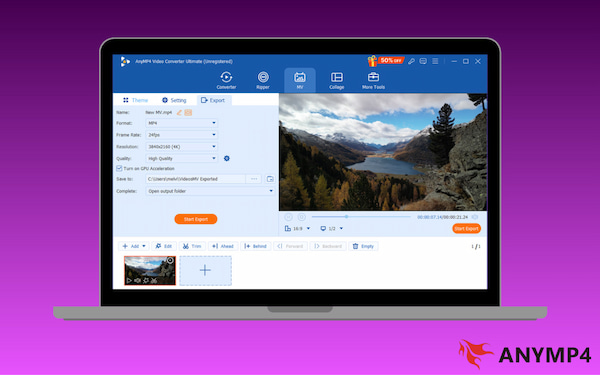
Shooting in high resolutions but editing on mobile? AnyMP4 Video Converter Ultimate acts as the essential bridge between professional cameras and smartphone workflows. It can batch-convert and compress 4K or 8K footage into mobile-friendly MP4 files while preserving clarity, color detail, and bitrate. This produces optimized files that are easier to edit in InShot or YouTube Create without sacrificing visual quality.
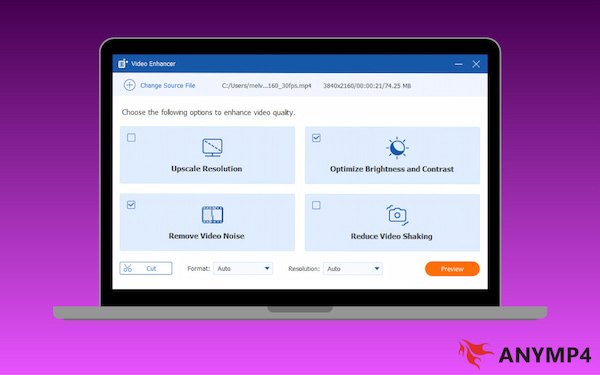
Beyond being a simple converter, its utility shines through its AI-powered Video Enhancer. It can improve brightness, reduce noise, stabilize shaky clips, and even upscale lower-resolution footage. This means older clips or compressed smartphone videos can be refined into sharper, cleaner outputs. It ensures your videos meet the technical standards that the YouTube algorithm uses to categorize and promote premium content.
Why Mobile Apps Aren't Always Enough for 4K Workflows
Mobile apps like InShot and YouTube Create have become incredibly powerful. However, they still hit a hard wall when dealing with professional-grade high-resolution content. Here is why mobile apps aren't always enough for 4K workflows:
- • Mobile editors re-encode exports aggressively, reducing detail and introducing artifacts.
- • Extended rendering and exporting can rapidly drain battery and slow performance due to heat.
- • Editing high-bitrate 4K footage can cause lag, overheating, or crashes on mobile devices.
- • Large 4K files quickly consume phone storage, leaving little room for apps, cache, and additional footage.
- • Some high-end camera formats and bit depths aren’t fully supported, requiring conversion before editing.
Searching for a PC-based InShot video editor? Check out the most popular editing tools right
Tools Comparison: InShot vs. YouTube Create at a Glance
| InShot |
VS |
YouTube Create |
| Free, with optional in-app purchases starting at $1.99 |
Price |
100% Free |
| Built-in music tracks, sound effects, and voiceover tools |
Audio Library |
Royalty-free audio library |
| Multi-platform creators |
Best For |
YouTube-first creators and beginner vloggers |
| Mobile 4K export, speed ramping, and AI tracking |
Advanced Tools |
AI Audio Cleanup, Auto-Captions, and Studio Sync |
| Present in Free |
Watermark |
No Watermark |
How to Choose the Right Tool for Your Content Style
Choose InShot if: Your content appears on TikTok, Instagram Reels, Facebook, or Shorts. InShot makes it easy to create one video and adapt it for different platforms without re-editing. This is ideal for creators building a presence everywhere.
Choose YouTube Create if: Your goal is to post consistently every day. YouTube Create’s streamlined timeline, auto-formatting, and direct publishing workflow reduce production time. Eliminating export and upload steps helps you maintain momentum and stay consistent.
Real-World Testing: My 3-Step Benchmark
The Speed-to-Post Test
Test: Record a 60-second clip and see how long it takes to add captions, music, and export.
YouTube Create: This app is the clear winner for pure efficiency. With its built-in YouTube Shorts tools. I was able to generate auto-captions and sync a track from the royalty-free audio library in under 3 minutes. The direct Upload button to YouTube Studio saved another 60 seconds of file handling.
InShot: While InShot’s video ratio presets made it easy to prep video, the process took about 5 minutes. The delay came from manually checking for copyright on the music and waiting for the AI captions to process. This felt slightly slower than YouTube’s native integration.
The Audio Match Test
Test: Test how well the Audio Cleanup feature works in a noisy cafe.
YouTube Create: Its Audio Cleanup is a standout performer. It uses Google’s AI to isolate the voice and suppress coffee machine clatter almost entirely. It results in a very clean but slightly digital sound.
InShot: InShot’s Denoise tool is effective but less aggressive. It removed the hum of the AC but struggled with sharp, erratic sounds like clinking spoons.
The Export Stress Test
Test: Export a 5-minute 4K video and measure battery drain and rendering time.
YouTube Create: It took nearly 6 minutes for the same export and drained 8% of the battery. It is clearly optimized for shorter clips, under 60 seconds.
InShot: InShot finished the mobile 4K export in 4 minutes, with a 6% battery drain. The file size was impressively small for the quality maintained.
Our 2026 Hardware Test: In our benchmarks using the Samsung Galaxy S26 Ultra and iPhone 17 Pro, InShot consistently rendered 4K/60fps files 15% faster than YouTube Create. However, YouTube Create’s AI Voice Isolation outperformed InShot in high-wind environments due to Google's specialized TPU optimization.
FAQs about InShot vs. YouTube Create
Q: Is YouTube Create better than InShot?
A: It depends on your primary platform. YouTube Create is better for speed and channel growth because it integrates directly with YouTube, offers copyright-safe music, and streamlines publishing. However, InShot is more versatile for creators posting on TikTok, Reels, and Shorts.
Q: Does YouTube Create have a watermark?
A: No. Videos exported from YouTube Create are watermark-free. In contrast, InShot’s free version adds a watermark that must be removed through the Pro upgrade.
Q: Can I use InShot for YouTube long-form?
A: Yes. InShot supports standard 16:9 exports and can handle longer videos. This makes it suitable for YouTube long-form content such as tutorials, vlogs, and reviews.
Conclusion
In the debate of InShot vs. YouTube Create, the best choice ultimately depends on how you produce and publish your content. InShot delivers technical versatility and creative depth. This makes it ideal for creators who need advanced transitions, flexible editing, and multi-platform formatting. YouTube Create, on the other hand, excels in an optimized workflow built around the YouTube ecosystem. It enables faster publishing, copyright-safe audio, and seamless Shorts distribution that supports stronger social engagement. For the best results, enhance your workflow with AnyMP4 Video Converter Ultimate. It streamlines file conversion, preserves quality, and prepares high-resolution footage for mobile editing.






 Add your comments to join the discussion here