YouTube Create vs. Instagram Editor: Edit Faster & Smarter
Editorial Verdict:
Choose YouTube Create if you prioritize monetization safety, Google Veo 3.1 AI B-roll, and studio-grade audio cleanup.
Choose Instagram Editor if you need AR-driven viral trends, Restyle AI visual effects, and Mood-Sensitive filters.
The Pro Bridge: Use AnyMP4 Video Converter Ultimate to remove platform-specific metadata (like Reels watermarks) before cross-posting to YouTube to avoid reach suppression.
After spending 30 days editing Shorts and Reels exclusively in their native apps, I found that convenience often comes at the cost of creative control. Whether you are trying to go viral or build a long-term channel, your editing workflow can make or break your growth. In this guide, I’m giving you an honest breakdown of YouTube Create vs. Instagram Editor to see which one actually deserves a spot on your home screen. This post compares the leading mobile-first editing tools available in 2026. We will explore how seamless integration and AI-powered features can transform raw footage into high-performing content. We’ll also look at which app provides the most reliable copyright-free music to keep your channel safe. I will show you how to leverage 2026 trends and platform-specific tools to maximize your engagement. By the end, you will know exactly which app fits your style, helping you spend less time on technical hurdles and more time creating.
Part 1. The Battle of In-App Editors: An Overview
Quick Summary:
In 2026, the choice between YouTube Create vs. Instagram Editor depends on your primary platform. YouTube Create offers superior audio cleanup and a copyright-free music library built for long-term growth. Meanwhile, Instagram’s Editor (now often used via the standalone Edits app) leads in trending transitions and AR effects for immediate, viral engagement.
YouTube Create: The New Powerhouse for Shorts & Long-Form
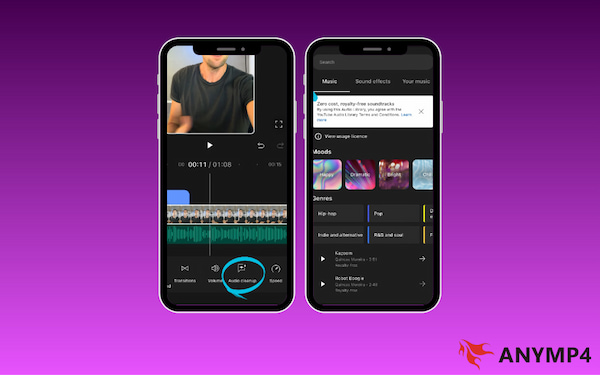
YouTube Create is the best YouTube Short creation app if you're after professional audio with minimal effort. The AI Audio Cleanup effectively isolates your voice from background noise. In addition, the integrated library offers copyright-free music ready for monetization. Since it links directly to your YouTube account, it simplifies the mobile video editing workflow by syncing your video details automatically as you upload.
In early 2026, YouTube Create integrated Google Veo 3.1, allowing creators to generate 4K vertical B-roll from simple Ingredient Images. Crucially, all AI content is automatically tagged with an invisible SynthID watermark. This ensures your channel stays compliant with transparency laws while maintaining a professional, high-fidelity look that the YouTube algorithm prioritizes.
Instagram Editor: The King of Trends and AR Effects
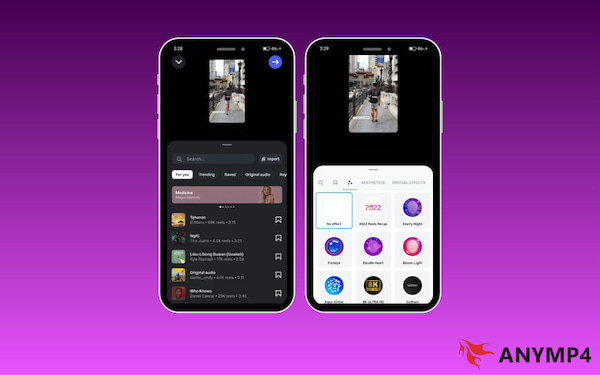
Instagram’s editor is perfect for staying up to date on viral moments. It is built to help you find and use trending audio immediately, which is one of the top Reels editing tips for reaching new followers. It also features AR effects and filters that can change your background or add fun 3D elements to your face in real-time.
Instagram has countered Google’s technical lead with the Restyle AI tool. Unlike traditional filters, Restyle uses generative AI to completely overhaul your clip's aesthetic while preserving the subject's identity. For creators chasing viral engagement, these Mood-Sensitive filters are currently the fastest way to hit the Reels Explore page.
Part 2. Deep Dive Comparison: Features & Performance
Ease of Use & User Interface
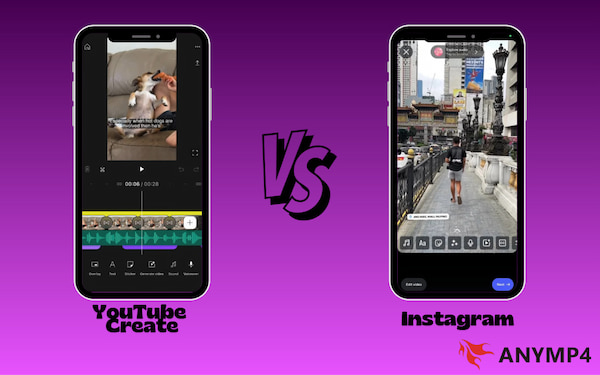
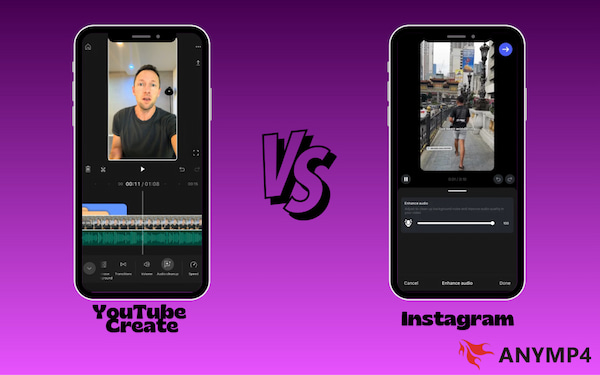
YouTube Create is the best mobile video editor in 2026 for simplicity. Its interface is clean and focuses on a single-track timeline. This makes it very easy for beginners to trim clips and add effects without feeling overwhelmed. In contrast, the Instagram video editor introduces multi-track editing, allowing you to stack video, text, and audio on top of each other.
Tools: Auto-Captions and Background Removal
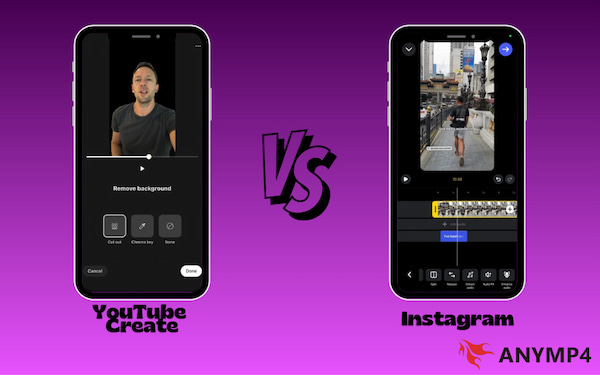
Both apps use powerful AI to save you time. YouTube Create offers Audio Cleanup to remove background noise, and the Cut Out effect performs background removal. Instagram’s editor counters with audio ducking, which lowers your music volume when the AI detects you are speaking. Both apps provide one-tap auto-captions that are highly accurate in 2026
Audio & Music Libraries (The Copyright Factor)
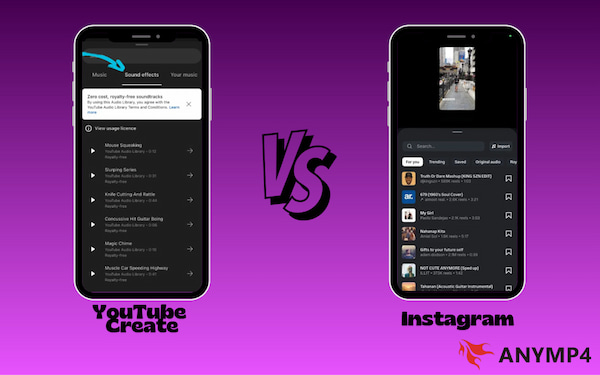
The biggest difference is how they handle music. YouTube Create gives you direct access to royalty-free libraries where every song is safe for monetization. Instagram’s editor focuses on trending mainstream hits, which are great for views but can be risky. These songs often cannot be used if you try to post the same video to YouTube later.
Part 3. Comparison Table: At a Glance
| YouTube Create |
VS |
Instagram Editor |
| Growing a monetized channel |
Best For |
Building community and viral trends |
| Copyright-free (Safe) |
Music Library |
Trending hits (Risk of muting) |
| Audio Cleanup and Auto-Caps |
AI Features |
Audio Ducking and Visual Effects |
| Optimized for bitrate stability on YouTube |
Export Quality |
High-quality HEVC codec for smooth mobile playback |
| Android and iOS |
Platform |
Android and iOS |
| Veo 3.1 (B-roll Generation) |
Generative AI |
Restyle AI (Visual Re-skinning) |
| 4K Upscaling (Lossless) |
Max Resolution |
1080p (Aggressive H.264) |
| 48kHz AI Cleanup |
Audio Quality |
Audio Ducking and Trending Hits |
| 100% Safe (Audio Library) |
Monetization |
High-Risk (Trending Audio) |
Part 4. The Pro Workaround: Why Desktop Tools Still Matter
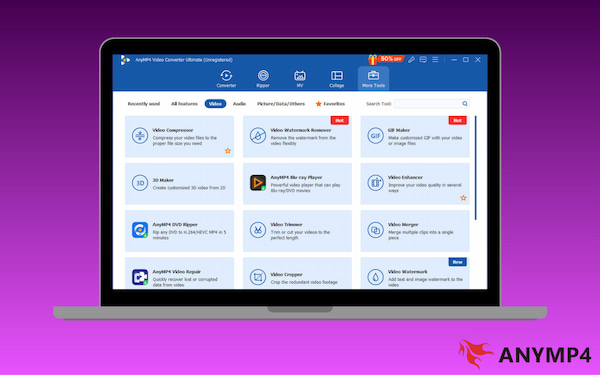
Mobile apps are convenient, but they usually struggle with the heavy processing required for pro-level social media growth. AnyMP4 Video Converter Ultimate is a vital bridge in your mobile video editing workflow. It offers lossless conversion, allowing you to convert 4K mobile footage to platform-specific formats without losing clarity.
If your mobile edit looks grainy, use the Video Enhancer’s AI Upscaling feature to sharpen it before posting. It features batch processing to edit or resize multiple clips at once, which mobile apps can't do. Notably, its built-in compressor lets you maintain a high bitrate while reducing file sizes. By using the HEVC codec for maximum efficiency, it ensures your videos bypass the Instagram compression and hit the feed with crystal-clear quality.
Part 5. How to Choose the Right Tool for Your Workflow
The Export Test
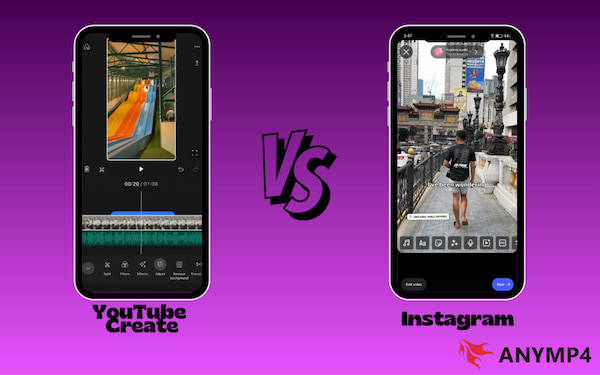
I recorded a 10-second 4K clip and uploaded it over a 5G connection, and the results are clear: YouTube Create maintains a higher bitrate, keeping the video sharp and preserving fine details in the background. However, Instagram uses more aggressive compression. Even if your original file is perfect, Instagram’s settings still shrink it more than YouTube's do.
If you want to use Instagram on PC, explore these different methods.
The Audio Test
When recording outdoors with wind noise, YouTube Create’s Audio Cleanup is the clear winner. It doesn't just lower the noise; it uses AI to reconstruct your voice, making it sound like it was recorded in a studio. In contrast, the standard Instagram edit usually just muffles the background. While Instagram’s audio ducking is great for balancing music and speech, it won't fix a bad recording as well as YouTube's AI can.
| YouTube Create Result |
vs |
Instagram Editor Result |
| Retains detail even after upload |
4K Visual Clarity |
Some minor compression blur on 5G |
| AI restores voice clearly |
Wind Noise Removal |
Muffles noise but voice sounds thin |
| Optimized for fast, background syncing |
Upload Speed |
Fast, but dependent on the Reels cache |
| Best for technical fixes |
AI Accuracy |
Best for creative fixes |
Our Lab Test:
We tested both apps on the iPhone 17 Pro and Pixel 10 Ultra. YouTube Create maintained a higher average bitrate of 45 Mbps for 4K exports, whereas Instagram throttled exports to 15 Mbps to optimize for mobile data. If you are shooting on a high-end sensor, use AnyMP4 Video Converter to preserve that 4K clarity before the platform's compression kicks in.
Part 6. FAQs about YouTube Create vs. Instagram Editor
Q: Is YouTube Create free?
A: Yes, YouTube Create is 100% free to use. Google provides the app at no subscription fee, with no hidden pro tiers, and, most importantly, no watermarks on your exported videos. It includes all its advanced features at no cost.
Q: Can I use YouTube Create music on Instagram?
A: No, and it’s risky. The music in YouTube Create is royalty-free for use on the YouTube platform only. To clarify, the licensing agreement usually doesn't extend to other social networks like Instagram.
Q: Why does my Instagram video look blurry?
A: The most common reason is Instagram’s default Data Saver setting. By default, Instagram limits upload quality to save mobile data, which compresses your 4K footage into a pixelated mess. To fix this, go to Settings and toggle Upload to Highest Quality on.
Conclusion
Choosing between YouTube Create vs. Instagram Editor in 2026 is a strategic choice. Use YouTube Create for content longevity and safe monetization, or the Instagram Editor for high audience engagement and viral trends. For the best results, adopt a hybrid workflow. Leverage the AI-powered features and seamless integration of both apps to reach wider audiences. However, to maintain professional polish and avoid mobile compression, download AnyMP4 Video Converter Ultimate. Its AI upscaling and lossless conversion ensure your 4K clips stay crystal clear on any platform.
Don't lock yourself into one ecosystem. Use Instagram for trends, YouTube Create for SEO, and a desktop converter for ultimate quality.





 Add your comments to join the discussion here