
When it comes to video production, AI-assisted video makers are becoming a viable option for some content creators. Although more common on social media apps like Facebook, YouTube channels are starting to notice the efficiency that AI-generated videos may bring. In this article, we review five of the best AI YouTube video makers for desktop computers. We will review each program based on its best uses, pricing, pros, cons, and main features. To learn more about these modern AI-powered production tools, please continue reading the article below.
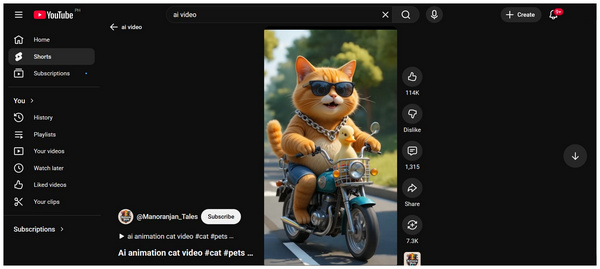
AI YouTube video makers are usually multimedia programs designed especially for creating videos using AI-assisted tools. Some of the most common examples of these programs are video editors, online tools, AI-generated text-to-video tools, and other similar software.
However, be cautious when using content like this, as AI-generated videos often receive a negative reception among internet users. If you still wish to use AI programs for content creation, we recommend using AI-assisted tools instead, which enhance video quality without directly creating it.
To discover the best options for using an AI YouTube video maker for free or paid versions, please read our detailed review of some of the best paid and free online video editors and desktop-based options for making AI content.
Type of AI Tool: AI-powered multimedia editor.
Best Used For: Editing YouTube videos with AI-supported tools.
Pricing: Free - $18.75
Before moving forward to our review of the most popular programs for creating AI YouTube content, let us first discuss the best desktop-based software for making AI-enhanced videos with none other than the multimedia software AnyMP4 Video Converter Ultimate.
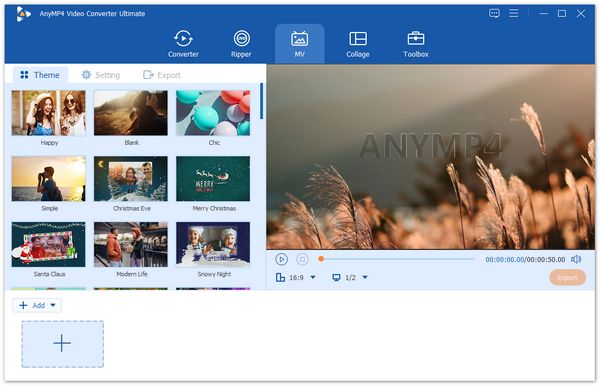
Available for both Windows and Mac computers, AnyMP4 Video Converter Ultimate features a fully functional MV Maker designed specifically for editing videos with pre-made templates, themes, and filters that can be added with just a few clicks. This design essentially eliminated the intricate adjustments required to improve the video's visuals.
In addition to these beginner-friendly editor tools, AnyMP4 Video Converter Ultimate supports a wide range of popular media files for its video editor, including MP4, MOV, WMV, AVI, MKV, and GIF. This made the program a dependable software if you plan on making YouTube videos using different stock media.
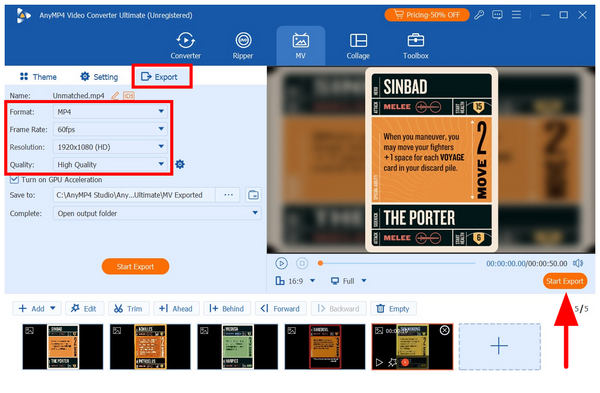
Once you have completed these general adjustments, the software will then be able to utilize its AI-enhanced video enhancement option, located in the export tab. There, you can upscale the video quality by changing the video output’s Format, Frame Rate, Resolution, and Quality.
To learn more about what makes AnyMP4 Video Converter Ultimate an excellent choice for creating AI-assisted YouTube videos, make sure to read its main features below.
Don't forget to download the program for free using the provided link.
Secure Download
Secure Download
Main Features:
• The MV Maker feature is designed to easily create AI-enhanced videos for YouTube.
• Offers a video format converter that supports over 500 file types for importing videos saved in the supported formats of YouTube.
• It offers an AI-assisted video enhancement feature that can improve videos up to 4K UHD, ensuring your media meets YouTube’s minimum recommended quality.
• It features an easy-to-use DVD ripper program for converting DVD media to digital formats.
• Offers 20+ AI-powered multimedia tools, including practical options such as a watermark remover, cropper, merger, trimmer, and more, to refine your videos.
PROS
CONS
To learn more about what makes AnyMP4 Video Converter Ultimate a good AI video maker for YouTube, make sure to read our three-step tutorial on using the program in the fourth part of the article.
Type of AI Tool: Text-to-video AI-generated tool
Best Used For: Turning text scripts into animated AI videos.
Pricing: $14.90 - $84.90
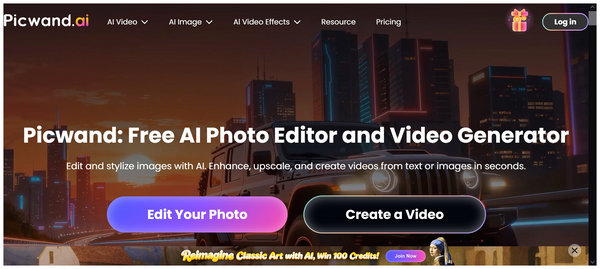
We will begin this review by highlighting a dedicated tool designed specifically as an AI video maker using prompts in text-to-video production. This was made possible by Picwand AI, one of the leading online tools for AI video production.
Among the options in this list, Picwand may be the easiest to use, as it requires minimal knowledge of AI prompts. Unfortunately, it is also one of the more expensive options. This was made possible by the credit-based monetization of the program.
Picwand is both the easiest to use but also one of the most expensive.
Main Features:
• Uses AI prompts for video generation.
• Detects different languages for AI prompts.
• Supports AI video enhancement and upscales.
PROS
CONS
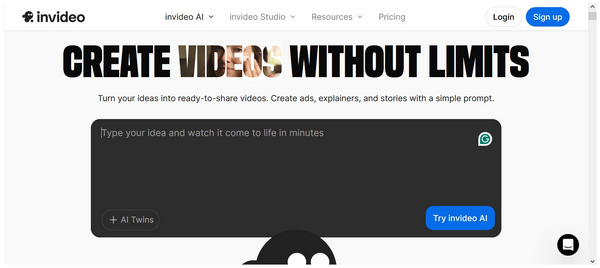
Type of AI Tool: All-around video editor and generator tool.
Best Used For: Turning written scripts to video, image, or stock media.
Pricing: Free - $60.00
With the premium option in PicWand now discussed, let's move forward to InVideo, an AI video maker for YouTube that is free to use but still equipped with more traditional video generation tools, such as AI prompts and traditional video editing tools.
Among the programs in this article, InVideo has the best balance for traditional video editors and AI generation users. This makes it a good option if you plan to enhance the AI video or edit certain parts of it.
Main Features:
• Multiple AI generation tools for video, avatar, and voice-overs.
• Offers editing templates and traditional video editor tools.
• Multiple export options and large storage size for video projects on the Cloud.
PROS
CONS
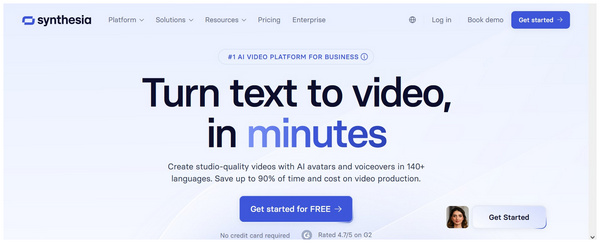
Type of AI Tool: AI generation program made for digital avatar production.
Best Used For: Creating videos with narration and informative goals.
Pricing: $18.00 - $89.00
Since the previous options we have reviewed are on the general video production side, we will now move forward to one of the most used AI video generators for AI avatars. Although not as advanced as Picwand and InVideo, Synthesia offers its own niche as one of the most reliable AI avatar generators.
If you plan on editing informative videos that need a narrator model, Synthesia should be your top option. Unfortunately, its specialization limited its function to serve other video purposes. It became a one-dimensional video creator.
Main Features:
• Produces studio-quality videos with an AI avatar and multilingual voice-over.
• Offers video templates, scripts, visuals, and branding kits.
• Multi-lingual support made localization easier.
PROS
CONS
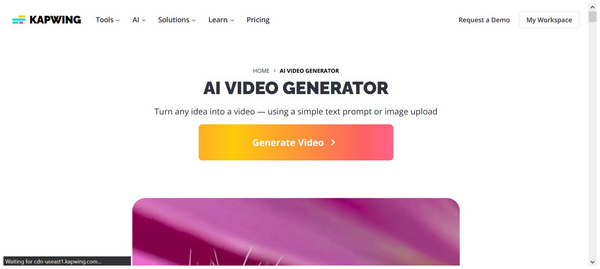
Type of AI Tool: Online video editor tool with AI-assisted features.
Best Used For: Producing videos for social media websites like YouTube and Facebook.
Pricing: Free - $50.00
With the programs presented so far leaning towards AI-driven video production, let us now proceed to the tool that relies more heavily on AI-assisted editing tools with Kapwing Video Editor. Unlike the previous options, this video editor software is not an exclusive video generator tool, although it is capable of doing so.
This made the software more similar to the desktop option, AnyMP4 Video Converter Ultimate, as it can add AI enhancement without abandoning traditional video editing capabilities. Unfortunately, videos produced by the program have only average resolution, and its advanced editing tools are locked behind a paywall.
Main Features:
• Equipped with a text-to-video AI video generator tool.
• Optimized for content repurposing and stock media production.
• Automated subtitles, translation, and advanced collaborative works.
PROS
CONS
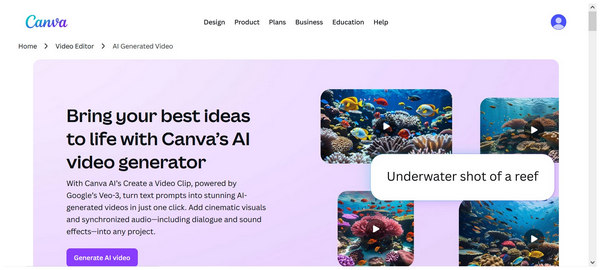
Type of AI Tool: Online multimedia file editor for videos, images, and presentations.
Best Used For: Basic video editing needs with practical AI assistance.
Pricing: Free - $120.00
Finally, the last option in this review will be the Canva Video Editor. However, known for its image editing options, the software also offers more advanced video editing options. This includes a basic AI video generator that can create clips as long as 8 seconds for users of their free version.
Despite its availability, Canva’s free version is still limited. In addition to its limited duration, the AI video production feature will be edited using basic editing tools only. For more advanced editing, Canva may not be enough.
Main Features:
• Google’s latest AI models support the video clip AI prompt feature.
• Equipped with a fully functional traditional video editor.
• It offers traditional media editing tools, including text tools, an image editor, a background remover, brand kits, and more.
PROS
CONS
Now that you have learned the potential and the limits of online-based AI video production tools, users who think that desktop-based software like AnyMP4 Video Converter Ultimate is more reliable should instead use the tool.
If that is the case, be sure to read the three-step guide below, which features a detailed guide on editing videos using the MV Maker feature.
Do not forget to download AnyMP4 Video Converter Ultimate first for a smoother experience following each step.
Secure Download
Secure Download
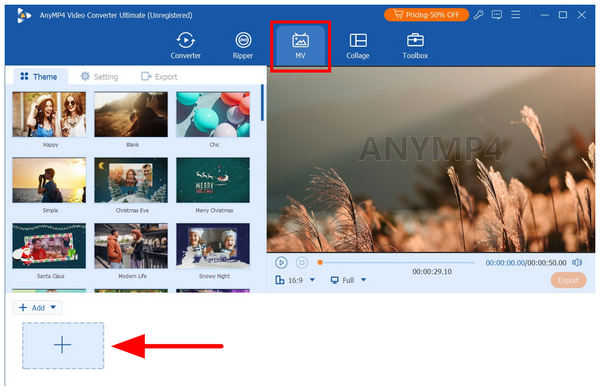
1. Open AnyMP4 Video Converter Ultimate, then move to the MV Maker tab. Next, click on the Add file button to select the media files you want to use for the YouTube video.
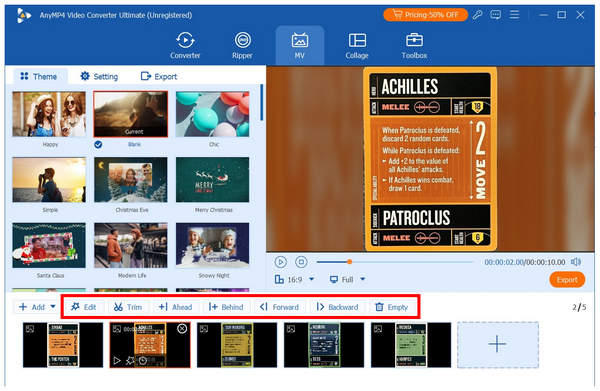
2. Once your media files and assets are imported into the MV Maker, you can edit each of them individually using the beginner-friendly tools in the program, including Edit, Trim, and Order Adjustment. To apply the pre-made visual elements, such as effects, themes, or filters, select the Edit tool.
3. After completing the visual adjustments, proceed to the Export tab. Then, you can edit the video output’s format, Frame Rate, Resolution, and Quality; these settings will all be assisted by the software's AI system. Finally, select Start Export to begin producing your YouTube video.
If you are a fan of AI tools but hesitant about using programs that can remove the natural aesthetic of your videos, we highly recommend using AI-assisted tools instead, which apply the benefits of AI without completely making your media look AI-generated.
Do I need to disclose that a video was created with AI?
Yes, you should. This is more important if your video uses the likeness of another person. You should add a label or name your AI-generated video.
Are AI-generated videos allowed on YouTube?
Yes, they are. You can safely use AI-generated videos on YouTube. However, make sure to disclose that it is AI-generated if you use the likeness of another individual.
Can I monetize AI-generated videos?
Yes, you can. YouTube allows monetizing channels with AI content. However, you need to make your video valuable by providing useful information. Low-effort videos will not be accepted on YouTube.
Is using AI video generator tools expensive?
Yes, it can. This is more prominent if the tool is on the more advanced side. With that, it is more advisable to just use AI-supported editing tools instead.
Will YouTube detect if my video is made with AI?
Yes, they will. If your video is not disclosed to be AI-generated, YouTube may mark it as such. To avoid this, be sure to explicitly inform your audience that your video was produced with AI assistance of AI.
With five of the most reliable AI tools for YouTube video makers now discussed, you should be able to choose the one that works best suits your needs. If you still prefer the stability of desktop-based options, make sure to use AnyMP4 Video Converter Ultimate for both PC and Mac. You can download the program using the link below.
Secure Download
Secure Download
 Updated by Mark Cristobal to Edit Video
More readings
 Best 10 AI Video Editors to Create Videos in Minutes
Are you looking for an AI video enhancer? You are certainly in the right place! Check out the 10 AI editing programs we have listed here.
 Best 6 AI Video Upscaler to Upgrade Video Quality
Tired of low-resolution videos that interrupt your watching experience? Read this article to learn the best 6 tools to AI upscale videos to improve the quality.
 2 Efficient Ways to Compress Videos for YouTube Upload Free Online
When uploading a video more than 1 hour on YouTube, it may take a long time. Here are 2 efficient ways to compress videos for uploading or sharing quickly.
 Troubleshooting YouTube Video Stuck on Processing HD Version
Experiencing delays with your YouTube video stuck on processing the HD version? Read our troubleshooting guide and get your video processed smoothly.
 Add your comments to join the discussion here