


- Convert video, audio, and DVD over 500 formats.
- GPU acceleration to speed up the conversion process at 70X faster.
- More than 16 editor tools in the toolbox (Updating).
- Create videos for TikTok, YouTube, Facebook, etc.
The best free HD video converter online without watermark. Easily change the resolution, frame rate, and aspect ratio of your video to 720p or 1080p HD for fast sharing.
 Upload Video
Drop files here to convert (Max 50MB for Web).
Setting
Custom resolution:
| Core Features | Web Version | Pro Desktop |
| Max File Size | 50MB (Login: 100MB) | No Limit |
| Daily Limit | 2 Files (Login: 10 Files) | Unlimited |
| AI Video Upscaling | No | Yes (Up to 4K/8K) |
| GPU Acceleration | No | Yes (70X Faster) |
| Batch Processing | No | Yes |
Failed to upload media file! Please try again, or use AnyMP4 Video Converter Ultimate for Desktop.(Error code: 20015)

The original video resolution is higher than 1080p. If you want to output the original high resolution, you need to download the Pro Version. Or would you like to output the default 1080p resolution?

Convert your videos to stunning HD quality in just three simple steps.
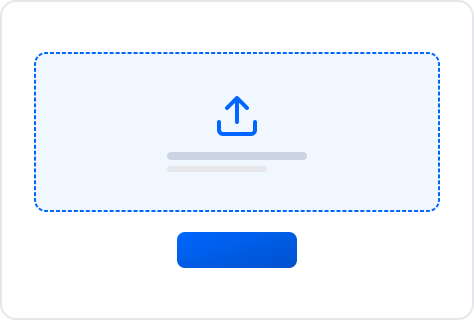
Upload HD Video File
Click the Upload Video button on the middle portion. Then, a file tab will appear to present the files you want to convert to HD.
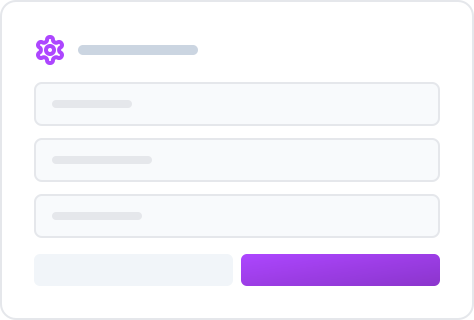
Adjust Media Resolution and Quality
Then, you will see the parameter settings where we need to set the Format into the codec from the drop-down list. After that, as we turn your video into a high-definition file, please click the Setting icon and adjust the Resolution as 1080p, Quality, etc., higher under the Video tab.
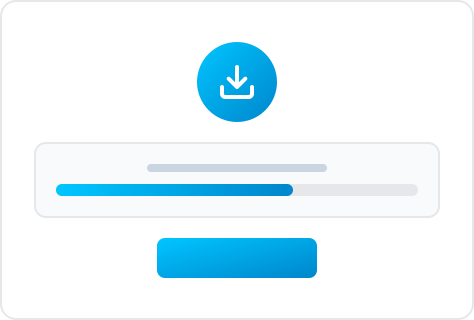
Output and Download HD Video
Now, please click the button for Convert to MP4/MOV or other HD format as we begin the modification process. Thus, please wait until it is completed. Next, click the Download button to get the results.
Upload HD Video File
Adjust Resolution and Quality
Output and Download HD Video
Perfect for quick, everyday video tasks without downloading heavy software.

Ready for Social Media
Social platforms love 1080p! Quickly convert your short clips into high-quality MP4s tailored for TikTok, Instagram Reels, and YouTube Shorts without losing clarity.

Compress for Discord & WhatsApp
Messaging apps have strict file size limits (like Discord's 25MB). Use our tool to compress and convert your gameplay highlights or funny moments to 720p HD so they send instantly.

Fix Playback Errors
Got an MKV or WebM file that won't play on your iPhone, iPad, or older TV? Easily switch the video codec and aspect ratio online to make it readable anywhere.
High-definition Video or HD video is the third-generation video technology and has become the successor to standard video. This type of video contains higher video resolution, screen size, and file size. The HD videos we have right now are mainly defined by their fantastic resolution, aspect ratio, scanning methods, and frame rate.
Looking for a reliable way to convert video to HD on Windows, Mac, or mobile? Our free tool can provides a fast, secure, and watermark-free solution. It lets you convert video to HD 1080p online free, upscales your clips, or make a video HD for TikTok, YouTube, and Instagram. No complicated settings, and just upload your file and let our hd video converter handle the resolution upgrade instantly.
| Horizontal Pixels | Vertical Pixels | Scan Type | |
| 720p | 1280 | 720 | Progressive |
| 1080i | 1920 | 1080 | Interlaced |
| 1080p | 1920 | 1080 | Progressive |
Reviewed and updated manually by AnyMP4 Video Experts.
What does HD mean in movies?
For technical aspects, the HD in movies can mean a resolution of 720p up to 1080 pixels, as we all know. 720p is the standard of HD. On the other hand, its effect in the movie we are watching is more apparent than the simple resolution. That means we can enjoy watching HD movies more than the other resolutions. For that reason, many people prefer watching HD movies nowadays.
How to convert videos to HD on iPhone?
There are a lot of converters that you can use in making your videos into HD resolutions. However, the best HD video converter that we use for the iPhone is the CapCut- Video Editor by Bytedance Pte. Ltd. It is a free HD video converter with no watermark
1. Open the application and click the New Project. Choose the video you want to convert and adjust the resolution from the library it shows.
2. See the media files on the timeline. After that, adjust the resolution using the drop-down list up to 2K/4K resolution.
3. Click the Export icon to see the output on your local files.
How to convert video to HD quality on Android?
If we plan to convert video to MP4 HD using our Android devices, we can use PowerDirector that we can get on Google Playstore to make that possible. It is a flexible and fast HD video converter that can give us a less complicated process to convert video to HD 1080p. For that, let us see how it performs.
1. Run the amazing PowerDirector with your Android. Then choose the video you want.
2. Then, on the Setting of the editing application, locate the tab for Default Video Quality and set it as Full HD 1080p.
3. Please go back to the main timeline and click the Export button to proceed.
4. After that, click the icon for Produce and Share. Then, see the output.
What resolution is HD?
The high-definition video we have right now can have a different classification. However, nowadays, the resolution of an HD video starts at 1280 × 720 pixels or much famous as 720p. Then, clear resolutions like 1080p, 1440p, 2K, 4K, 5K, and 8K are also the HD resolution nowadays.
How long does it take YouTube to process an HD video?
Since HD video contains higher file elements and larger file size, if we want to upload HD video on YouTube, we expect a more protracted process of uploading. As we demonstrate, a 30- to 1-minute full HD video can be processed by YouTube for 5 to 10 minutes. That means a couple of hours are needed if we can upload at least 30 minutes of HD video.
How to convert video to HD online for free?
To convert video to HD 1080p online for free without watermark, simply drag and drop your file into the upload box above. Choose your preferred output format, click the settings icon to select 1080p Full HD or 720p HD resolution, and hit convert. The process is entirely web-based with no software installation required.
How to make a video HD and improve quality?
If you want to make a video HD from standard definition (SD), upload your MP4, MOV, or AVI file to our free online converter. Go to the video settings, manually select the 1920x1080 resolution, and adjust the encoder parameters. This ensures your social media clips or personal archives look sharp and crystal clear on any screen.
Everything you need to edit, optimize, and share your videos flawlessly. Explore our free suite of utilities and step-by-step tutorials below.
Free Online Utilities
