
Free Download100% Clear & Secure
Free Download100% Clear & Secure

Quick Verdict for 2026:
In home entertainment, high-definition DVD players have left a significant mark on the industry. These players were a pioneering force in bringing high-definition content to home viewers. In this post, we delve into the world of HD DVD players. This comprehensive list will highlight ten noteworthy high-definition DVD players, encompassing both standalone hardware and software solutions. Dive deeper into the details ahead!
Note: Although 'HD DVD' was a specific format from the past, today's users searching for 'HD DVD players' are typically looking for 4K Ultra HD Blu-ray players that offer the highest definition possible.

Before we begin, let us first answer: Are HD DVD players still made? Unfortunately, NO!
High-definition DVD players are no longer being manufactured nowadays. The HD DVD format faced a decline in the mid-2000s due to competition with Blu-ray. As a result, major manufacturers discontinued the production of HD DVD players, and the industry shifted its focus towards Blu-ray and digital streaming solutions. The decline of high-definition DVD players marked the end of the format war and the transition to Blu-ray as the prevailing standard for high-definition optical disc playback.
The Toshiba HD-A2 was a pioneer, but the HD DVD format has been obsolete since 2008. Using legacy hardware today creates a massive bottleneck for your home theater, as these machines cannot process the high-bitrate data required by modern 4K displays.
| Legacy HD DVD (e.g., Toshiba HD-A2) | VS | Modern 4K Blu-ray Player |
| Dead Format (No new discs since 2008) | Market Status | Current Standard (All new releases) |
| 1080p (Standard HD) | Max Resolution | $3840 \times 2160$ (Ultra HD) |
| No HDR (Standard Dynamic Range) | HDR/Color | Dolby Vision / HDR10+ |
| Compressed Dolby/DTS | Audio Codecs | Dolby Atmos / DTS:X (Spatial Audio) |
| Legacy HDMI (Handshake issues) | Connectivity | HDMI 2.0/2.1 (Seamless 4K sync) |
| Slow boot times; mechanical failure | Hardware | Fast loading; Smart/Streaming features |
Choosing the right playback setup requires more than just reading a spec sheet. Our content team evaluates hardware and software through a rigorous, hands-on methodology to ensure real-world reliability.
Does HD DVD be played on regular DVD players? The answer is yes. Follow us to see the 5 best DVD player software and 5 hardware.
| Product | OS Compatibility | Best For | Video Post-Processing | Audio Engine |
|---|---|---|---|---|
| VLC Media Player | Windows, macOS, Linux, iOS, Android | Power users; playing extracted.EVO containers. | Manual shaders; no automatic AI upscaling. | Bitstream pass-through (TrueHD/DTS-HD via OS routing). |
| AnyMP4 Blu-ray Player | Windows 11/10/8/7, macOS 10.9+ | Seamless, region-free physical & ISO playback. | Hardware-accelerated 1080p/4K interpolation. | Internal spatial decoding up to 7.1 channels. |
| PowerDVD Ultra | Windows 11/10 (64-bit & ARM64) | Premium HTPC setups; official disc menu runtime. | TrueTheater AI; real-time HDR10 expansion. | Certified Dolby Atmos & DTS:X bitstreaming. |
| DVDFab PlayerFab | Windows, macOS 10.10+ | Complete interactive menu simulation & archiving. | Dynamic HDR10/Dolby Vision metadata mapping. | Lossless 7.1 audio array pass-through. |
| Leawo Blu-ray Player | Windows, macOS 10.13+ | Budget-conscious direct physical disc playback. | Basic linear upscaling; low CPU overhead. | Standard multi-channel (Dolby/DTS 5.1) passthrough. |
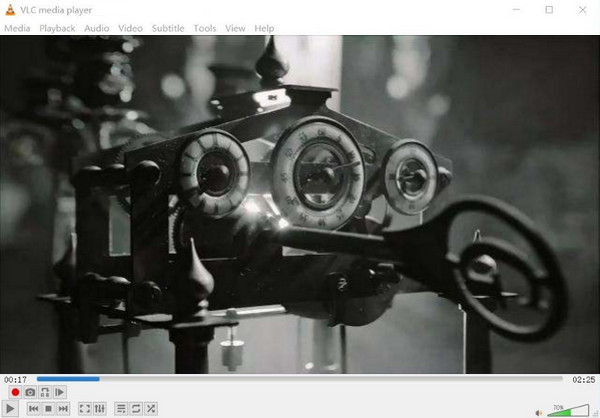
OS Compatibility: Windows 11/10/8/7, macOS (Apple Silicon & Intel), Linux, iOS, Android.
Best for: Swiss-Army knife playback of extracted HD DVD files (.EVO) and custom advanced remuxing.
If you hate bloated commercial interfaces and just want a player that swallows any file extension without complaining, VLC is your holy grail. It doesn’t try to look like a shiny physical Blu-ray player dashboard from 2008. Instead, its magic lies under the hood. While standard VLC won't play an encrypted, physical HD DVD out of the box due to proprietary licensing, it is the absolute king at handling.EVO files—the raw video containers used on HD DVDs. If you’ve backed up your old movie library to a hard drive, VLC utilizes hardware decoding to render those vintage VC-1 or H.264 video streams flawlessly without dropping frames.
Pros:
Cons:
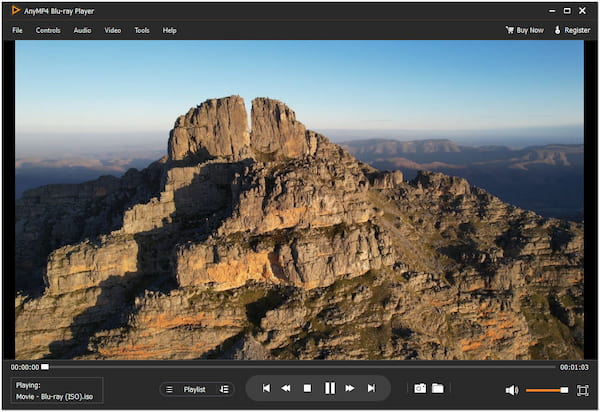
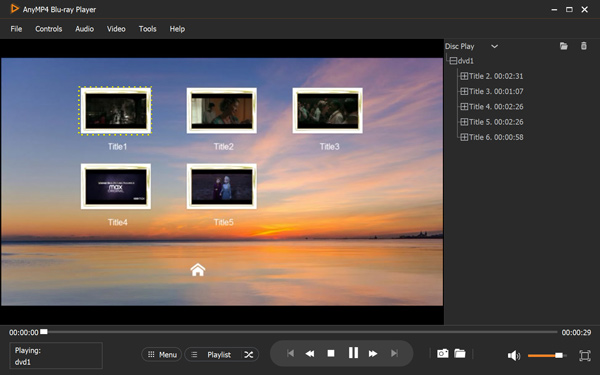
OS Compatibility: Windows 11/10/8/7, Mac OS X 10.9 or later.
Best for: Play HD DVD with lossless quality and play any region DVDs.
If you prefer not to purchase expensive hardware or deal with bulky machines, a professional software solution is the most flexible alternative. AnyMP4 Blu-ray Player is a premium, all-in-one media player designed to transform your PC or Mac into a high-end home theater. Unlike standard media players that struggle with high-bitrate files, this software is optimized for smooth, lossless playback. It acts as a universal HD DVD player, ensuring that your legacy and modern collections are always accessible.
Secure Download
Secure Download
What to Expect With AnyMP4 Blu-ray Player:
Pros:
Cons:
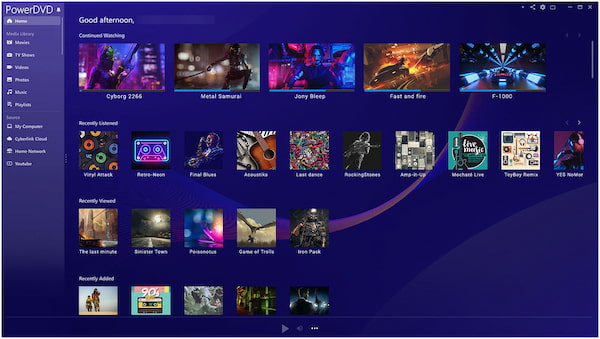
OS Compatibility: Windows 11/10/8.1/8/7.
Best for: HD DVD playback and easy to share with family and friends.
CyberLink’s PowerDVD Ultra is a 4K Ultra Blu-ray and HD DVD player known for its extensive format support. It is designed to deliver an exceptional home theater experience. Besides that, PowerDVD Ultra features TrueTheater enhancements, support for various audio formats, and compatibility with different media types.
Pros:
Cons:
OS Compatibility: Windows 11/10/8.1/8/7, macOS 10.10 or later.
Best for: Audiophiles and cinephiles demanding full menu navigation and lossless HDR audio pass-through.
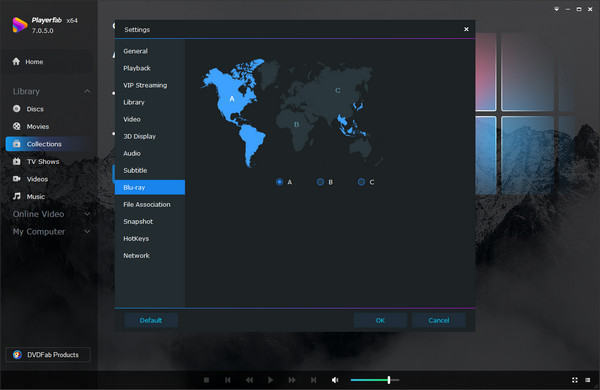
PlayerFab is designed for the purist who misses the tactile feel of putting a disc in a tray but wants the absolute pinnacle of 2026 display technology. It treats your PC or Mac like a high-end physical media deck. When you load a high-definition structure, it doesn't just play the movie title; it populates the original, interactive disc menus, bonus features, and director commentaries. Furthermore, its audio engine is top-tier. It passes uncompressed Dolby Atmos, DTS:X, and TrueHD spatial audio directly to your home theater receiver. If you are trying to bridge the gap between legacy HD content and a modern 4K HDR TV setup, PlayerFab balances the equation beautifully.
Pros:
Cons:
OS Compatibility: Windows 11/10/8.1/8/7, macOS 10.13 or later.
Best for: Budget-conscious users who want straightforward, region-free physical disc playback without a price tag.
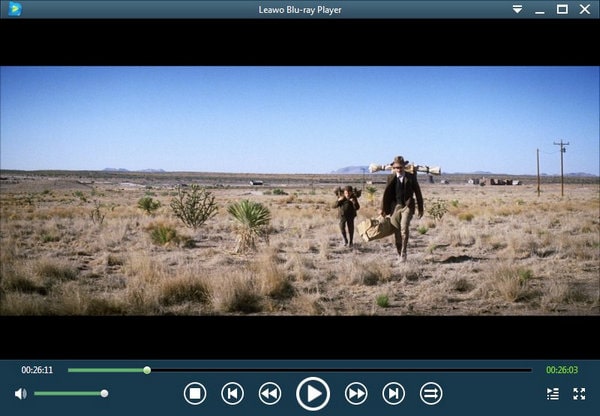
Think of Leawo Blu-ray Player as the pragmatic middle ground. It steps up where VLC gets complicated by offering direct, hassle-free playback of physical optical discs right out of the box, and it does so without demanding your credit card information. It is incredibly popular among casual collectors who recently bought an external USB drive to scan through their old physical movie collections. The software bypasses annoying region code restrictions seamlessly. While the interface is clean and straightforward, it manages to pack in decent audio decoding capabilities, handling Dolby and DTS audio without muddying the soundstage.
Pros:
Cons:
Since the HD DVD format is no longer in production, movie enthusiasts have moved to 4K Ultra HD Blu-ray for the ultimate home cinema experience. It is important to distinguish between Native 4K (playing actual 4K discs) and 4K Upscaling (using AI or processors to make standard DVDs look sharper on a 4K TV). Many users searching for a "4K DVD player" are actually looking for a machine that can breathe new life into their old DVD collection through high-quality upscaling.
Here are the top 5 hardware recommendations:
| Max Resolution | Native 4K Support | Upscaling Capability | Best For | |
|---|---|---|---|---|
| Panasonic DP-UB820 | 4K UHD |  |
4K Precision | Most Users (Best HDR) |
| Panasonic DP-UB9000 | 4K UHD | |
Reference 4K | Audiophiles & Home Cinema |
| Sony UBP-X700 | 4K UHD | |
4K Standard | Budget-Conscious 4K |
| Sony UBP-X800M2 | 4K UHD | |
4K Standard | Music & Movie Hybrid |
| Sony DVP-SR510H | 1080p HD |  |
1080p HD Only | DVD-only setups |
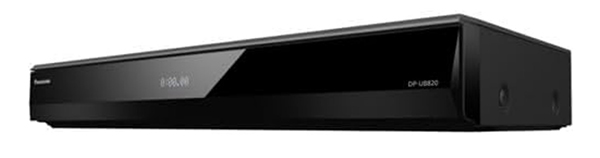
The Panasonic DP-UB820 is widely considered the king of mid-to-high-end players. Its secret weapon is the HCX Processor, which features a legendary "HDR Optimizer." This technology automatically maps HDR metadata to fit your specific TV's brightness capabilities. It provides stunning Native 4K playback and uses advanced multi-tap chroma processing to ensure that even standard DVDs are Upscaled to 4K with incredible color accuracy and minimal noise.
Pros:
Cons:
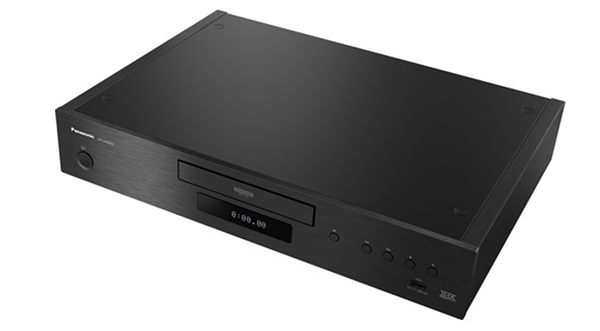
For those who want a "tank" in their media rack, the DP-UB9000 is the flagship choice. It features a heavy-duty metal chassis to eliminate vibrations and a dedicated power supply for audio. While it uses the same excellent HCX processor for Native 4K and 4K Upscaling as the UB820, its audiophile-grade DACs and balanced XLR outputs make it a dream for those who value sound as much as vision.
Pros:
Cons:
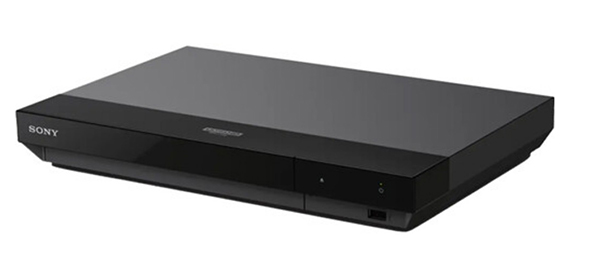
If you want Native 4K and Dolby Vision without breaking the bank, the Sony UBP-X700 is the most logical choice. It is compact and efficient, offering a "no-frills" approach to high-definition media. Its 4K Upscaling engine is remarkably good for the price, making your 480p DVDs look significantly cleaner on modern large-screen displays.
Pros:
Cons:
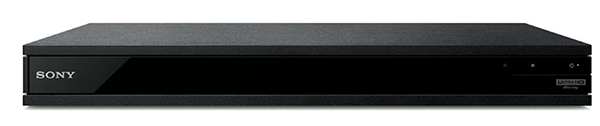
The X800M2 is a "Universal Player," meaning it plays almost anything you throw at it. Beyond Native 4K movies, it is a favorite for music lovers because it supports SACD and DVD-Audio. Its rigid "frame-and-beam" construction reduces electrical noise, providing a stable platform for both high-bitrate 4K video and high-resolution audio upscaling.
Pros:
Cons:
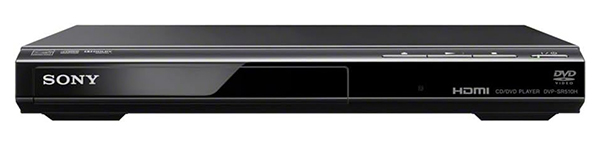
Sony DVP-SR510H is a specialized DVD player for those who aren't ready to jump to 4K discs but want their existing DVDs to look better. It takes standard 480i DVD signals and performs 1080p HD Upscaling via HDMI. It’s the perfect, low-cost solution for a secondary TV or a bedroom setup where you only intend to watch standard DVDs.
Pros:
Cons:
When shopping for a "High-Definition" player today, you aren't just looking for resolution; you are looking for the technology that handles light, color, and legacy content. Below is the essential breakdown of what to look for.
While a standard 1080p player is sufficient for small screens, a 4K UHD Player ($3840 \times 2160$) is necessary for modern home theaters. It provides 4x the pixel density of standard HD, which eliminates "screen door" effects on large displays and ensures your hardware is compatible with the latest 4K disc releases.
HDR (High Dynamic Range) is often more important than resolution. It determines how much detail you see in the brightest highlights and the darkest shadows.
| Feature | HDR10 (Standard) | Dolby Vision (Premium) |
|---|---|---|
| Metadata | Static: One setting for the whole movie. | Dynamic: Scene-by-scene adjustments. |
| Color Depth | 10-bit (1.07 billion colors) | 12-bit (68.7 billion colors) |
| Brightness | Up to 1,000 nits | Up to 10,000 nits |
| Verdict | Good for entry-level setups. | Best for cinematic realism. |
Most users searching for "HD DVD players" own hundreds of standard DVDs. Upscaling is the process where the player's internal chip (like Panasonic's HCX or Sony’s X-Reality Pro) "guesses" and fills in the missing pixels of a 480p DVD to fit a 4K screen.
Can you play HD DVD on a regular DVD player?
Unfortunately, NO! Regular DVD players are not compatible with HD DVDs. HD DVDs require specific hardware to decode and play high-definition content. It lacks the necessary technology and specifications to read and process the higher-resolution data found on HD DVDs.
What is the difference between an HD DVD and a DVD?
The primary difference between HD DVDs and DVDs lies in their video resolution and storage capacity. HD DVDs support high-definition video with resolutions up to 1080p. On the other hand, DVDs offer a standard definition with a maximum resolution of 480p.
What is replacing DVD players?
Blu-ray players and streaming devices are replacing DVD players. Blu-ray players offer higher video quality and storage capacity than DVDs. Streaming devices, like smart TVs and game consoles, provide access to digital content through online streaming services.
Can you watch 4K Ultra HD on a DVD player?
Unfortunately, NO! DVD players are not designed to support 4K Ultra HD resolution. DVDs have a maximum resolution of 480p, while 4K Ultra HD requires significantly higher resolution and data bandwidth. To enjoy 4K content, a compatible 4K Ultra HD Blu-ray player like AnyMP4 Blu-ray Player is required.
Why are HD DVDs lost?
HD DVDs lost the format war to Blu-ray, primarily due to factors such as larger storage capacity on Blu-ray discs, stronger industry support, and broader consumer adoption. The competition between HD DVD and Blu-ray occurred in the mid-2000s, with Blu-ray emerging as the dominant high-definition format for optical discs. As a result, manufacturers, movie studios, and consumers shifted their focus to Blu-ray, leading to the decline and eventual discontinuation of HD DVD production.
Can DVDs play full HD?
Unfortunately, NO! DVDs cannot play full HD content. DVDs are limited to standard definition with a maximum resolution of 480p. Full HD requires a resolution of 1080p, which is beyond the capabilities of traditional DVD technology.
Do they still make HD DVD players?
No. Manufacturing of HD DVD players officially ceased in 2008 after the format lost the high-definition war to Blu-ray. Today, 4K Ultra HD Blu-ray players are the modern successors, offering significantly better resolution, color depth, and audio quality than the original HD DVD hardware ever could.
Is it worth buying a 4K DVD player?
Yes, absolutely. If you are a physical media collector, a 4K player provides uncompressed video and audio quality that streaming services like Netflix or Disney+ simply cannot match. Additionally, since these players include advanced upscaling chips, they make your existing standard DVD collection look much sharper and more vibrant on modern large-screen TVs.
Can a 4K Blu-ray player play standard DVDs?
Yes. Almost every 4K Blu-ray player on the market is "backward compatible." This means they can play standard DVDs and regular 1080p Blu-ray discs. In fact, using a 4K player is often the best way to watch standard DVDs, as the player will upscale the 480i signal to a higher resolution to better fit your 4K display.
What is the cheapest way to connect an old Xbox 360 HD DVD drive to a Windows 11 PC?
A: Just use a standard mini-USB to USB-A cable to plug it in. Windows 11 recognizes the drive automatically, but you will need MakeMKV to copy the files and VLC to play them.
Why did HD DVD lose to Blu-ray, and are there any 4K players that are backward compatible with HD DVD?
A: Sony won by securing exclusive studio backing and putting Blu-ray drives into millions of PS3 consoles. No 4K players support HD DVD because the required laser technology was completely abandoned.
Is it worth buying a Panasonic UB820 just to upscale my old standard DVD collection?
A: No. It is an expensive player meant for 4K discs, and it cannot magically fix low-resolution DVDs. A cheap player paired with your TV's built-in upscaling is a much better value.
What software can bypass region codes on older HD DVDs and standard DVDs for Mac?
A: Use VLC Media Player to play standard DVDs, as it ignores region locks. For HD DVDs, use the Mac version of MakeMKV to convert the discs into region-free digital files.
In conclusion, our exploration of HD DVD players and their modern successors has highlighted a diverse landscape of both hardware and software solutions. While the original HD DVD format has paved the way for high-definition home cinema, the focus has shifted toward 4K Ultra HD and sophisticated upscaling technology to meet the standards of today’s displays.
For enthusiasts building a dedicated home theater, hardware giants like the Panasonic DP-UB820 and Sony UBP-X800M2 offer the ultimate in uncompressed 4K quality and multi-format support. However, for those looking for a flexible, cost-effective, and high-performance alternative without the need for bulky hardware, AnyMP4 Blu-ray Player stands out as the premier software choice. It provides seamless, lag-free playback for various DVD types and HD content on both Windows and Mac, ensuring your movie collection, past and present, is always enjoyed in stunning clarity.
Secure Download
Secure Download
 Posted by Ted Klarso to Play Blu-ray&DVD
More readings
 What Format Are DVDs & What Format Do DVD Players Support
All digital video disc players support the DVD Video format, the most commonly used format for movies. Learn the formats supported by DVD players.
 4 Easy Ways to Play DVD Movies on Xbox 360/One (S) with Region-Free
Can Xbox One/360 play DVDs? Yes. Here are 4 methods to play DVD on Xbox 360/One with DVD player (hardware and software), Xbox One S and DVD ripper.
 Best Tool to Watch a DVD on a Laptop Without a DVD Player
Discover the comprehensive guide on how to play DVDs on a laptop without a DVD player. Explore various methods in this guide post, including the amazing tool.
 How to Watch a DVD on Windows 10 [2 Methods]
Windows 10 doesn't play DVDs by default. This tutorial will explain the detailed reasons and how to watch DVDs with the best quality on Windows 10 computers.
 Add your comments to join the discussion here