
Free Download100% Clear & Secure
Free Download100% Clear & Secure
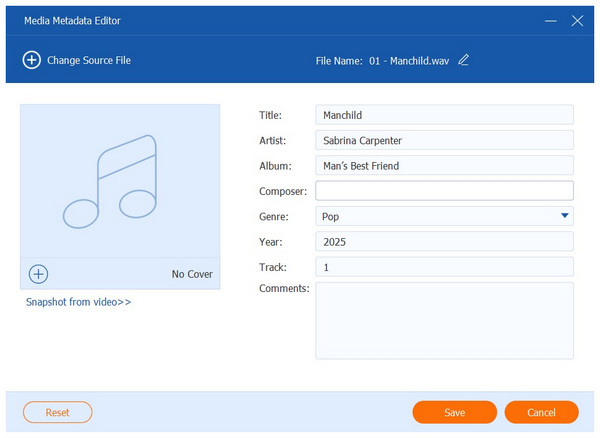
Advanced file management may initially seem complex, but it can help ensure that your files are organized effectively. As such, the concept of metadata in files is gaining traction among users who want to ensure their digital file privacy and management are secured. In this article, we will explore the top metadata editor tools available on the market for various operating systems, including Windows, macOS, and Linux. We will provide an overview of their pros and cons, and discuss what makes them a solid choice for metadata editing.
Before proceeding to the review of the best digital MP3, MP4, and MKV metadata editors, let us first discuss what metadata is and the three major types of metadata among digital files.
To start, metadata are pieces of information embedded in files that indicate key information on their lifespan, file management details, and even structural details for several file formats. As such, metadata drastically improves the file organization.
In total, there are three types of metadata, and you can learn about them below:
Descriptive metadata contains information that helps make digital files easier to discover and organize. Some examples include file title, author, singer, album, track number, keywords, and more.
Structural metadata are pieces of information that organize compound files. These include the information about book pages, video sections, and embedded links among document files.
Finally, administrative metadata are types of information that save the technical details embedded in files, such as important timestamps throughout their lifespan. These include creation, last accessed, and modified dates. This type of metadata is the most accessible when using metadata changers.
With the major types of metadata now discussed, we hope that these descriptions and overview have provided you with a comprehensive guide to everything you need to know about file metadata. As such, we can now proceed to the tools you can use to edit digital information.
| Apple Music Converter | Supported File Types | Pricing | OS Support | Batch Processing | Beginner-Friendly Interface |
|---|---|---|---|---|---|
| AnyMP4 Video Converter Ultimate | MP4, AVI, MOV, MKV, MP3, AAC,WAV, FLAC, ALAC | Free - $18.75 | Windows, macOS |  |
|
| ExifTool | JPEG, PNG, MP3, WAV, FLAC, MP4, MOV, AVI, MKV, PDF | Free | Windows, macOS, Linux | |
 |
| Adobe Bridge | JPEG, PNG, MP3, WAV, MP4, MOV | $15.00 | Windows, macOS | |
|
| Mp3tag | MP3, FLAC, AAC, WAV, WMA, OGG | Free | Windows, macOS | |
|
| FFmpeg | MP4, AVI, MKV, MOV, MP3, AAC, WAV, FLAC | Free | Windows, macOS, Linux | |
|
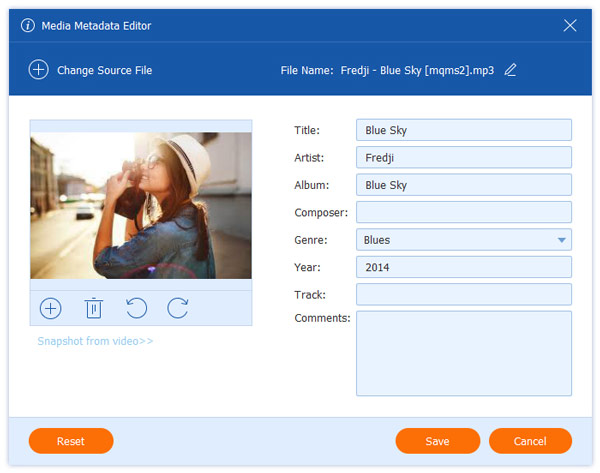
If you are looking for the easiest metadata editing software for beginners, AnyMP4 Video Converter Ultimate should be your top pick, as it is equipped with exclusive metadata editing features, including its File Date Changer and Media Metadata Editor tools.
Among the options on this list, AnyMP4 Video Converter Ultimate offers the most user-friendly interface design, as it has been optimized to function as beginner-friendly multimedia software. This made practical tools, such as a video metadata editor and file date changer, readily available within the program.
As its name suggests, these metadata editing tools are also equipped with a built-in format converter option, making the software a 2-in-1 solution that can both convert formats and edit metadata.
To learn more about what makes the tool the easiest video and audio metadata editor for desktop computers, make sure to read its pros and cons below and download it using the provided link:
Secure Download
Secure Download
PROS
CONS
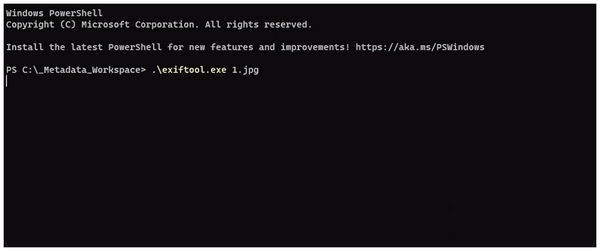
Aside from being simple to use, another concern for finding tools for your computer is whether they are free and cover multiple file formats. Fortunately, ExifTool is a reliable, freeware metadata editor that supports virtually all file formats, as it is completely command-based.
Unfortunately, this option presents a steep learning curve, as it lacks a graphical user interface (GUI) and functions entirely within command-line tools on your computer. You have to learn the proper command lines before using the program as a music or video metadata editor.
PROS
CONS
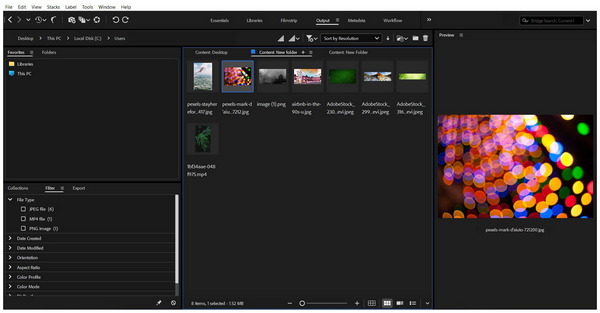
Since Mac computers are well-known for their sensitivity with security and user privacy, the most recommended metadata editor for Mac should be from an established developer, and Adobe Bridge is a good example.
Although primarily designed as a file management tool, it can still function as a metadata viewer and perform basic metadata editing tasks. Unfortunately, this limited the tool to only basic metadata adjustments, and its performance suffers greatly when tinkering with larger files.
PROS
CONS
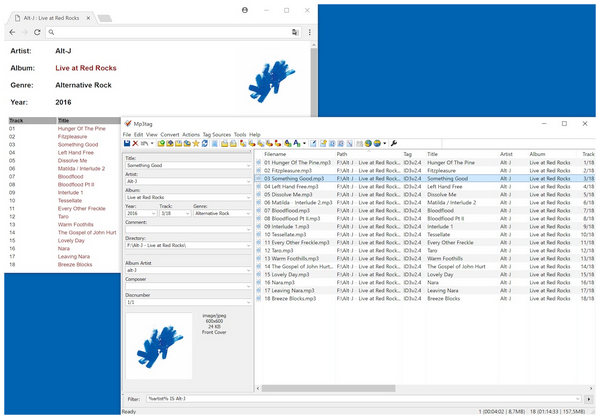
Moving forward to specialized music metadata editors, the most popular option is Mp3tag. As its name suggests, this program is specifically designed to adjust descriptive metadata of music files for easier management in music players.
However, its specialization made it one-dimensional as its performance greatly suffers when editing metadata of other file types, such as video files. It may function as such, but its performance is far from being optimized.
PROS
CONS
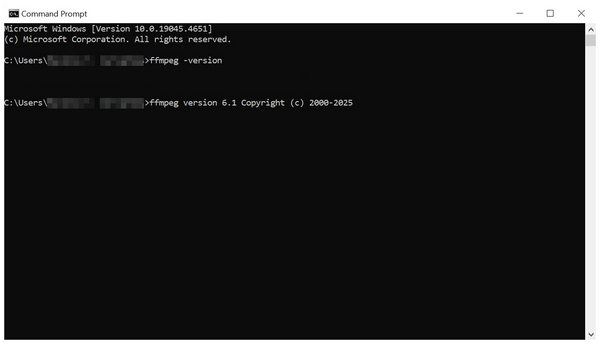
Finally, the last option on this list is another free metadata editor with FFmpeg. For experienced coders, the name of this program should be very familiar, as it is also a command-line tool that significantly enhances the capabilities of your terminal, including file management, file date changer, and essential metadata editing options.
However, ensure that you only use this program if you have sufficient knowledge of file editing and command lines. Similar to ExifTool, errors in this option may lead to file corruption or even more severe outcomes.
PROS
CONS
What is the difference between EXIF and ID3 tags?
Both EXIF and ID3 tags are metadata standards for digital files. However, they are different based on what they record. EXIF is used for images and videos, such as JPG and MP4, while ID3 tags are used for audio files, like MP3 and WAV.
Can editing metadata help my website's SEO?
Yes, it can. This is even more effective if you correct adjust the descriptive metadata of files on your website. For quicker adjustments, you may use online metadata editors.
Is it safe to use free online metadata editors?
Yes, it is generally safe to use them. However, be sure not to edit sensitive files that could contain potential security breaches, as they may compromise your personal information. Online tools naturally utilize their servers for editing; although they may delete this information, it is still stored online for a short period.
Will changing metadata ruin my file?
No, it will not. Your file will still function normally once its metadata is edited. However, more advanced metadata editors may cause file corruption if you make a mistake during metadata adjustment. This will ruin your file.
Are metadata editors safe to use?
Yes, they are. Metadata editors for WAV, MP4, PDF, and other file formats are safe to use. For safer results, avoid using command-based programs first, as they require intermediate command knowledge to be effective.
Now that we have provided our readers with a detailed review of some of the best metadata editor options across different operating systems, we hope this article has given you an idea about which editing option works best for your needs and technical skills. For complete beginners, we highly recommend using beginner-friendly tools first, such as AnyMP4 Video Converter Ultimate, which can be downloaded using the provided link.
Secure Download
Secure Download
 Updated by Mark Cristobal to Edit Video , Editor
 More readings
 3 Editors to Add and Change MKV Metadata
Looking for software to use as an MKV tag editor? Then, this article is made for you since we will present three tools that you can use for this purpose.
 Actionable Tutorial to Make Album Cover on TikTok for Beginners
Wish to take part in the new viral trend on TikTok? Here you can learn how to make TikTok album covers and turn pictures into arty-looking album covers.
 Best 3 Video Aspect Ratio Changers: Resize Video Losslessly
Easily change video aspect ratio (16:9, 4:3, 1:1, 9:16) for YouTube, TikTok, or TV. Use the top 3 video aspect ratio editors to resize clips losslessly.
 Best Way to Add Subtitles to MP4 Video Fastly
Have you ever be upset that there are no subtitles on your MP4 video? This passage will give you a detailed guide about how to add subtitles to MP4.
 Add your comments to join the discussion here