
Free Download100% Clear & Secure
Free Download100% Clear & Secure
While watermarks were originally intended to protect intellectual property, they can be a major obstacle for many creators and businesses. They often cause a series of practical and aesthetic problems. For instance, large third-party software logos can make content look amateurish. The location of the watermark may also obscure important content. Besides, it may distract the audience. Because these problems are pervasive, the market for watermark removal tools, such as Kapwing Watermark Remover, has emerged. So, is it worth it? This article will provide a comprehensive review to answer your questions.
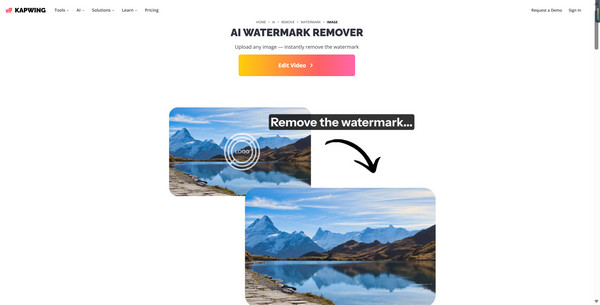
Kapwing Watermark Remover is a fast, web-based AI watermark remover. It utilizes image inpainting technology to erase watermarks, such as logos and text, and is highly praised for its user-friendly interface, effectiveness, and speed. While it offers limited free usage, users typically need to upgrade to a paid plan to obtain high-resolution, watermark-free results.
In this section, we will review and rate this watermark removal tool from various aspects, including ease of use, safety and stability, pricing plans, watermark removal effects, additional editing features, and output quality and formats.
Rating:
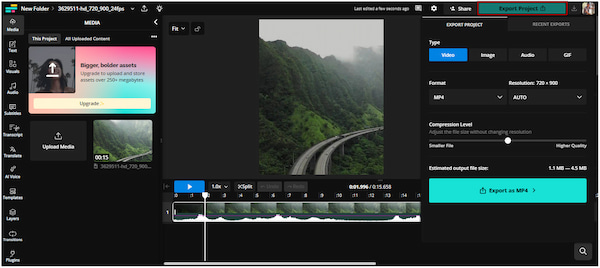
Kapwing features an intuitive and easy-to-use interface that can be accessed online without the need for software downloads. So, it is very suitable for content creators who are beginners.
Rating:
Kapwing is safe and reliable. However, some users have reported that since it runs in the browser, it tends to crash and takes a long time when exporting large numbers of files.
Rating:
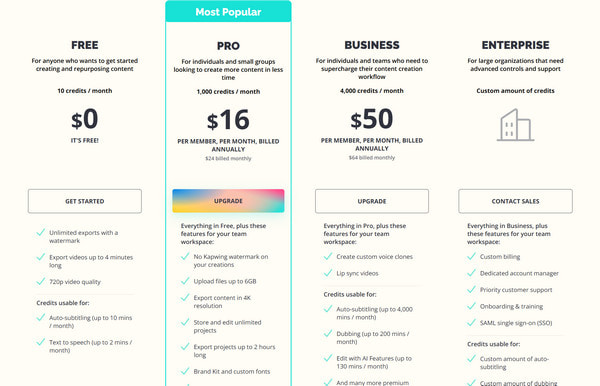
Kapwing currently enforces a strict watermark policy: almost all free exports include a large Kapwing logo. To it, you need to subscribe to the paid Pro plan ($16 per month) or Business plan ($50 per month). Compared to similar products, the price is high.
Rating:
Kapwing has an internal AI inpainting assistant, Kai, that can remove watermarks from images with impressive accuracy using inpainting. However, to remove its own watermark from videos without paying, you are forced to use third-party tools, which often result in a smudged effect.
Rating:
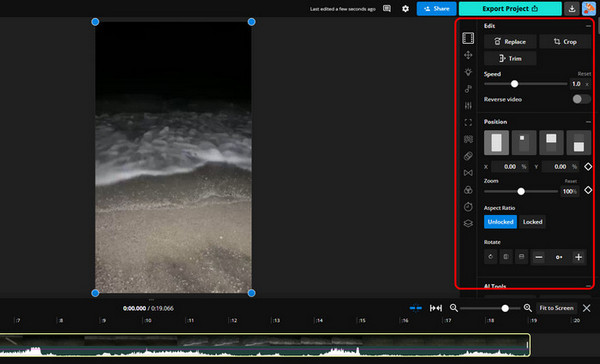
Kapwing excels in editing, with the ability to add filters, effects, or creative touch-ups, as well as other editing functions.
Rating:
It supports all major social formats (MP4, MOV, GIF, MP3, JPEG). However, free users can only get 720p resolution, while paid users can get 1080p and 4K resolution.
Generally speaking, if you are looking for a tool to remove watermarks from videos, Kapwing is not a professional option. It is a video editor that only offers a manual method for removing the watermark, which involves cropping or blurring. For optimal results, consider using a specialized AI video inpainting tool, such as AnyMP4 Video Watermark Remover or WatermarkRemover.io.
PROS
CONS
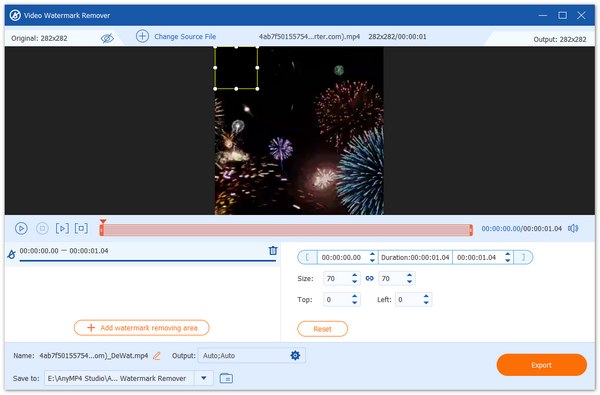
AnyMP4 Video Converter Ultimate, as a video editor with a built-in video watermark remover, is undoubtedly the best alternative to Kapwing Watermark Remover. Its professional video watermark removal tool effortlessly eliminates video watermarks without losing much video quality. Moreover, it allows you to freely select time intervals to customize the watermark removal area to delete it.
Secure Download
Secure Download
Recommendation
What is the best alternative to Kapwing for watermark-free editing?
It depends on whether you prefer to edit in your web browser or a more powerful desktop program. The best browser alternatives include Clipchamp, Canva, AnyMP4 Watermark Remover online, etc. The best desktop alternatives include AnyMP4 Video Converter Ultimate Video Watermark Remover, DaVinci Resolve, etc.
Why do people complain about Kapwing’s watermark policy?
People commonly complain about Kapwing's watermark policy, mainly because it has become increasingly restrictive for free users in recent years, prompting users to subscribe. Moreover, its watermarks are generally considered large and opaque, which may block crucial parts of the video.
Is it safe to use a watermark remover app?
Using a watermark remover app is generally safe for personal use. However, it carries high legal risks for stealing, distributing, or editing copyrighted content without permission, which can result in fines.
This article provides a comprehensive review of Kapwing Watermark Remover from the aspects of usability, safety and stability, pricing plans, other editing features, and output quality and formats. Since it is not a professional watermark removal tool, we also recommend its best alternative, AnyMP4 Video Converter Ultimate, for your reference. We hope this article is helpful to you! Feel free to share your thoughts in the comments section.
Secure Download
Secure Download
 Updated by Mark Cristobal to Edit Video
More readings
 Kapwing Video Editor Review, Is It A Good Video Cropper
Is the cropping feature in Kapwing Video Editor user-friendly? Check the answer from the review and get more alternatives to crop videos online and offline.
 2026 Reviews of HitPaw Watermark Remover and its Alternative
HitPaw Watermark Remover is a tool to erase watermarks powered by AI tech. This article will review HitPaw Watermark Remover and propose an alternative.
 2026 WatermarkRemover.io Review: Features, Safety, Pros, Cons
Today, we will show the WatermarkRemover.io review to help you know if this watermark removal tool is trustworthy.
 Best Background Eraser Apps for iOS and Android Devices
Discover the most reliable, easy-to-use app to remove background from photos! Become aware of the five best applications for your iOS and Android devices.
 Add your comments to join the discussion here