
Secure Download
Secure Download
Screen recording has become an essential part of media communications because of the pandemic. Since then, people have continued using these types of software because they are ideal for a wide range of convenient uses, such as recording meetings to make the workplace more efficient. Among screen recorder tools, Loom is one of the most used. However, it is far from perfect, leading most users to look for alternatives to Loom for capturing their screens. This article will focus on recommending 10 good Loom alternatives for modern screen recording.
| Loom Alternative | Pricing | Highest Resolution and Frame Rate | Built-in Editing Tools | Local File Saving | Instant Sharing Links |
|---|---|---|---|---|---|
| AnyMP4 Screen Recorder | Free - $12.45 | 4K UHD 60 FPS |
 |
|
|
| AnyMP4 Screen Recorder Online | Free | 1080p 30 FPS |
|
|
|
| Snagit | $49.00 - $63.00 | 1080p 30 FPS |
|
|
|
| TinyTake | Free - $149.00 | 1080p 30 FPS |
|
|
|
| Monosnap | Free - $60.00 | 720p 30 FPS |
|
|
|
| ShareX | Free | 1080p 60 FPS |
|
|
|
| Bandicam | $39.95 | 4K UHD 480 FPS |
 |
|
|
| QuickTime | Free (Built-in) | 4K UHD 60 FPS |
|
|
|
| ScreenRec | Free - $8.00 | 1080p 60 FPS |
|
|
|
| FastStone Capture | $19.95 | 4K UHD 60 FPS |
|
|
|
Loom is a functional recording tool trusted by users for its ease of use and performance. However, this platform is held back by its browser-based nature, making video editing highly reliant on external factors such as connection stability and hardware performance. On top of that, it also does not help that it requires new users to sign up for the platform.
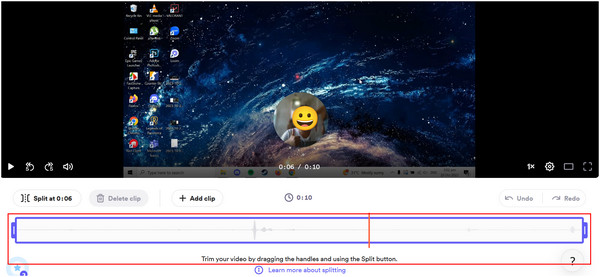
Additionally, Loom Recorder has significant pain points that are noticeable to beginners and experienced users alike. The software has limited free time, subpar video compression, basic editing features, and video storage that's only in the cloud.
Because of these downsides, first-time users and professionals looking for a desktop-based tool are switching away from Loom. With that in mind, the recording programs we have featured in this article all aim to address the significant pain points when using Loom Recorder.
To learn the best tools that you can move on to, please continue reading the next part of this article.
Before proceeding to the comprehensive review of each tool, we will first provide a quick overview of these alternatives in a single sentence that summarizes their services. Afterward, a full review of each program, highlighting its supported platform, price, limitations, pros, and cons, will be provided to provide more complete details for each tool.
AnyMP4 Provides Verified Info by Doing the Following:

Screen Recorder - The easiest and most compact screen recording option.
Screen Recorder Online - Online screen recorder tool designed to match up with Loom’s browser extension version.
Snagit - Premium software that provides convenient multimedia services, including screen recording.
TinyTake - Free screen recording and capture tool designed for improving work efficiency.
Monosnap - Free-to-download screen capture and recording tool available on multiple operating systems.
ShareX - Open-source screen recorder made for basic and simple needs.
Bandicam - An old classic that still holds up on its own.
QuickTime - All-around multimedia software made especially for macOS.
ScreenRec - Watermark-free screen recording tool that can be used within 1-click.
FastStone Capture - Premium screen capture and recording program with built-in photo editor.
Recommendation
Supported Platforms: Windows and macOS
Price: Free - $12.45
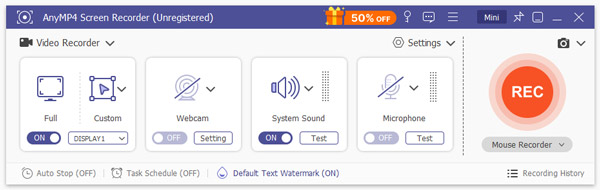
Since Loom is a browser-based tool, it cannot compete with programs running as installed software. This is the biggest advantage of AnyMP4 Screen Recorder over the mentioned platform. Simply put, processing files with installed software is better and more practical than using browser-based tools. Using a desktop-based platform such as this option, screen-recorded videos can be edited directly in its main software, making it a more practical choice since there is no need to open a separate window after saving your recordings.
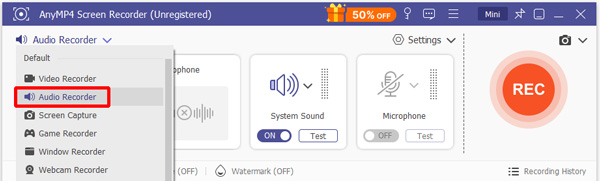
Moreover, the program offers preset recording templates to improve ease of use and practicality. The program also offers six recording modes, making it more versatile and practical than Loom.
It also helps that this alternative is easier to use for beginners, more compact, and offers a smoother overall experience. The software also offers unlimited recording time, more efficient video compression, advanced editing features, and saves recordings locally.
Download the software now and enjoy a screen recording experience ten times smoother than Loom’s.
Secure Download
Secure Download
PROS
CONS
Recommendation
Supported Platforms: Google Chrome, Mozilla Firefox, Safari, and other popular browsers.
Price: Free
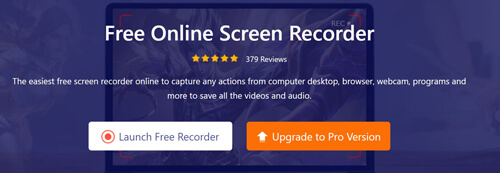
For users who want to stick to a browser-based platform like Loom, the first recommendation on this list is also available for online use on their site, aptly named AnyMP4 Screen Recorder Online. Similar to its desktop counterpart, this platform is also designed for accessibility and an efficient recording process that can rival Loom’s. However, it runs more smoothly than the desktop platform and can save recordings on your local storage, though at the cost of a slight decline in editing convenience. Fortunately, this trade-off offers a positive exchange because the program’s performance is faster.
PROS
CONS
Recommendation
Supported Platforms: Windows and Mac
Price: $62.99
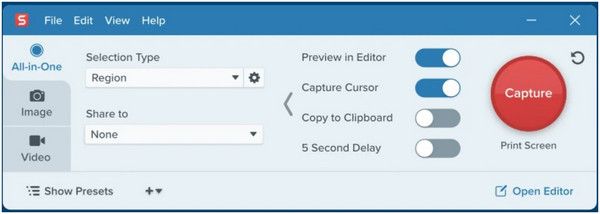
For paying consumers, Snagit is one of the safest premium recording programs that can replace Loom. This is expected, since it has a much steeper price point than similar platforms. Fortunately, it can be considered worth it due to its built-in cloud storage, more efficient video compression, editing features, modernized aesthetics, and performance. For more Snagit alternatives, see here.
PROS
CONS
Recommendation
Supported Platforms: Windows and Mac
Price: Free
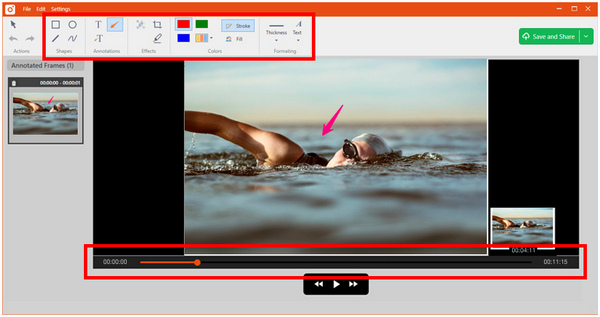
TinyTake can also be used as a screen recording platform, making it a free alternative to Loom. However, it is intended to enhance work efficiency, since it is more of an assistive software. Despite that, its screen recording feature is good enough to serve as a Loom alternative, offering a longer recording time, compressed videos, and basic editing features.
PROS
CONS
Recommendation
Supported Platforms: Windows, Mac, and Browsers
Price: Free
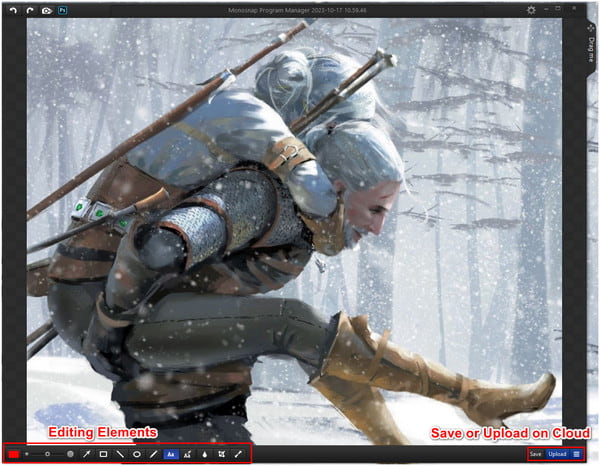
Monosnap may be considered a more versatile alternative to Loom, as it is available as a desktop app for Mac and Windows and as a browser extension. This cross-platform availability plays a vital role in accessibility. It also helps that its recording tool is accessible with just a few clicks. The program also has a significant advantage due to its post-recording editing features.
PROS
CONS
Recommendation
Supported Platforms: Windows
Price: Free
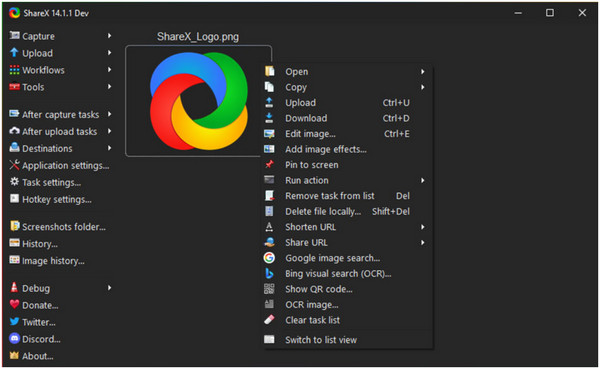
For users who love using open-source programs, ShareX is the best Loom alternative. It is packed with essential recording tools for basic recording needs. Unfortunately, it is limited by the mentioned limitations, as it cannot be used for more advanced purposes. Despite that, it still offers a more impressive recording time, editing features, and supports local storage, unlike Loom.
PROS
CONS
Recommendation
Supported Platforms: Windows and Mac
Price: $2.79 - $79.94
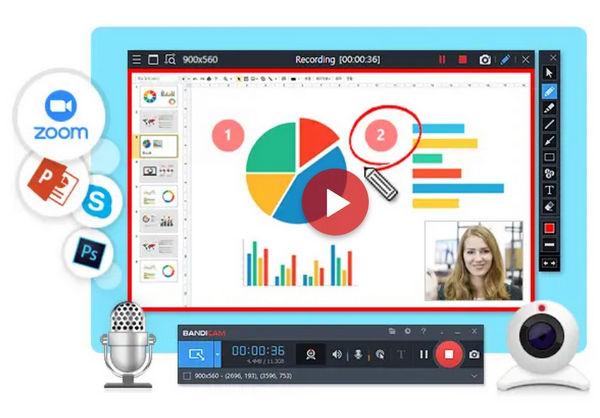
Bandicam is a familiar name among legacy users, as it is one of the pioneers of screen recording. With that in mind, users familiar with it should feel comfortable using it as a Loom alternative. This was made more compelling by the significant modernization of features and interface design. Bandicam also enjoys longer recording duration and an impressive compression rate.
PROS
CONS
Recommendation
Supported Platforms: Mac
Price: Free
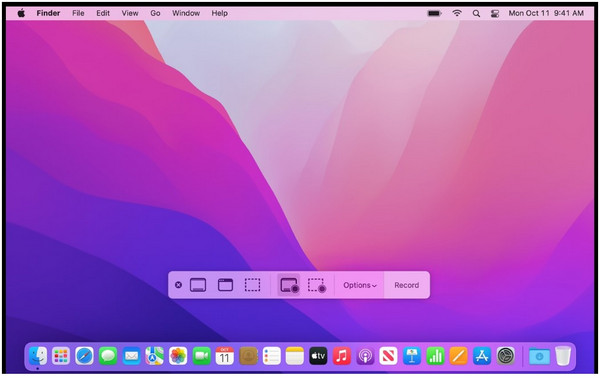
Although QuickTime is more popular as a video player, most Mac users are unaware of its screen recording feature. This is a big plus for convenience, as it includes a basic video editor. All these features combined make it a good Loom alternative for Mac users.
PROS
CONS
Recommendation
Supported Platforms: Windows
Price: Free
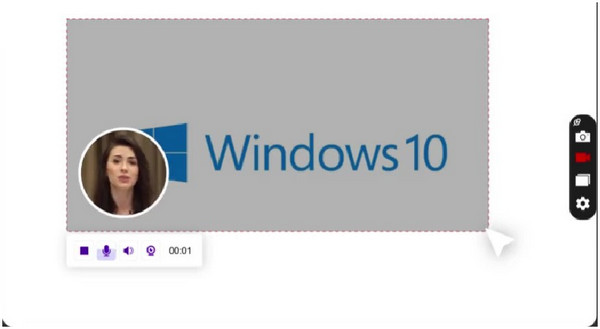
ScreenRec is a new player in the market, but it has made a name for itself among today's screen recording platforms. This was made possible by its lag-free screen recording and smooth audio capturing. This makes it a viable Loom alternative. ScreenRec also has an advantage in video compression and local storage support.
PROS
CONS
Recommendation
Supported Platforms: Windows and Mac
Price: $19.95 - $49.95
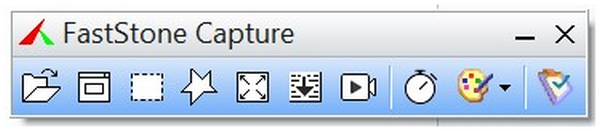
Back in the premium program market, FastStone Capture is another option for users who want a Windows screen capture tool, not an online service like Loom. FastStone Capture’s one-click screen recording button is a gift for users who prioritize convenience. It also helps that it has a fully functional photo editor. In terms of editing features, FastStone Capture also has a major advantage as its annotation tools are viable even for professional image and recording production.
PROS
CONS
What is better than Loom?
AnyMP4 Screen Recorder is one of the better screen recording platforms than Loom. This was made possible by its more beginner-friendly interface. It is also faster in terms of recording performance.
Is Loom free to use forever?
Yes, Loom has a free version. They also pledge that their free version will always be available. However, Loom Free is limited in terms of features.
Is there a free version of Loom?
Yes, there is. It can be downloaded on their website easily. However, their editor requires an internet connection.
What is the easiest screen recording tool on Mac and Windows?
AnyMP4 Screen Recorder is the easiest screen recording tool. The program is also available on both Mac and Windows. This makes it a good option for all kinds of recording needs.
Is Loom easy to use?
Yes, Loom is beginner-friendly. However, their editing tool is quite tricky to learn. Fortunately, there are a lot of tutorials focused on the platform.
Which free Loom alternative is best for team collaboration?
Among the programs on this list, ScreenRec, ShareX, and TinyTake are good collaborative options. All these tools offer shareable links after recording. Their editing tools are also good enough.
Why are people looking for a Loom alternative?
Loom may be good for short recordings, but it lacks more advanced features for recording. This made the program not suitable for longer recordings. These setbacks require most of its users to look for an alternative.
Is there a Loom alternative that records in 4K?
Yes, there are. 4K has become an accessible option for screen recording tools. Among the options on this list, AnyMP4 Screen Recorder offers the best features for 4K recording.
Now that we have provided you with the best alternatives to Loom for screen recording, we hope you can decide which option best suits your needs. Fortunately, this list includes a wide selection of platforms that can perform on the same level as, or even better than, Loom’s.
Please share this article on your favorite social media platforms to help other users looking for a Loom alternative.
Secure Download
Secure Download
 Updated by Alice Thorne to Recorder
More readings
 Discover the power of ScreenFlow and its alternatives in this comprehensive ScreenFlow review. Find the ideal screen recording solution for your needs.
Discover the power of ScreenFlow and its alternatives in this comprehensive ScreenFlow review. Find the ideal screen recording solution for your needs.
 1111111
This ScreenFlow for PC will outline the five top-notch alternatives for ScreenFlow. We will provide their pros and cons as your guide for picking the best tool.
 Best 5 Audacity Alternatives for Audio Recording & Editing
This post will highlight five compelling Audacity alternatives, each offering unique features. Find the perfect tool to elevate your creative recording needs.
 This post will discuss the distinctions between ScreenFlow Vs Camtasia. We highlight all their features and check the alternatives we added.
This post will discuss the distinctions between ScreenFlow Vs Camtasia. We highlight all their features and check the alternatives we added.
 Add your comments to join the discussion here