
When it comes to ad placements, Facebook ads are one of the prime online spots to launch digital campaigns. This is because the popularity of the pioneer social network site made it a prime spot to hit specific target audiences. With that in mind, learning the ideal Facebook video ad length should be the next thing you need to learn, since content optimization is the next priority you should think about to reach your consumers. In this article, we will provide the ideal length of videos for different spots of Facebook, including the news feed, livestream, search results, and FB Stories.
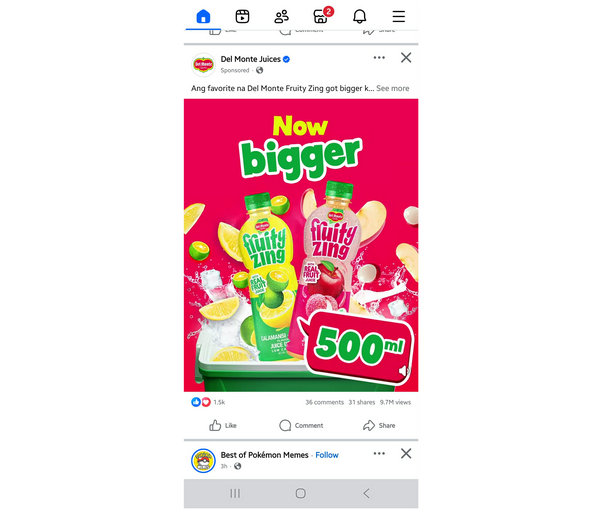
Aspect Ratio: 4:5, 1:1, 9:16, 16:9
Maximum Resolution: 4K UHD
Minimum Resolution: 1080p
Max File Size: 4 GB
Recommended File Type: MP4, MOV, GIF
Across different Facebook video placements, the universal video length limit is 240 minutes or 4 hours. Although this extremely long duration is impressive, it is usually overkill, especially for digital ads where the first few seconds are the most critical portions. In this case, using the ideal limit of 15 seconds or less is more appropriate, whether you edit the video in Facebook video editor or via a third-party tool.
By using the ideal Facebook video ad length, you can deliver your message more effectively, as no one watches a video ad longer than two full-length movies. When it comes to digital ads, the shorter video with a stronger hook prevails.
These factors are especially true in Facebook’s News Feed, since this is where most FB users scroll for content and entertainment.
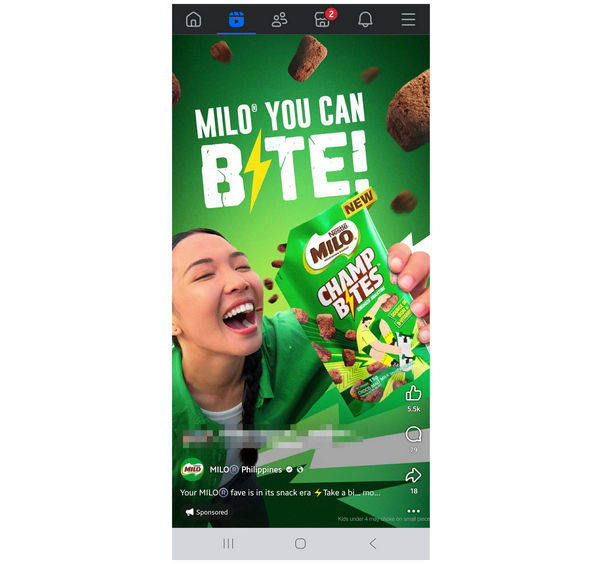
Aspect Ratio: 16:9, 1:1
Maximum Resolution: 4K UHD
Minimum Resolution: 1080p
Max File Size: 4 GB
Recommended File Type: MP4, MOV, GIF
Moving forward to another video venture of Facebook, we have FB Livestreaming and Reels, where ad presence appears as well, usually in the middle of the stream or between each reel. In this case, it is much more important to keep your video as short and compelling as possible. As such, you should try to make your video last 5 to 15 seconds.
With video content being the primary entertainment piece on Facebook, keeping your Facebook in-stream ads video as short as possible will help it appear well-placed. However, if it took too long to play, you might risk annoying the audience, which may leave a bitter taste in their mouth.
By keeping your in-stream video ad as short as possible, you will respect the user’s viewing experience and reduce the likelihood of them skipping your ad. Design or edit your mid-video ads using video trimming software to make it look like a quick commercial break.
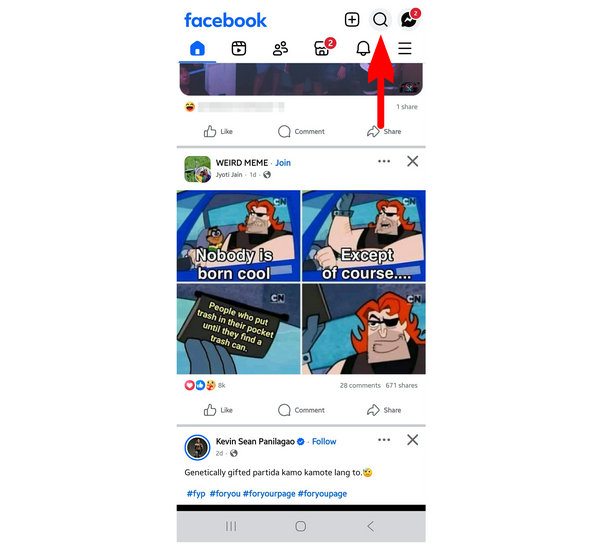
Aspect Ratio: 1:1
Maximum Resolution: 4K UHD
Minimum Resolution: 1080p
Max File Size: 4 GB
Recommended File Type: MP4, MOV, GIF
Another part of Facebook where video ads may be placed is within the Search Results. However, unlike the previous video sections, adding a video ad in this part of Facebook is usually not ideal. Since it rarely catches the attention of users. It is recommended to just use images in this section. Otherwise, keep your video well below the maximum length of a Facebook video ad, and ensure it is 5 seconds at most.
Making your video as short as possible in this section will allow your user to catch a glimpse of your ad, even though they are focused on searching for what they want. However, do not expect to catch ads placed in this section to garner attention or perform well.
Static images are better suited for search result ads.
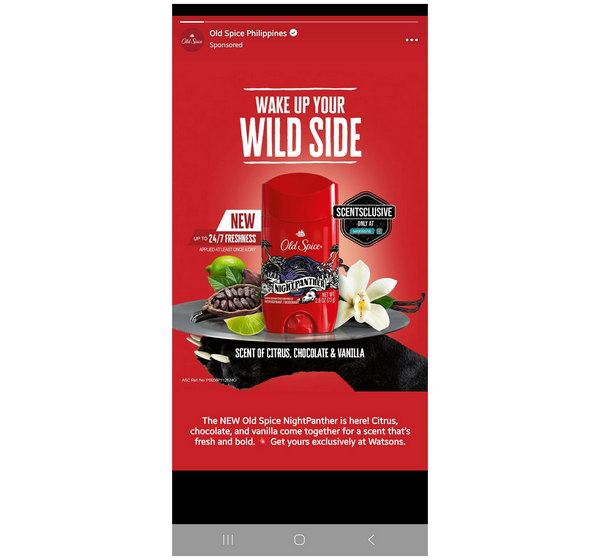
Aspect Ratio: 9:16
Maximum Resolution: 1440×2560
Minimum Resolution: 500x500
Max File Size: 4 GB
Recommended File Type: MP4, MOV, GIF
When viewing your Facebook friends' stories, video ads may appear between each post. In these types of ad placements, the content is broken down into a maximum of 15-second cards. However, it is more ideal to keep your video as low as 5 seconds and have a strong hook within the initial seconds of the video.
Since FB Stories are browsed by clicking next or swiping the screen, it is common for FB users to quickly move forward to the next story. With that in mind, your video should capture their attention in the short span before they proceed to the next story.
Due to the high traffic in Facebook Stories, optimizing ad placement in this section has the highest chance of performing well if the initial hook within the first 1 - 3 seconds of the videos is significant.
With the best length for Facebook video Ads now discussed across different placements on the site, let us proceed to more practical tips for perfecting your content for Facebook ads. The next part of the article will feature the best multimedia editing tool for creating and editing 4K videos optimized for Facebook ads.
With the ideal video requirements of Facebook ads now discussed, let us proceed to the best multimedia software you can use to ensure that your online campaigns are well-received by your target audience. In this case, make sure to use AnyMP4 Video Converter Ultimate and its professional-grade Video Trimmer tool.
Available to computers running the Windows and Mac operating systems, AnyMP4 Video Converter Ultimate is the most practical multimedia tool for making videos optimal for Facebook ads. Among the tools in the program, the Video Trimmer tool works best because it can cut clips precisely to important time points and set the duration of video ads.
Using the Video Trimmer tool, you can quickly split long videos into multiple clips. You may also delete particular sections of a media and add fade-in and fade-out effects for smooth transitions. These video editing options may all be used to over 500+ media formats, including commonly used video types like MP4, MOV, WMV, AVI, MKV, and GIFs.
For more experienced video editors, advanced options for editing parameters like formats, video encoder, and audio channel may also be edited. Among them, the format editor is the most practical since it can convert videos to the supported format of FB in MP4, MOV, and GIF.
Together with the Video Trimmer tool, additional editing options are also available in AnyMP4 Video Converter Tool, such as MV Editor, Collage Maker, Video Cropper, and Video Compressor tool, all of which work perfectly for meeting the media requirements of Facebook.
Planning to further edit videos in AnyMP4 Video Converter Ultimate is possible because it is equipped with niche multimedia tools, including Video Rotator, Format Converter, Video Watermark Remover, 3D Maker, Video Enhancer, Video Reverser, and Video Speed Controller.
With the primary video editing tools of AnyMP4 Video Converter Ultimate now discussed, let us now proceed to the detailed guide on using its Video Trimmer tool.
To make it easier to follow our tutorial, be sure to download the software using the link below.
Secure Download
Secure Download
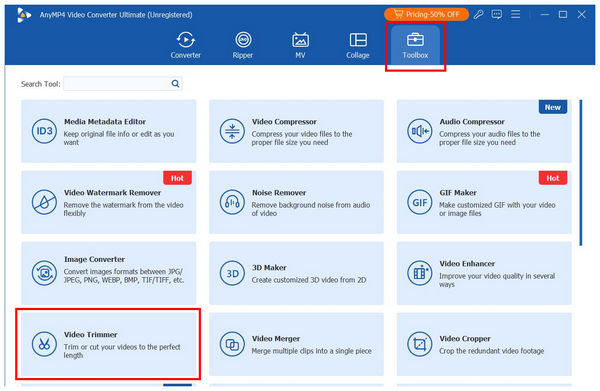
1. Open AnyMP4 Video Converter Ultimate, then select the Toolbox option in the main menu. Next, find the Video Trimmer tool and click it. In the import file menu, select the Add button to add the Facebook ad you want to edit.
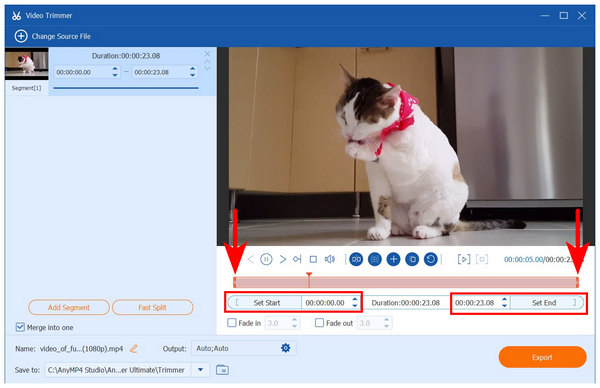
2. Once the video is imported to the Video Trimmer tool, you may use two different options to trim it. For faster editing, use the Trimming Sliders at the start and end parts of the clip. To accurately set the video length to 5 - 15 seconds, edit the time value in the Set Start and Set End tabs to set the portion of the video that will be cut. Make sure to add Fade-in and Fade-out effects in the editing menu for a seamless edit.
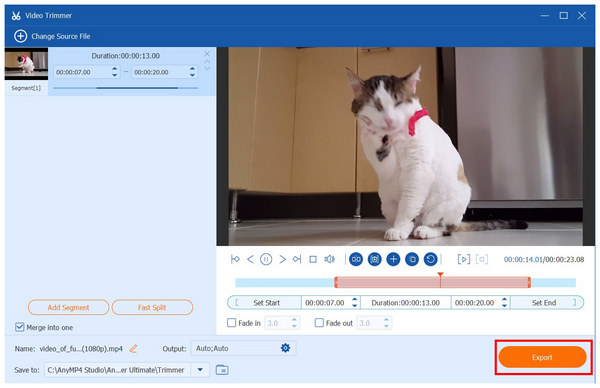
3. With your video now cut to the ideal 5 -15 seconds for Facebook, select Export to produce the edited video. You may now upload the file via Facebook Ad Manager and ensure that it will be optimized for Facebook content.
Now that your video has been trimmed to the recommended video length for Facebook ads using AnyMP4 Video Converter Ultimate, you may now relax and wait for Facebook’s algorithm to do its work since you already did your job of optimizing your content for Facebook ads.
Grab Attention Immediately
The first 3 - 5 seconds of the video are the most important part of online content. In this case, make sure that your clip starts with a strong and compelling hook to keep your audience’s attention from the skip button. This tip is perhaps the most important point when learning how to make a Facebook video.
Design for Sound Off
Since Facebook is usually consumed in public spaces, make your ad videos friendly even for users with muted volume. You can enhance your video by adding important captions and text that detail its most important information.
Prioritize Mobile
When editing the dimensions and aspect ratio of your clip, make sure that it follows the standard of modern smartphones. Always keep the 9:16 aspect ratio and 1080x1920 resolution in mind.
Use a Strong Call-to-Action
To emphasize your ad's message, ensure a strong and clear call-to-action is included. It is preferable to have this message in the latter part of the video after your initial hook and main content are done.
A/B Test and Iterate
For more practical testing, running your video ad in different Facebook placements will allow you to test its effectiveness in a real environment. Once the result is out, you may opt to run the ad only in the section where it performed better.
Now that we have discussed the ideal duration and video length limitations of Facebook ads, we hope this article has provided you with useful information for enhancing the reach and effectiveness of your online campaigns. To make producing compelling videos easier, use practical software that serves as an all-in-one multimedia editor, such as AnyMP4 Video Converter Ultimate, which you can download using the link below.
Secure Download
Secure Download
 Updated by Mark Cristobal to Edit Video
More readings
 [Guide] How to Compress Videos for Facebook Upload Free Online
When you failed to upload videos on Facebook, it may be caused by oversized video files. Learn 3 ways to compress videos for Facebook here.
 How to Upload High-Quality Videos to Facebook to Remove Blur
Facebook video quality is bad after being uploaded. Learn how to fix video quality issues and upload high-quality videos on Facebook with 5 proven methods.
 How Long Are Facebook Stories: Learn the Max Length Allowed
Unsure how long Facebook stories can be? Check our guide to understand video and photo limits and discover creative tricks to share longer stories.
 How Long Can a YouTube Short Be? Discover it Now
What is the maximum length for YouTube Shorts? This question will be answered in this article to help you discover the limit of YouTube Shorts length.
 Add your comments to join the discussion here