
Mobile gaming has come a long way since its early days during the rise of Android devices in the early 2010s. Since then, developers have produced high-quality games and even esports-ready games as opposed to casual pocket time-killers that most older consumers know and love. With that, live streaming and producing content from these competitive mobile games have become a staple of entertainment for most people today, and most of these content creators use screen recording software, such as XRecorder, directly from their phones. In this review, we will talk about the XRecorder app, one of the most well-known screen recorders for Android phones, along with several alternatives that live streamers and gaming content creators may also choose to use.
XRecorder is a screen recording software exclusively available for Android devices. The app is designed to capture screen recordings seamlessly with no limitations and prior requirements from your device. It also features a user-friendly interface, making video editing as simple as possible and straightforward for beginners.
XRecorder's Google Play page has recorded over 100 Million downloads with a respectable rating of 4.8 stars from over 6.6 Million reviews.
AnyMP4 Provides Verified Info by Doing the Following
Features:
Performance:
Practicality:
PROS
CONS
It requires users to rely on screen casting or Android emulators, which require extra setup and can be less stable.
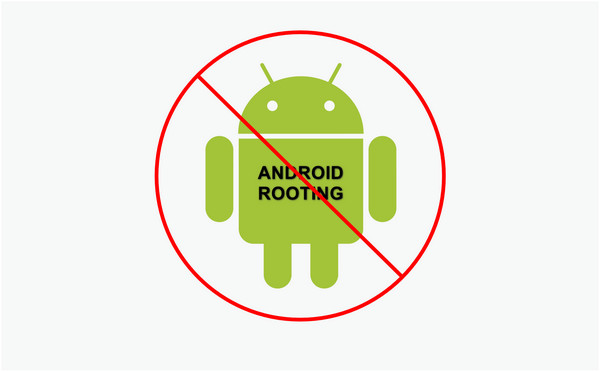
To review XRecorder, we should focus on their goal to provide a fully functional screen recorder for mobile gamers. This objective was reached by the app by developing their platform to be centered around this purpose. This was made possible by their optimized screen recorder capable of capturing screens on high definition and high frame rate. Moreover, installing the app is as easy as downloading it from Google Play Store without additional technical requirements, such as device rooting, that may be harmful for your smartphone.
Android rooting is removing the restrictions set by manufacturers on your device. This technically demanding process will enable you to uninstall system applications and unlock additional modifying capabilities for its users. However, it also puts the device at security risk and voids the manufacturer's warranty. Fortunately, XRecorder may be downloaded and used on Android phones without rooting access.
(If your device is iOS, check more screen recorders for iPhone in App Store).
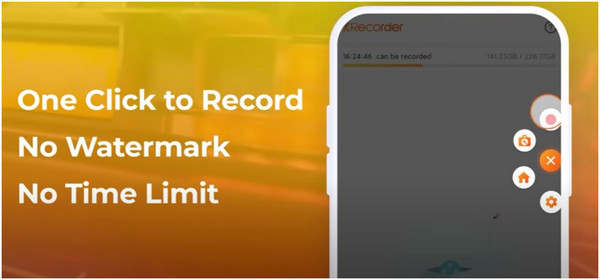
With XRecorder's main purpose leaning towards gameplay recordings, unlimited recording is a must, especially for their gaming target market. This feature allows its users to capture multiple gaming sessions and focus on their performance without minding the limit of their screen recording software.
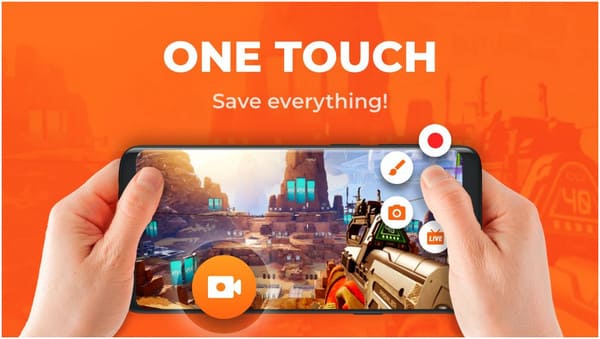
To improve the user experience in their app, XRecorder also added a convenient floating window feature that may be accessed anywhere on the screen. This allows their consumers to easily select whether they want to screen record, take a screenshot, or broadcast their gaming session directly to their desired live streaming platform. All screen recordings captured by XRecorder are watermark-free and of the highest quality. Check more free screen recorders without watermark here.
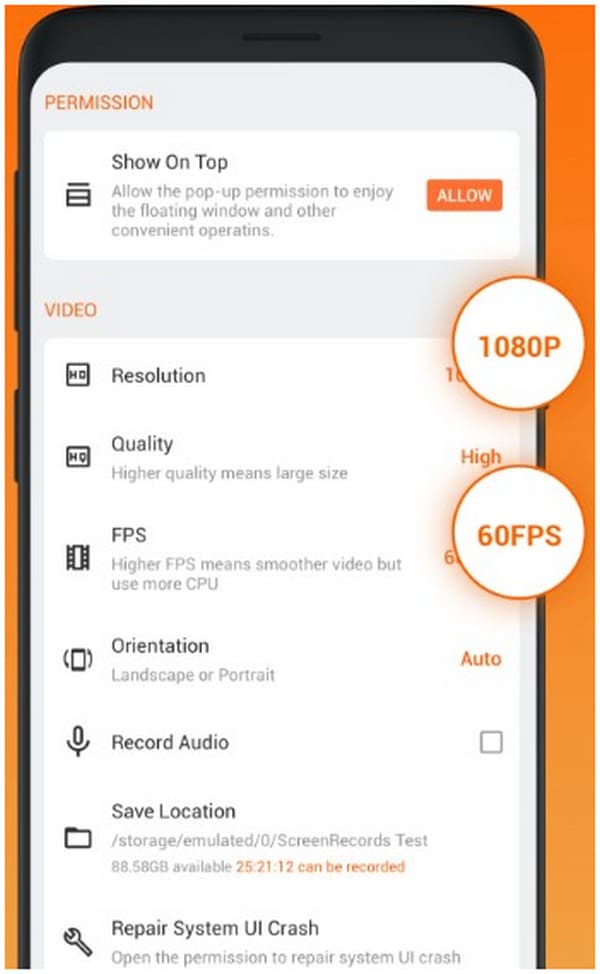
Recordings captured by XRecorder may also be saved to a resolution as high as 1080p and at the smoothest frame rate of 60 FPS. The standard quality for mobile devices, this feature will ensure that recordings captured by XRecorder will be of industry standard, especially among gaming communities where video resolution and frame rate are as important as the gameplay itself. Additionally, watching high-performance gameplay at 60 FPS is just pure eye candy. To meet the expectations of their target market needs, XRecorder added a feature to capture screen recordings at 1080p and 60FPS.
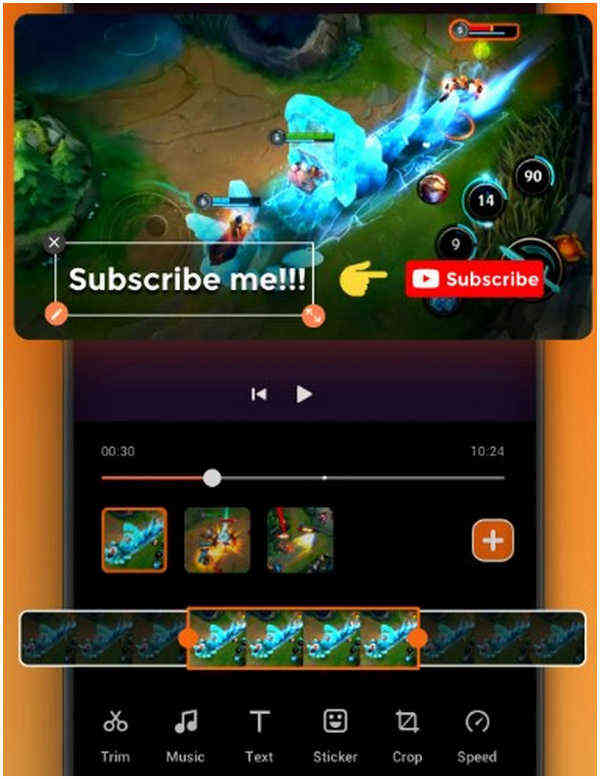
To help their users upload their content more efficiently, XRecroder also has a built-in video editor that provides the essential tools for editing gameplay footage. With tools allowing their users to trim clips, add music and text, and change playback speed. An explosive gameplay montage can be edited without exiting the screen recording app itself.
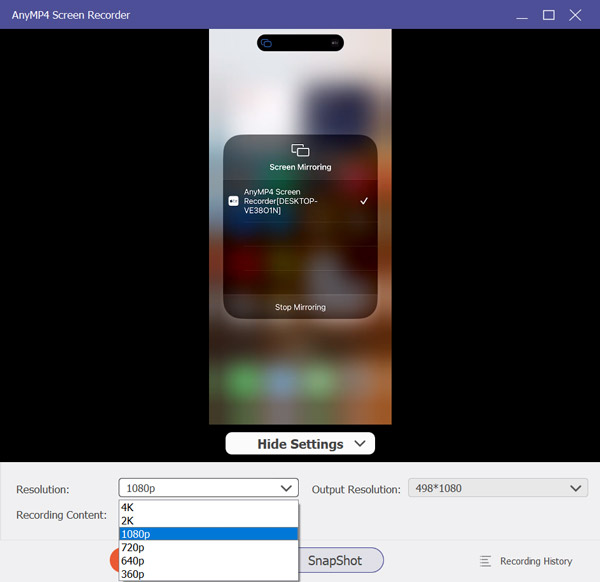
XRecorder excels as a mobile screen recorder with HD 1080p and 60 FPS recording for Android devices. However, its capabilities are inherently limited to smartphones. Mobile recording can struggle with stability during extended gameplay or high-intensity apps. Its built-in editing tools lack advanced functionality such as a professional timeline for more complex content production. In contrast, AnyMP4 Screen Recorder uses PC hardware acceleration to deliver stable, high-resolution, high-frame-rate recordings. This makes it ideal for longer sessions or performance-heavy applications. Additionally, it comes with a built-in professional video editor with full timeline interface. It allows advanced editing workflows, multi-clip assembly, transitions, audio mixing, and text effects.
Secure Download
Secure Download
Features:
PROS
CONS
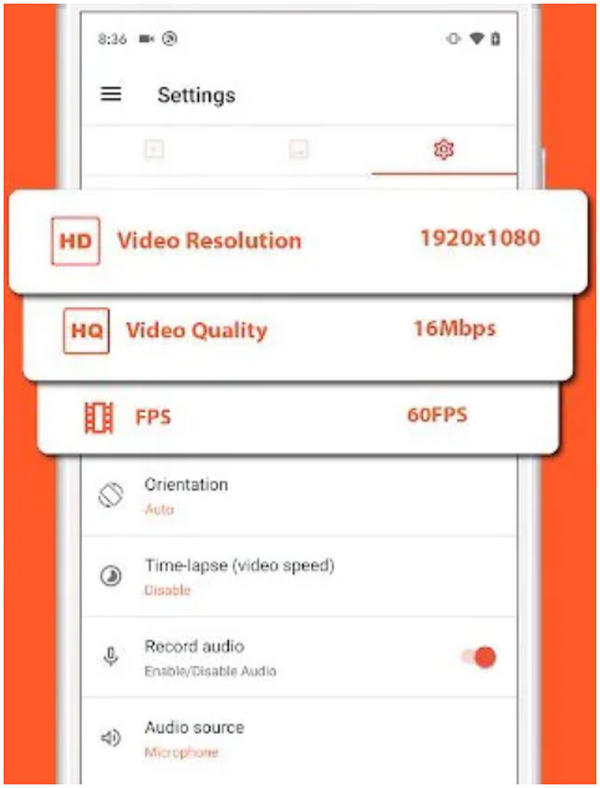
AZ Screen Recorder is the closest competitor of XRecorder in the mobile device screen recorder market since both apps are focused on marketing themselves as a mobile gameplay recorder. However, AZ Screen Recorder has an advantage since it can directly live stream videos to YouTube and Facebook, and the app is also tagged as an Editor's Choice in Google Play.
Regarding key features alone, AZ Screen Recorder has the same functions as XRecorder or perhaps even more. However, they still lag behind their competitor, which may be pointed out to XRecorder's superior smoothness and overall performance.
PROS
CONS
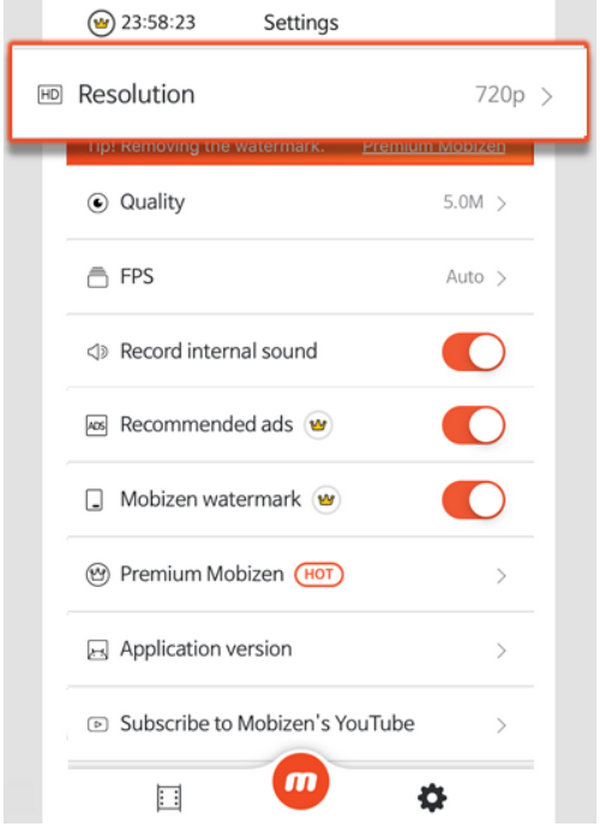
Another alternative screen recording software downloadable directly from Google Play with an Editor's Choice tag, Mobizen led the market as one of the best apps in their platform in 2016. Highlighted on their Google Play page to be used by over 100 Million users worldwide, this app leans on the award they received over half a decade ago. However, their reviews prove otherwise with its 4.2 stars rating, which is comparably lower than the previous screen recording applications.
PROS
CONS
| XRecorder | AnyMP4 Screen Recorder | AZ Screen Recorder | Mobizen Screen Recorder | |
|---|---|---|---|---|
| Price | Free with optional in‑app upgrades | Free, with an optional upgrade starting at $12.45 | Free with optional in‑app upgrades | Free with optional in‑app upgrades |
| Desktop/Mobile Recording | Mobile only (Android) | Desktop (Windows/Mac) and mobile devices (Android and iOS) | Mobile only (Android) | Mobile only (Android) |
| Depth of Video Editing | Basic built‑in editor | Rich editing and multiple export tools | Mid‑level mobile editor | Basic built‑in editor |
| Multi‑Track Audio Support | Internal and microphone | System sound (desktop), internal sound (mobile), mic input, audio boost, noise reduction, etc. | Internal and microphone | Internal and microphone |
What is XRecorder used for?
XRecorder is an easy-to-use screen recorder software for Android devices downloadable from Google Play. It requires no root access unlike older screen recording softwares. Xrecorder is also a free-to-download application.
Is there a XRecorder for PC?
XRecorder may be used for PCs by using Android emulators. However, there are better screen recording software for PCs like AnyMP4 Screen Recorder. Moreover, Android emulators also require additional setup to run making it an impractical option for users on PC.
Is XRecorder safe?
Yes, running XRecorder does not require root access for Android devices and can be downloaded directly from Google Play. It is safe to use. Their Google Play rating sitting at a comfortable 4.8 stars may attest to the quality that they deliver to their users.
Does XRecorder notify Snapchat?
Users wary of Snapchat notifications may start a screen recording in XRecorder first and then capture screenshots from the recorded video. After recording, it can then be directly edited in XRecorder app itself. Taking screenshots in Snapshot may notify the app.
How to remove the XRecorder watermark?
XRecorder does not feature a watermark in its recorded videos. However, captured videos with watermarks may use the XRecorders video editor to crop out video watermarks. XRecorder supports multiple video files making it a good choice when it comes to video editing in mobile phones.
XRecorder’s data provided in Google Play proves that they are the most trusted screen recording software available for Android devices. With the sample size of its reviews and an impressive 4.8 star rating, gamers interested in recording their android gameplays may trust XRecorder. However, PC users are more wise to combine the performance of both their phones and PCs with the help of AnyMP4 Phone Mirror software since this will provide them the most convenience that they will not only enjoy but also makes them more efficient.
If this article helped you decide which screen recorder software for android to use, share it with your friends and social media followers to help them solve their mobile device utility problems.
 Posted by Alice Thorne to Recorder
More readings
 Monosnap Review and Top 3 Screen Capture Alternatives
Monosnap App is a free-to-download screen capture tool with image editor. Check this app review to see if it is worthy of downloading.
 Snipaste Review: An Easy to Use Screenshot Tool
Use Snipaste to pin digital sticky notes on your desktop and increase productivity. Before downloading it, read this review first.
 Shottr Review for Advanced Screenshot Mode Purposes
Use Shottr to take pixel perfect screenshots and improve your efficiency. Plus, there are three great alternatives to Shottr. See this review to know.
 Ezvid Review: A Perfect Screen Recorder for Old-School Users
Ezvid is a classic free-to-download screen recording and video editing software for Windows. Check this review to know if it is worthy.
 Add your comments to join the discussion here