- Top 1. AnyMP4 Video Converter Ultimate
- Top 2. Icecream Slideshow Maker
- Top 3. MoShow
- Top 4. InShot
- Top 5. PhotoStage
- Top 6. iMovie
- Top 7. Kapwing
Show More

In 2026, slideshows are no longer just a series of static images but have become a vital medium for communication and business negotiations. Slide creation tools are essential for both software platforms and content creators. So, are free slide makers still available today? The answer is yes. While some tools require paid subscriptions for advanced features, several platforms maintain free options to stay competitive. This article reviews and compares the top seven free slideshow makers currently available on the market for your reference.

| Ease of Use | Watermark | Music Support | Editing Tools | |
|---|---|---|---|---|
| AnyMP4 Video Converter Ultimate | The MV feature is simple and easy to use, requiring no complicated operations. |  (Free version). (Free version). |
Advanced, supports input and output of various audio formats, multi-track, and extraction. | High, includes AI enhancers and DVD ripping |
| Icecream Slideshow Maker | Simple drag-and-drop. | (Free version). |
Basic, background tracks with offset. | Basic, focused on transitions and text. |
| MoShow | Automated style-based creation. | (Free version). |
Moderate, rhythmic beat-syncing. | Minimal, style-driven animations. |
| InShot | Intuitive mobile timeline. | Removable via ads. | High, huge library and voiceovers. | Moderate, professional filters and speed control. |
| PhotoStage | Guided Quick Create wizard. |  (Free version). (Free version). |
Moderate, supports direct narration. | Moderate, classic transitions and photo optimization. |
| iMovie | Beginner-Friendly. Drag-and-drop with an intuitive timeline. | (Free version). |
Excellent iTunes integration and manual fading features. | High, green screen, and cinematic modes. |
| Kapwing | Browser-based with AI features. | (Free version). |
Moderate, stock audio and clean-audio AI. | High, AI subtitle and text-based editing. |
5.0
• Compatibility: Windows 11/10/8.1/8/7, Mac OS X 10.9 or above (macOS Sequoia included).
• Best for: Beginners who need a simple tool to create slideshows without a steep learning curve.

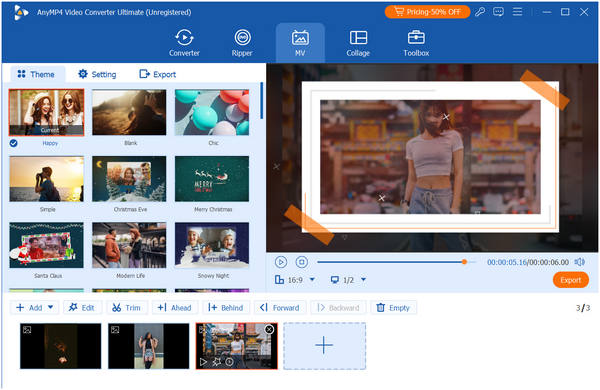
AnyMP4 Video Converter Ultimate is the ultimate all-in-one slideshow maker software compatible with both Windows and Mac computers. Its MV Maker feature allows you to effortlessly create slideshows by simply importing videos and photos, then applying pre-designed templates. It also offers numerous themes, transitions, and filters to make your video slideshows more attractive. The built-in editor in this slideshow creator also enables adjustments to video effects such as rotation, adding watermarks, and subtitles. Furthermore, it allows you to customize output parameters, including multiple formats, encoders, channels, and more.
Secure Download
Secure Download
Main Features:
PROS
CONS
4.0
• Compatibility: Support all Windows operating systems, including Windows 11, 10, 8.1, 8, and 7.
• Best for: Beginners who want to quickly create personal projects with a simple workflow.

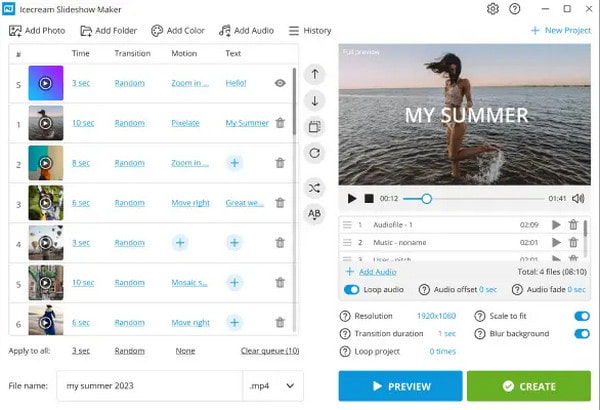
Icecream Slideshow Maker is a lightweight, easy-to-use desktop program designed for users who want to create high-quality photo slideshows without using a complex video editor. It is particularly known for its clean, straightforward interface and high-resolution output options. However, its free version's limitation to 10 photos is a drawback for creating large slideshow projects.
Main Features:
PROS
CONS
4.0
• Compatibility: iPhone/iPad requires iOS 13.0 or later, macOS 11.0 or later (with Apple M1/M2/M3/M4 chips), Apple visionOS 1.0 or later, most Android smartphones and tablets.
• Best for: Influencers or small business owners who are looking for a video slideshow maker suitable for multiple social media platforms.

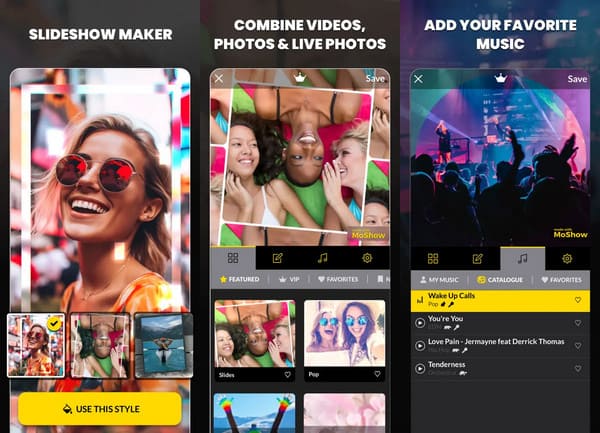
MoShow is a mobile slideshow creation tool designed specifically for social media platforms today. Unlike traditional slideshow makers that focus on slow fades, MoShow focuses on quick transitions, glitch effects, and rhythmic syncing to music. It is the best app for anyone who wants to effortlessly create youthful, cool effects. But if you need a more professional slideshow maker for business presentations, look elsewhere and check out some other options.
Main Features:
PROS
CONS
4.5
• Compatibility: iPhone/iPad requires iOS 15.0 or later, macOS 13.0 or later (with Apple M1 chip or later), Apple visionOS 1.0 or later, and all modern Android devices.
• Best for: Users who want professional filters and transitions without the steep learning curve of desktop software.

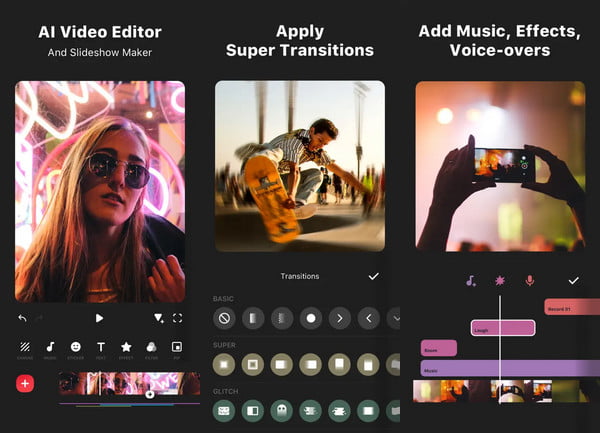
InShot is a feature-rich video editor with an intuitive interface, making it one of the most popular tools for transforming photo collections or videos into professional slideshows. It is also recognized as a reliable mobile video editor. While it may not offer the extensive and flashy effects like some newer slideshow creators, its stability and 4K support make it a solid choice for making slideshows.
Main Features:
PROS
CONS
4.5
• Compatibility: Windows (7 through 11), macOS (10.5+), Android, and iOS.
• Best for: Beginners, seniors, and users who want to create traditional photo montages.

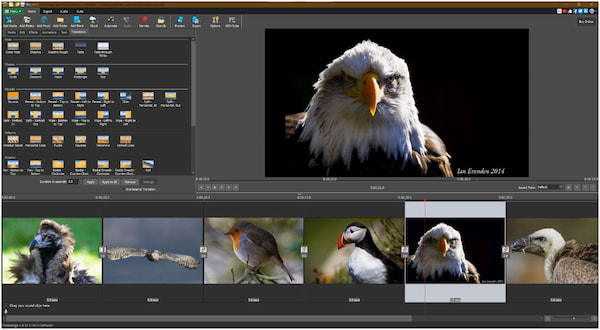
PhotoStage by NCH Software is a reliable, old-school desktop slide creator designed for users who do not want a steep learning curve. It is particularly popular for its offline stability and its ability to handle legacy media formats. Besides, its slideshow wizard feature makes it simple to include themes, transitions, and music when you create slideshow videos.
Main Features:
PROS
CONS
4.5
• Compatibility: Mac/iOS only. Requires macOS 14.6+ or iOS/iPadOS 17.6+.
• Best for: Apple ecosystem users who want to seamlessly transfer projects between iPhone, iPad, and Mac.

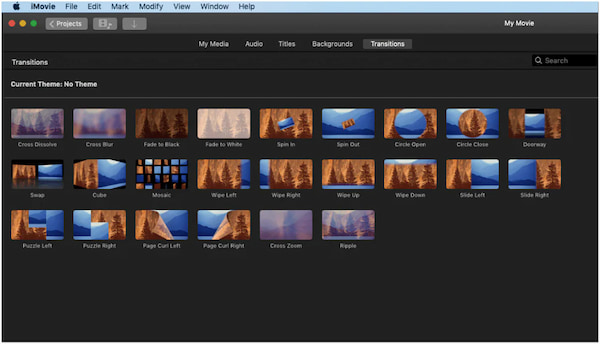
iMovie is one of the most powerful free tools available to Apple users, serving as the preferred choice for creating high-quality, watermark-free video slideshows on both Mac and iOS. It bridges the gap between simple photo slideshows and professional film production. The stability and export quality it offers are unmatched by most paid mobile tools.
Main Features:
PROS
CONS
4.0
• Compatibility: Web-Based, run in your browser (Chrome, Safari, Edge).
• Best for: Social media managers who need a team of people to edit a project in real-time.

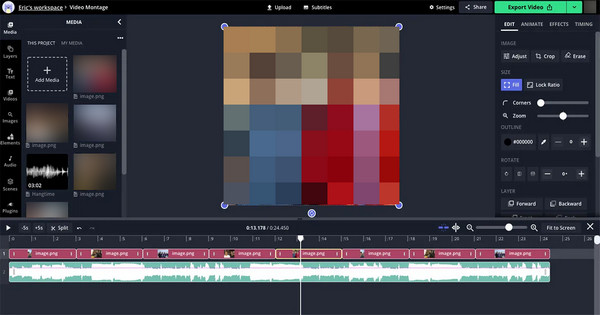
Kapwing is a professional-grade, browser-based video editor that has gained massive popularity for its no-download convenience and heavy focus on AI-driven social media tools. For professional filmmakers, browser-based limitations can be frustrating, but it is well-suited for modern office workers and teams who need to create content temporarily.
Main Features:
PROS
CONS
This article reviews seven top free slideshow makers compatible with various platforms, aiming to help you find the right tool. If you need desktop slideshow software, we highly recommend AnyMP4 Video Converter Ultimate. If you have any questions, feel free to leave a comment below.
Secure Download
Secure Download
 Updated by Mark Cristobal to Edit Video
More readings
 AI Photo Slideshow Makers to Create Presentations Easily
Check this article to discover five AI that makes slideshows to create your ideal presentation and one software that you can use with no AI assistance needed.
 Windows Movie Maker and Its Best Alternatives to Edit Video For Free
Windows Movie Maker was a free video editing software. But it has been discontinued. So what's its best alternatives? Check this article to find answer.
 Top 10 Free Online Video Editors: Instant Edit of Clips
Make your IG stories or Myday interesting by creating clips using these ten free online video editors. See here as we review their features and performances.
 Top 15 Free Photo Editing Software Available to Windows and Mac
We share a list of the best free photo editing software and apps for Windows and Mac that you can use to make your shots really shine.
 Add your comments to join the discussion here