
Free Download100% Clear & Secure
Free Download100% Clear & Secure
In this fast-paced information age, people's attention spans are constantly shrinking. This has led to a move away from images and long videos toward more immediate formats like GIFs. GIFs convey more information than static photos while loading faster and requiring less playback time than traditional videos. This gives rise to GIF slideshow makers. This article will introduce the four best GIF slideshow makers, including both desktop and online options, and compare them across various aspects. Additionally, tips for optimizing GIF slideshows will be provided at the end. So, let's dive right in.
| System Compatibility | Ease of Use | Transitions and Effects | Audio Support | Output Quality | Best for | |
|---|---|---|---|---|---|---|
| AnyMP4 Video Converter Ultimate | Windows 11/10/8.1/8/7 (32-bit/64-bit), macOS 10.12 to 15. | Simple interface with extensive menus. | Basic transitions (Fade, Mosaic, etc.) and basic filters. | Add music/audio tracks to the slideshow. | High | Power users need batch conversion and local processing. |
| Movavi Slideshow Maker | Windows 10//11, macOS 10.15 or higher. | Drag-and-drop with an automated AI feature. | 100+ cinematic transitions and AI filters. | Library of royalty-free music and audio sync. | High | Create wedding, travel, etc., emotional cinematic stories. |
| Ezgif | Web-based (All Browsers). | No login; straight to the point, but dated UI. | Simple crossfades and manual frame-by-frame effects. | Allows adding audio but converts GIF to Video. | Moderate | Quick, free, no-account edits. |
| Canva | Web, iOS, Android, Desktop App. | Intuitive workflow. | AI-powered Magic Animate and hundreds of stickers. | Massive music library and voiceover support. | High | Digital marketers and creators focused on design and branding. |
GIF Slideshow Maker is a tool for converting a series of static photos into a single, dynamic, continuously looping file: a GIF image. Moreover, these tools allow users to arrange images, set slide duration, add text and filters, customize transition effects, and more. It then plays your photos sequentially at a specified speed without requiring any playback buttons. Unlike standard video files, GIF slideshows are designed to loop indefinitely and typically do not include audio.
Below are some of its usage examples:
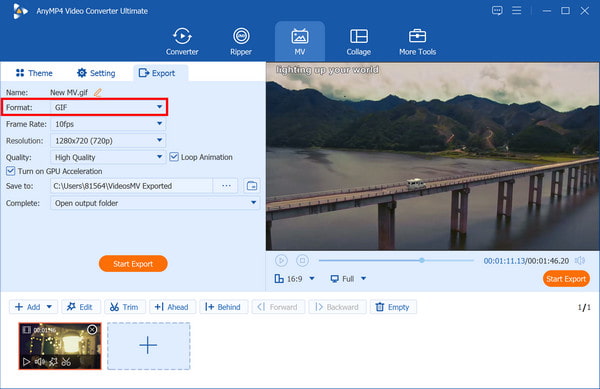
AnyMP4 Video Converter Ultimate is a powerful, all-in-one desktop program for Windows and Mac that functions not only as a high-speed file converter but also as a versatile GIF Slideshow Maker. While it is primarily a converter, its built-in Toolbox and MV features make it a popular choice for users who want to turn photos or video clips into high-quality, looping GIFs. In GIF creation, it bridges the gap between simple online converters and complex professional software like Adobe Premiere, offering a straightforward drag-and-drop process.
Secure Download
Secure Download
Recommendation
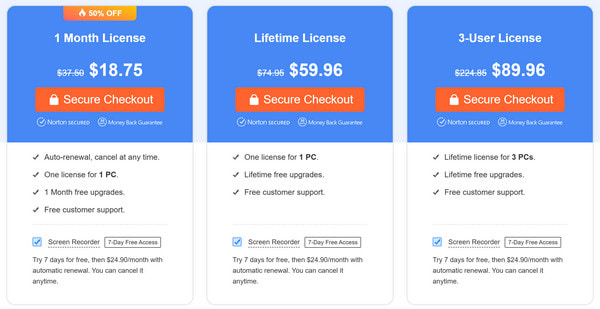
Price:
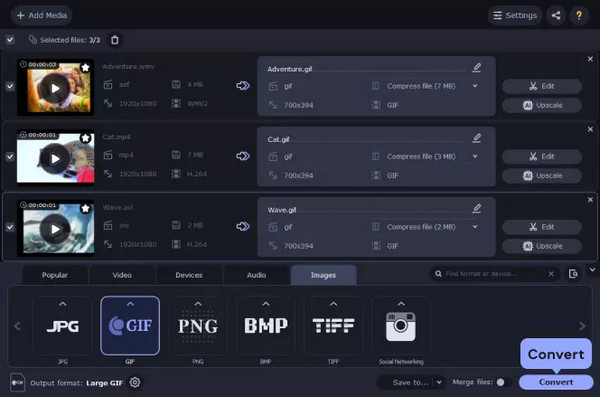
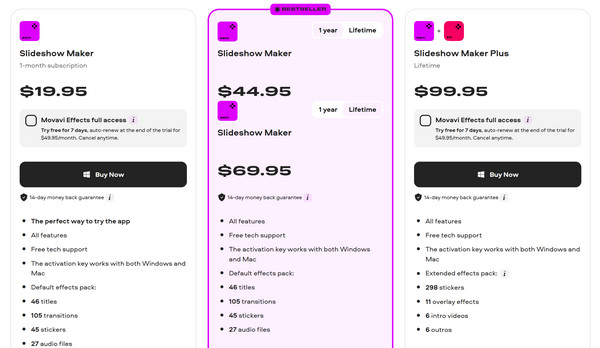
Movavi Slideshow Maker is an advanced desktop software designed for users who want to create high-quality, cinematic presentations using photos and videos but do not want to use professional editing software. If you want to make professional-grade animated GIF animations, Movavi Slideshow Maker is a good choice.
Recommendation
Price:
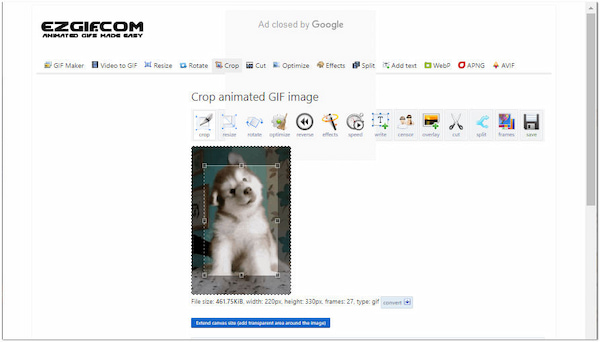
Ezgif is a free, quick, browser-based GIF slideshow tool specifically designed for creating and editing animated GIFs. It can handle everything from basic photo-to-GIF conversions to advanced frame-by-frame editing. This free GIF slideshow creator is highly praised by creators because it offers a powerful set of technical tools without requiring registration or subscription.
Recommendation
Price: Free
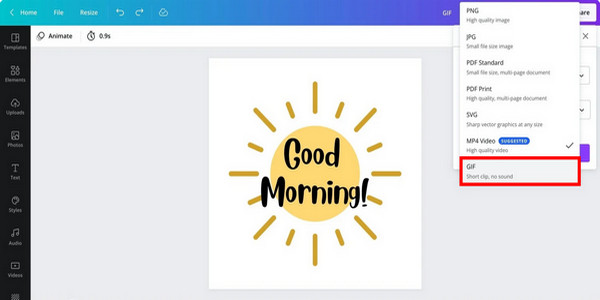
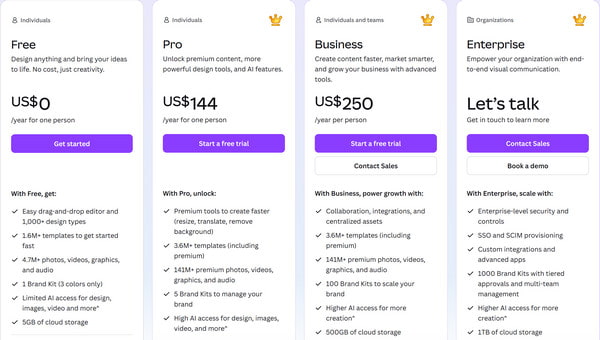
Canva is also an online GIF slideshow maker, offering a powerful yet easy-to-use way to make GIF slideshows. Its Magic Studio AI feature makes it even simpler: users can generate dynamic effects from static images with just one click. Canva's tools, platform, templates, graphics, and text libraries can all help create more polished GIFs.
Recommendation
Price:
Making a high-quality GIF slideshow needs to balance visual appeal and technical limitations. Here are some tips to optimize your GIF slideshow for the best performance.
1.File size vs. quality trade-offs.
Balance weight by reducing the color palette and applying 30-50% lossy compression. Keep the frame rate around 10-12 fps to maintain smoothness while significantly cutting file size.
2.Loop settings and playback speed.
Set the loop count to 0 (infinite) for a continuous cycle. Ensure the first and last frames transition smoothly to create a seamless loop.
3.Best dimensions for social platforms.
Match your aspect ratio to the destination: 4:5 for Instagram feeds, 9:16 for Stories/TikTok, and 16:9 for X (Twitter). For email, keep the width under 600px and the file size under 1MB.
This article introduces two desktop GIF slideshow makers and two online GIF video creation tools. It details their key features, pricing, and provides a comprehensive comparison from various aspects. At the end of the article, we also offer tips for optimizing your GIF slideshows to help you. If you have any questions, feel free to leave a comment below and let us know.
Secure Download
Secure Download
 Updated by Mark Cristobal to GIF
More readings
 AI Photo Slideshow Makers to Create Presentations Easily
Check this article to discover five AI that makes slideshows to create your ideal presentation and one software that you can use with no AI assistance needed.
 Windows Movie Maker and Its Best Alternatives to Edit Video For Free
Windows Movie Maker was a free video editing software. But it has been discontinued. So what's its best alternatives? Check this article to find answer.
 Top 10 Free Online Video Editors: Instant Edit of Clips
Make your IG stories or Myday interesting by creating clips using these ten free online video editors. See here as we review their features and performances.
 Top 15 Free Photo Editing Software Available to Windows and Mac
We share a list of the best free photo editing software and apps for Windows and Mac that you can use to make your shots really shine.
 Add your comments to join the discussion here