
 Store
Store- Multimedia
For Windows
- Converter Tools
- Video Converter Ultimate

- Video Converter
- 4K Converter
- MP4 Converter
- Audio Converter
For Mac
- BD/DVD
For Windows
- DVD Tools
- DVD Ripper
- DVD Copy
- DVD Creator
- DVD Converter
- DVD Toolkit
For Mac
- Mobile
For Windows
For Mac
- Utility
- Freeware
For Windows
For Mac- Import local files to iPad and export iPad files to computer
- Transfer files from iPad to iPad, iPad to iPhone and more
- Synchronize iPad files to iTunes and back up iPad files
- Convert videos and audios to iPad 4, iPad mini, and The new iPad
- Back up iPhone Contacts/SMS and make iPhone Ringtone
- Upgrade to support the latest iOS


Overview
AnyMP4 iPad Transfer, the versatile and powerful iPad Transferring software, help users transfer all iPad files to computer, and import the PC local video, audio, images, ePub, and PDF to iPad, and transfer files between iPad/iPod/iPhone. It can back up all your iPhone Contacts and SMS to computer for safety and make iPhone ringtone.
Would you want to transfer files between iPad devices, iPad and computer without any limitation? Or would you want to synchronize iPad files to iTunes for backup, or even put any local video to iPad with unequaled speed? Well, AnyMP4 iPad Transfer would help you meet your above needs only in few clicks. With the wonderful iPad Transferring Software, you can export iPad files to computer and import local files to iPad for enjoyment. Also this software supports transferring files between different iPad/iPhone/iPod devices.
This iPad Transfer also owns powerful file converting software. With it, you can convert any video file to iPad compatible video/audio formats. This software allows you to customize output video effect. AnyMP4 iPad Transfer brings you a user-friendly experience.
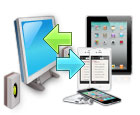
Transfer files between iPad and computer
-
Export iPad files to computer
AnyMP4 iPad Transfer can transfer iPad files, like photos, video, music, movie, PDF, pictures, TV shows, Podcast, iTunes U, eBooks, Camera Roll, ringtone, voice memos, and camera shot to PC.
-
Import local files to iPad
With this iPad Transfer software, users can transfer files like music, video, ePub, PDF, image, and ringtone from computer to iPad.
-
Transfer files between iPad/iPhone/iPod
AnyMP4 iPad Transfer allows you to transfer files between different iPad, iPhone and iPod devices, eg,
-
Backup iPhone SMS and Contacts
This iPad file Transfer has the ability to help you back up iPhone SMS and Contacts on computer.
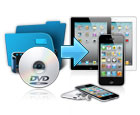
Convert videos to iPad MP4
-
Convert videos and audios to iPad
This iPad transfer enables you to convert various videos like FLV, MKV, RMVB, MTS, and WMV to iPad MP4, iPad MP4, MOV, M4V, H.264 video. And you can extract audio files from video without zero audio loss.
-
Customize output video effect
The versatile iPad Transfer provides users with powerful video editing features. Users can trim video length, crop video frame, watermark video, adjust video effect, and so on.
-
My Cache feature
Users can store the output iPad video in My Cache first, and transfer them to iPad anytime you want.
Convenient operations

-
Support all iPad, iPhone and iPod devices
AnyMP4 iPad Transfer highly supports all iOS devices like iPad 4, iPad mini.
-
Edit ID3 information
It is convenient to edit ID3 information of any iPad file, like name, artist, album, track number, lyrics, etc. of each single file. Also, you can add Artwork as the album cover or delete the Artwork of the file.
-
Repair device database
If the database of your iPad device is damaged, this iPad Transfer can help you repair it.
-
Built-in player
The built-in player of this iPad Transfer can help users preview the video and photo effect before transferring.
-
Locate the target files quickly
This iPad Transfer offers users many user-friendly features, like File Filter and Search features, to help users find the target files quickly.
