
 Store
Store- Multimedia
For Windows
- Converter Tools
- Video Converter Ultimate

- Video Converter
- 4K Converter
- MP4 Converter
- Audio Converter
For Mac
- BD/DVD
For Windows
- DVD Tools
- DVD Ripper
- DVD Copy
- DVD Creator
- DVD Converter
- DVD Toolkit
For Mac
- Mobile
For Windows
For Mac
- Utility
- Freeware

AnyMP4 DVD Creator for Mac
AnyMP4 DVD Creator
 1206 Reviews
Create personalized DVD/DVD Folder/ISO file with SD and HD videos (MP4, AVI, MKV, M4V, WMV, M2TS, MOV video, and more) on Mac.

 Free Download
For Windows 11/10/8/7
 Buy Now
30-day Money Back
 Free Download
For Mac OS X 10.9 or later
Buy Now
30-day Money Back

Create ISO image file and DVD folder with videos on Mac
-
Create DVD Folder from videos
If you want to back up your important DVD movie, you’ll also need this DVD Creator for Mac software. It allows you to create a DVD Folder with desired videos and save them to your Mac. Then you can open them directly by navigating the folder.
-
Make DVD ISO file from videos
Besides creating DVD disc, you can also copy all the video files into a DVD ISO file, with which you can watch them in full titles on Mac and burn them into a blank DVD disc without any extra customizations the next time.
Convert MP4/MOV/MKV/FLV/WMV/AVI video to DVD
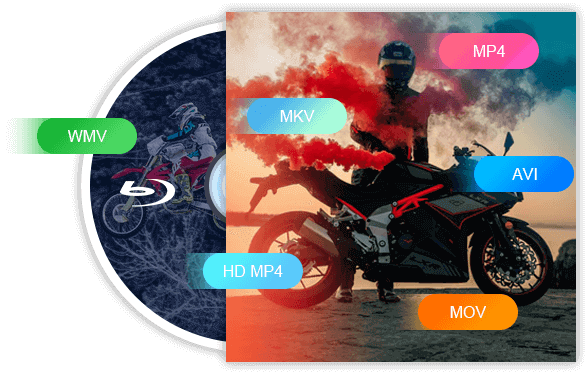
Would you like to watch your videos in a variety of formats such as MP4/MOV/MKV/FLV/WMV/AVI with a DVD Player or on the TV? This AnyMP4 DVD Creator for Mac program can help you. It can convert almost all popular video formats such as AVI, MP4, TS, M2TS, MTS, ASF, SWF, FLV, MKV, MPG, MPEG, VOB, DAT, WMV, and MOV to DVD +R/RW, DVD -R/RW, DVD-RAM, DVD-5 (4.7G) and DVD-9 (8.5GB) discs with high quality and super-fast speed on Mac. Thus, you can enjoy the DIY DVD with family and friends on Mac.
Create your DIY DVD menu for better enjoyment
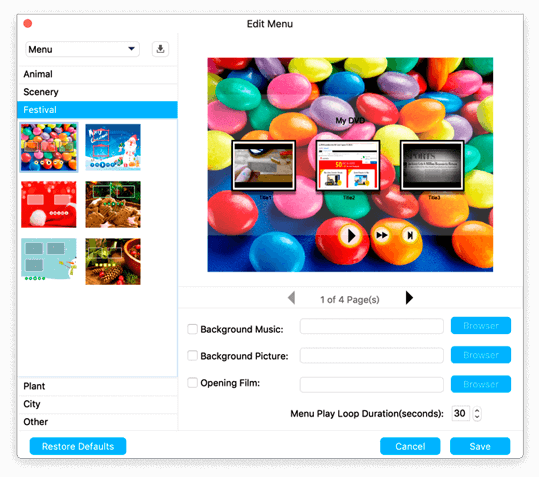
When you use this Mac DVD Creator to burn videos to a DVD disc, you can create your own custom menu. Here you can select and set the ideal menu frame, key, and desired menu template from the menu window. In addition, this Mac DVD Burner also allows you to add background music or image from the local hard drive and make an opening movie theme for your own DVD. In this respect, AnyMP4 DVD Creator for Mac is user-friendly and professional burning software.
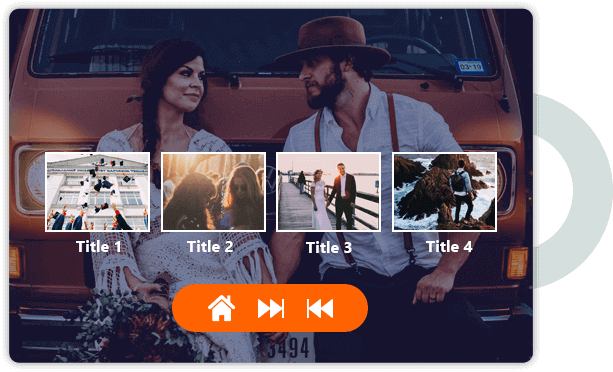
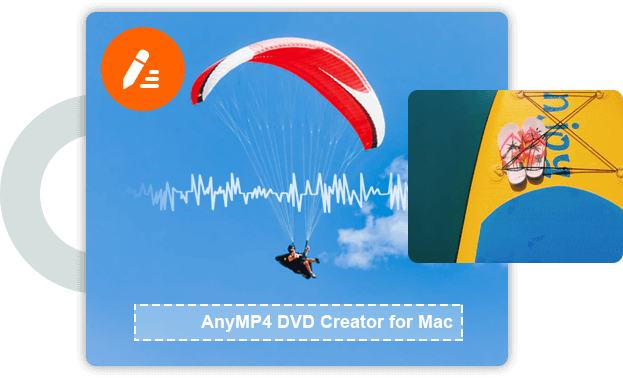
With this DVD Creator for Mac program, you can edit the background audio track and subtitles. It lets you add a desired audio track to DVD and disable non-synchronized audio tracks. Besides, this program allows you to add subtitles for DVD and define the language, position, font size, font name, and color of the subtitle. Whether you want to see a dubbed movie or subbed video, you can easily do it as you wish.
User-friendly interface and super-fast burning speed
The AnyMP4 DVD Creator for Mac program can burn almost all videos to DVD at super-fast speed with hardware acceleration support, so that you can enjoy the created DVD on DVD Player with your family and friends together.
This program has an intuitive user interface, which makes the operation much easier. With the built-in player, you can view the video effects in the preview window. You can capture your favorite images and save them as images.

Powerful editing features to refine DVDs
-
 Clip video
Cut down unwanted parts and keep the clip you want to keep before DVD burning by setting the start and ending time.
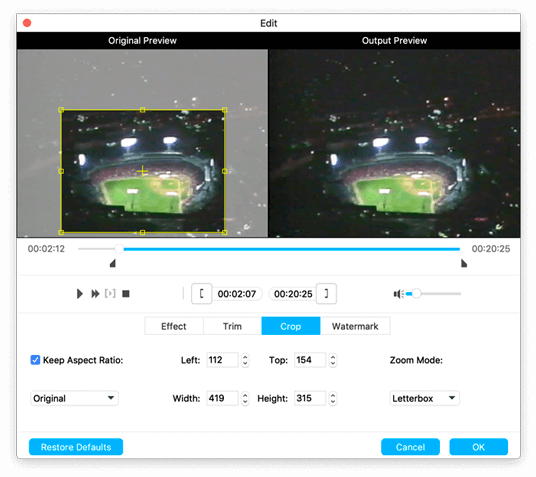
 Crop video
This Mac DVD Creator software lets you cut video length, crop video, add text/image watermark to the video, and more.
-
 Watermark video
Zoom in/out a video to get rid of the black edge or magnify the scene you want to show in a DVD presentation.
 Adjust Effect
Add and customize a text or image as a watermark for your DVD production before sharing it with others.



Easy to use AnyMP4 DVD Creator on Mac
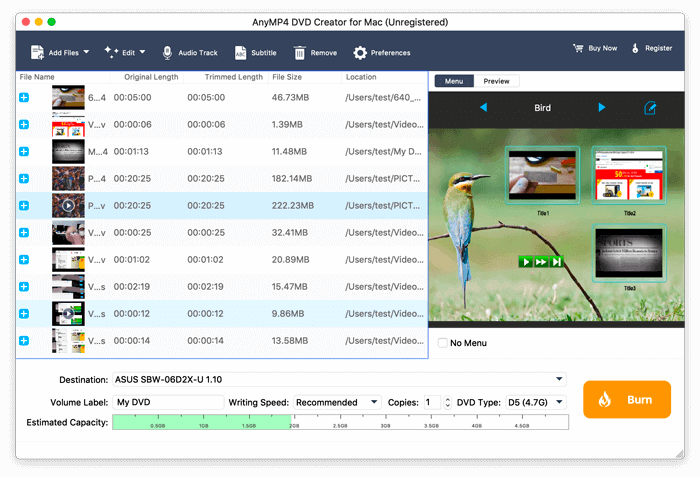
Step 1. Click the Add Files button to add the videos to this software. Insert a blank DVD disc into your drive if you would like to burn video to DVD disc.
Step 2. Optionally, use the edit button to edit subtitles, audio tracks, crop, clip, watermark, and adjust the video effects.
Step 3. Click the edit icon next to Menu and start applying menu templates. Finally, click Burn to choose to burn to a DVD disc, DVD folder, or ISO file and start burning.
What our users say about AnyMP4 DVD Creator for Mac
-
 Jaime Gregorio
I tried its free trial and it works really food. I mean it is really impressive. Thank you. I should upgrade to register it now.
-
 Eric
Eric
I have burned my video with this DVD Creator for Mac program watch with my family, they consider the video quality to be high-quality and the program is excellent.
-
 Shawn
Shawn
I have been searching online for a long time, and find this software. It is working well, and I have a ton of movies to burn right now.

Special Offer
-
 1 Month License
$24.90$12.45
Use it for 1 month and renew if satisfied.
-
Lifetime License
$49.95$39.96
Use this product on 1 PCMac forever and enjoy free lifetime update.
HOT -
 DVD Toolkit
 for Mac
DVD Toolkit
DVD Toolkit for Mac
$218.55$89.96
Use this product on 1 PCsMacs forever and enjoy free lifetime update.
Explore more topics
- How to Burn MP4 to DVD on Mac Tutorial of Burning ISO to DVD on Windows and Mac 100% Working Guide of Burning iMovie to DVD Top 3 Ways to Burn a WMV File to DVD Best Video Background Changers for Computer and Mobile
- How to Convert/Burn MKV to DVD with How to Convert AVI to DVD on Windows, Mac and Online HD DVD Recorder – Record Shows from a HD DVR to DVD How Can You Record TV Shows on Amazon Fire Stick How to Convert Blu-ray to DVD for Easier Playback?
You may also like these products
-
 Mac Video Converter Ultimate
Video Converter Ultimate can rip DVD and convert 4K/1080p HD video to 500+ video/audio formats at 70x faster speed on Mac.
-
 Screen Recorder for Mac
Screen Recorder allows you to record any part of your screen, record 4K/HD videos and audio, and take screenshots anytime on Mac.
-
 Blu-ray Player for Mac
Blu-ray Player can play Blu-ray or DVD disc/folder/iso image file, and HD/SD video files with original sound and image quality on Mac.
