
 Store
Store- Multimedia
For Windows
- Converter Tools
- Video Converter Ultimate

- Video Converter
- 4K Converter
- MP4 Converter
- Audio Converter
For Mac
- BD/DVD
For Windows
- DVD Tools
- DVD Ripper
- DVD Copy
- DVD Creator
- DVD Converter
- DVD Toolkit
For Mac
- Mobile
For Windows
For Mac
- Utility
- Freeware
AnyMP4 Mac iPhone Transfer Pro 
AnyMP4 iPhone Transfer Pro
 1349 Reviews
Selectively sync and manage iOS data on Mac as the best iTunes alternative.

 Free Download
For Windows 11/10/8/7
 Buy Now
30-day Money Back
 Free Download
For Mac OS X 10.7 or later
Buy Now
30-day Money Back

Transfer Data from iPhone/iPad/iPod to Mac/iTunes
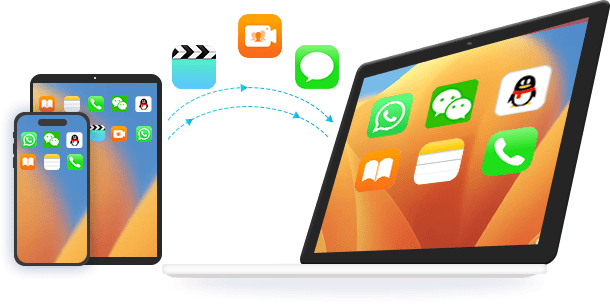
AnyMP4 Mac iPhone Transfer Pro is the best iOS data-transferring software for all iPhone users. This iPhone Transfer Pro for Mac can easily transfer all kinds of iOS data from iPhone, iPod, and iPad to Mac and iTunes. As the professional iPhone data transferring software, it is able to transfer files between your iPhone/iPad/iPod and Mac without iTunes. Multiple file types are supported, such as Music, Photos, Videos, Voice Memos, notes, Camera Shot, Movies, TV Shows, Podcasts, iTunes U, Ringtones, Audio Books, Playlists, Albums, ePub, PDF, etc. It can also view and copy photos, videos, ringtones, voice memos, and more from the iOS device like iPhone/iPad/iPod to the iTunes library at a fast speed.
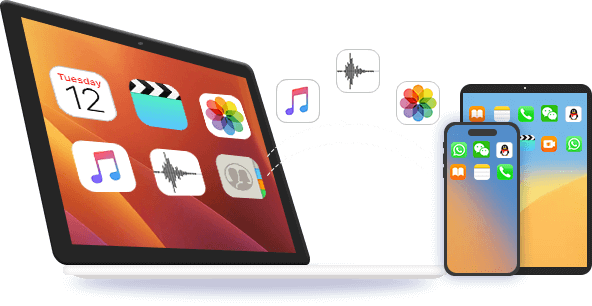
The Mac iPhone Transfer Pro helps you transfer iOS files like videos, music, and audiobooks from Mac or iTunes to your iPhone, iPad, or iPod without iTunes. With this powerful iPhone data transfer software, you can copy many types of data like contacts, messages (Messages, WhatsApp, Kik, Line, Viber, Messenger, WeChat, and QQ), playlists, ebooks, etc. from Mac to iPhone/iPad/iPod with ease. The transferred videos and audio will be automatically converted to a suitable format for your iOS device. You don't need to worry about the unsupported formats. After copying, you can handily enjoy movies and music on your device.
Sync iOS Data Among iPhone, iPad and iPod
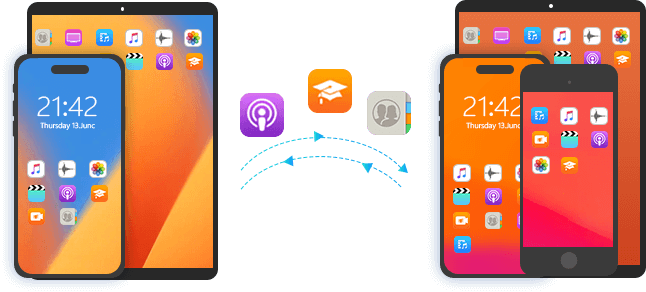
What if you have two iOS devices (e.g., iPhone X, and iPhone 14) and want to transfer files from one to another? At this time, AnyMP4 iPhone Transfer Pro for Mac can be your best choice. The program can sync videos, music, pictures, ringtones, contacts, playlists, etc. between any two iOS devices. You will find it a straightforward thing to operate with this fantastic program. You can transfer all the data between two iOS devices with just a few clicks. For instance, if you connect your iPhone and iPad to your MacBook, you can easily transfer your photos from iPhone to iPad.
One-click to Manage iOS Data on Mac
With a concise user interface, you can manage iPhone data on Mac easily and quickly.

-
Organize iPhone Contacts
Remove multiple iPhone contacts quickly from iOS devices.
Create a new contact by filling in the info conveniently.
Merge the contacts to get rid of duplicates intelligently.
Edit the contact info for number, name, profile, etc.
Manage the group contacts for family, and friends.
-
Manage iPhone Photos
Create new albums to collect your moments.
Remove old pictures from iPhone.
Move photos between albums on iPhone.
View the photo metadata info like date, format, size, etc.
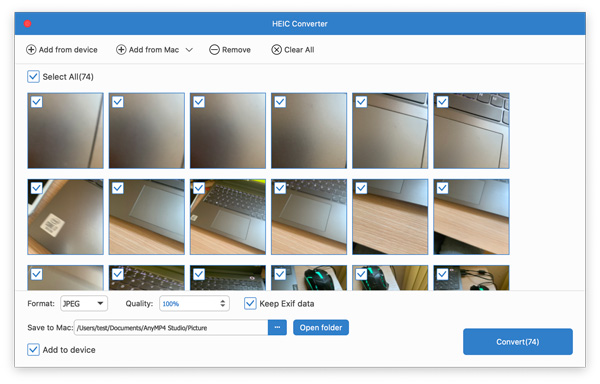
Convert iPhone HEIC to PNG and view easily.
-
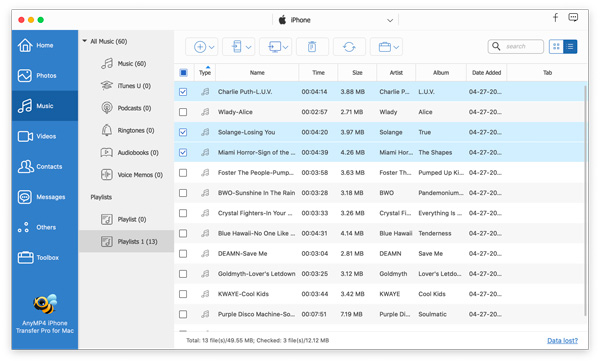
Handle Music Files for iPhone
Edit ID3 tag for songs on iOS devices.
Convert music to be compatible with iPhone.
Create a music playlist to listen to music easily.
Delete song and playlist from iPhone.
Create ringtones from iPhone music.
-
Keep Messages Safe
Check and export iPhone text messages and attachments.
Backup iPhone iMessages to computer.
Export app messages from Kik, Viber, WhatsApp, etc.
-
Sync Videos for iPhone
Copy movies between iOS devices and computers.
Share iPhone movies with another iPhone.
Movie videos between iTunes and iOS devices.
-
Cope With Other Data
Export documents like Safari, calendars, notes, etc.
Delete eBooks, notes, calendars, etc., on iOS devices.
All-in-one Solution for iOS Device
This versatile transferring tool provides a simple way to protect your treasured data from getting lost. Besides, its toolbox lets you handle ePub, PDF, music, movie, TV Show, music videos, podcasts, iTunes U, ringtones, audio books, voice memos, photos, camera shot, playlists, albums) on your iPhone.

iPhone to Phone Sync
When switching to a new iPhone, you can synchronize your data from old iPhone/iPad/iPod to new iOS device without hassle.

iPhone to Mac Transfer
Get massive data on iPhone? Try this iOS data backup software to back up all the data from iOS device to Mac in one click safely.

Contacts Backup & Restore
Without iTunes or iCloud, you can use this software is capable of backing up all the contacts to Mac from iOS device and restore them to the device in one click.

Sync With iTunes Library
Share iTunes library (Music, Movies, TV Shows, Audiobooks, Podcasts, Playlist, and Home Videos) between iTunes and iOS device without erasing any existing data.

iPhone Ringtone Maker
When you want to customize your favorite ringtone for iPhone, this software is capable of creating M4R ringtones for iPhone, iPad, and iPod.

HEIC Converter
When you want to share HEIC images on non-Apple device, the HEIC converter will convert HEIC to PNG automatically to do you a great favor.
How to Use iPhone Transfer Pro
- Transfer iOS Data
- Manage iOS Data
- Use Toolbox
-
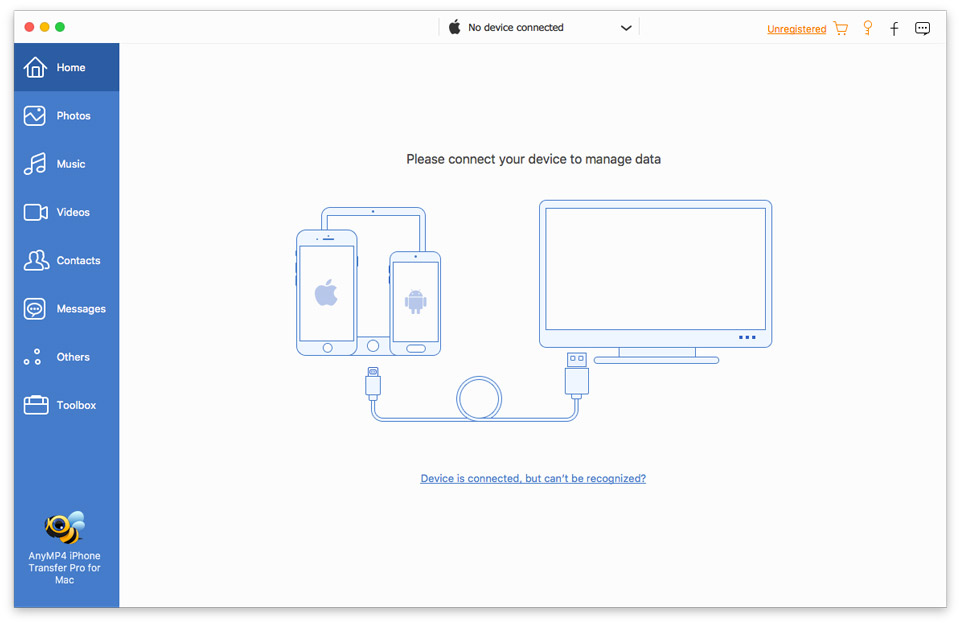
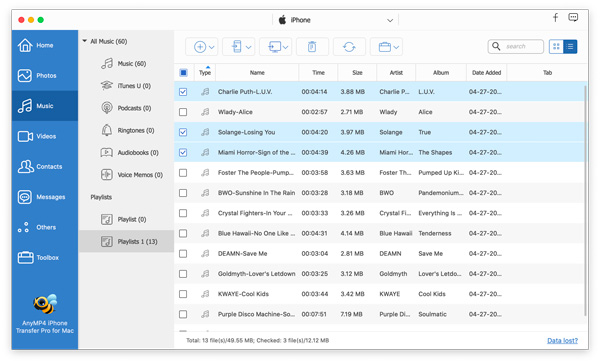
Step 1. Connect iPhone to your Mac with the lightning cable. Select your iOS device as the source one.
-
Step 2. Check and pick up the data from the left side pane that you want to move.
-
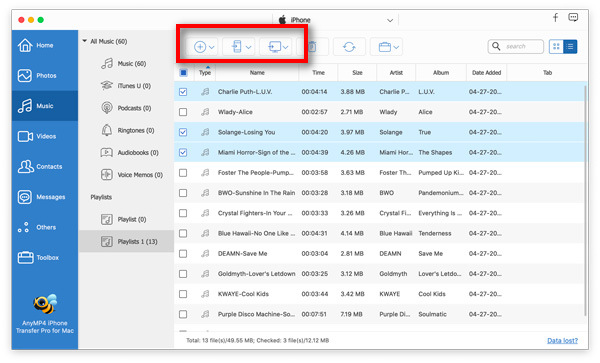
Step 3. At the top menu options, choose Export to Device, Export to Mac, or Export to iTunes to start transferring the files.

-
Step 1. Get your iPhone connect with this Mac computer with the USB cable.
-
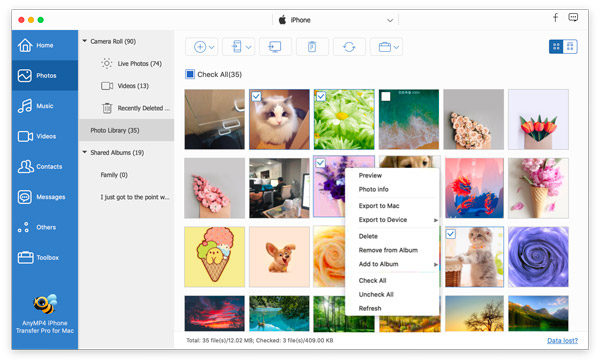
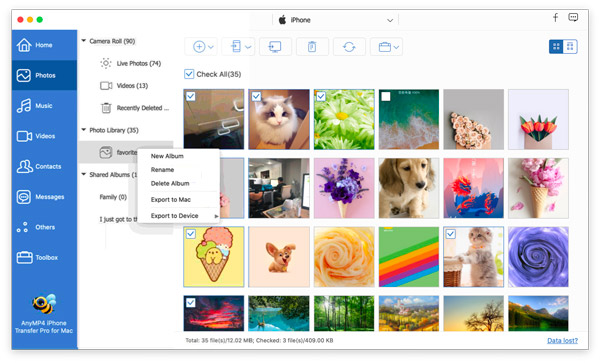
Step 2. From the left side pane, locate the item that you want to manage.
-
Step 3. Find the management options at the top menu to sync, add, delete or edit the item.
-
Step 1. Connect iPhone to your Mac with the USB cable.
-
Step 2. Click Toolbox from the left pane, and choose the tools at the right pane.
-
Step 3. Then you can make iPhone data copy, contacts backup, convert HEIC images, and make ringtones.
What Our Users Say
-
Best iTunes alternative. I purchase this iPhone transfer tool mainly for backing up some important messages and contacts to Mac, it works just as I expected!
-
I have used this program in the past. It worked very well. It's a program you use often, especially when you want to make data sync. It is easier than iTunes. So thank you AnyMP4!
-
This what I need at my skill. I store my important data on my old iPhone 7, and now I get a new iPhone 14. I can already access all my messages and photographs in my new phone without iCloud.

Special Offer
-
 1 Month License
 $31.20$15.60
Use it for 1 month and renew if satisfied.
-
Lifetime Licence
$62.45$49.96
Use this product on 1 PCMac forever and enjoy free lifetime update.
HOT - Business Licence
$312.25$99.96
Use this product on 5 PCsMacs forever and enjoy free lifetime update.
Related Hot Topics
- Ways to Sync Contacts from iPhone to Mac without iTunes Quickly A Step-by-step Guide to Transfer Messages from iPhone to Mac How to Transfer Photos from iPhone to Computer [Solved] 5 Verified Solutions to Fix iMessages Not Syncing or Updating on Mac 6 Quick Ways to Transfer Files from PC or Mac to iPhone or iPad 5 Ways to Transfer Files from iPhone to PC with or without iTunes 6 Ways to Transfer Videos from Android Phone to PC or Mac Quickly
- How to Sync Notes from iPhone to Mac [Solved] [Solved] How to Sync Calendar from Mac to iPhone 3 Easy Ways to Sync iBooks from Mac to your iPhone 2 Easy Ways to Back Up iPhone to An External Hard Drive 5 Best Wireless Phone Transfer Apps (iOS and Android) 3 Easy Ways to Sync iBooks from Mac to your iPhone Top 2 Ways on How to Sync Contacts From iPhone to iPad
You May Like These Products
-
 iPhone GPS Spoofer
Change and spoof iPhone location to keep you safe and fake your movement in playing games.
-
 iPhone Data Recovery
Recover lost or deleted data from iPhone, iTunes, and iCloud.
-
 iPhone Password Manager
View, access and manage iPhone keychain password on computer and export to make a backup.
