
 Store
Store- Multimedia
For Windows
- Converter Tools
- Video Converter Ultimate

- Video Converter
- 4K Converter
- MP4 Converter
- Audio Converter
For Mac
- BD/DVD
For Windows
- DVD Tools
- DVD Ripper
- DVD Copy
- DVD Creator
- DVD Converter
- DVD Toolkit
For Mac
- Mobile
For Windows
For Mac
- Utility
- Freeware
For Mac
For Windows- Convert various music files in WMA, FLAC, M4A, AIFF, AU, OGG, etc. to other favorite audio formats on Mac
- Extract audio from video and convert the audio to a desired audio format on Mac to enjoy music on digital devices
- Adjust audio volume before conversion, cut the audio file length and merge several audio files


Convert audio to almost all audio formats on Mac
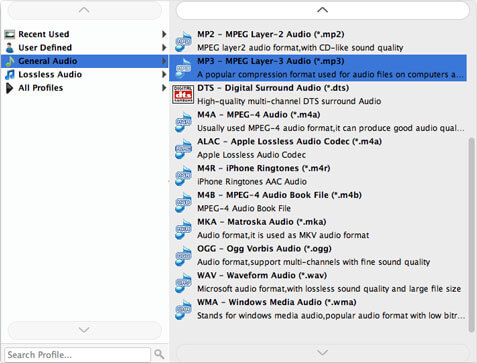
Each audio has its own format. At the same time, some Players and digital devices also support only certain audio formats like Windows Media Player, QuickTime, Creative Zen, iPhone, iPad, iPod, Android device and others. Therefore, if you have an audio file and want to enjoy it on your desired Players or digital device, you need to convert the audio into a compatible audio format. This powerful Mac Audio Converter can help you. You can convert your audio to MP3, M4A, MP2, AAC, AC3, AIFF, AMR, AU, MKA, FLAC, WAV and WMA on Mac for playback on any digital device and Audio Player.
Extract audio from video on Mac
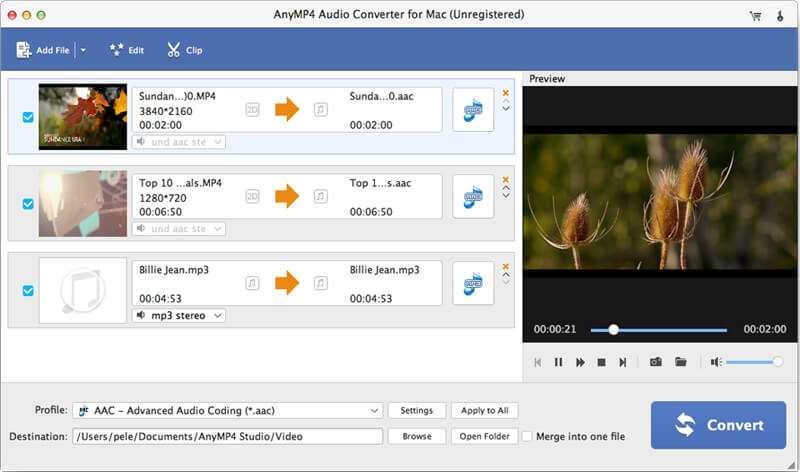
In case you might just want to keep the audio file from one video, this powerful Audio Converter for Mac can help you. With the Video to Audio Converter software, you can extract the audio file from the video on Mac with ease and then convert it to a desired audio format according to your need, so you can store and enjoy more audio files on your device.

Cut audio files or merge them into a file
Want to remove some audio part for better enjoyment? But don't know where to start? How can you remove this unwanted audio part? With this Mac Audio Converter, you can easily cut audio files. If you have some audio files and want to merge them into a new audio, this Audio Converter for Mac can help you as well. With the Mac Music Converter, you can get a totally satisfying audio.

Edit audio file before conversion
For some reasons, audios in video may have high or low volume. Before converting, you can also edit the audio if you are not satisfied with the sound of the original video or audio. With this Mac Audio Converter you can adjust the volume from 0 to 199. After editing, you can listen to the effects in advance and adjust them as you wish. This way you can finally get a perfect video.

Convert audio easily and quickly on Mac
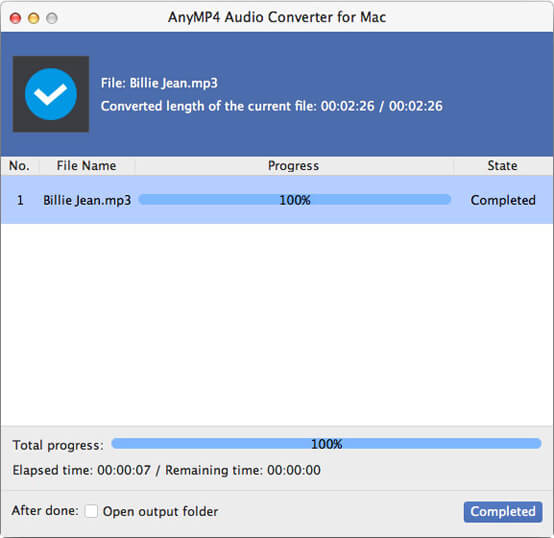
This professional Mac Audio Converter has an intuitive and user-friendly design. You can find out all the used operations at the main interface. When all the preparations are done, you can convert all audio files with just one click. This Mac Audio Converter also supports batch conversion. You can easily convert several audio files at the same time.


System Requirement: Mac OS X 10.7 or above (including macOS Sonoma)
RAM: 2GB RAM, Super VGA (800 × 600) resolution, 16-bit graphics card or higher
CPU: Intel® processor and Apple M1&M2 chip, 2 GHz or faster

SD Video: MP4, WMV, MOV, M4V, MPG, AVI, 3GP, FLV, MKV, SWF, WebM, and more
HD Video: MTS, TS, M2TS, MXF, TRP, TP, HD MP4, HD WMV, HD MOV, HD MKV, and more
Audio: MP3, AAC, M4A, WMA, FLAC, ALAC, and more
