
 Store
Store- Multimedia
For Windows
- Converter Tools
- Video Converter Ultimate

- Video Converter
- 4K Converter
- MP4 Converter
- Audio Converter
For Mac
- BD/DVD
For Windows
- DVD Tools
- DVD Ripper
- DVD Copy
- DVD Creator
- DVD Converter
- DVD Toolkit
For Mac
- Mobile
For Windows
For Mac
- Utility
- Freeware
For Mac
For Windows- Transfer files between iPad and Mac without any limitation
- Back up iPad files to iTunes on Mac for further use
- Transfer files from iPad to iPad, iPad to iPhone, and iPad to iPod on Mac
- Rip DVD and convert video to iPad video, Make iPhone Ringtone
- Back up iPhone SMS and Contacts to Mac local disk


Overview
AnyMP4 iPad Transfer for Mac is the versatile Mac iPad Transfer software designed for iPad users. This Mac iPad Transfer can help you export iPad all files to Mac for backup. Also it supports importing videos, music and images from Mac to iPad. Then you can conveniently enjoy the interesting movies, songs and photos on iPad.
Now it is so easy to transfer files between iPad and Mac, iPad/iPhone/iPod, and export iPad files to iTunes with AnyMP4 iPad Transfer for Mac software. You can not only transfer iPad files including Music, Movies, TV Shows, Podcast, iTunes U, Ringtone, ePub, PDF, Audio book, Camera Roll, Picture, Voice Memos, Camera Shot, etc. to Mac, but also import audio, video, image, eBook from Mac to iPad. And you are allowed to back up iPhone SMS and Contacts to Mac local disk.
Also this amazing iPad Transfer for Mac allows you to convert any DVD and video files to iPad compatible video formats on Mac. And the powerful video editing features can help users create wonderful output files.
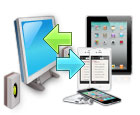
Transfer iPad files to Mac
-
Export iPad files to Mac and iTunes
AnyMP4 iPad Transfer for Mac has the ability to export all iPad files, like Music, Movies, TV Shows, Podcast, iTunes U, Ringtone, ePub, PDF, Audio book, Camera Roll, Picture, Voice Memos, Camera Shot, etc. to Mac and iTunes.
-
Import Mac files to iPad
You can also add local ePub, PDF, audio, video and image files to iPad.
-
Transfer files from iPad to other portable devices
With this Mac iPad Transferring software, you can share files between different Apple portable devices. For instance, you can copy files from iPad to iPhone 4S.
-
Back up iPhone SMS and Contacts
It has the ability to back up all your iPhone SMS and Contacts to Mac local disk as database for safety.
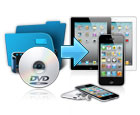
Convert DVD and video to iPad on Mac
-
Rip DVD to iPad on Mac
This iPad Transfer for Mac also owns the ability of ripping any DVD to iPad compatible video and audio formats. Then users can enjoy the latest DVD movies on iPad conveniently.
-
Convert any video to iPad files
You can also convert all popular video files to iPad MP4, MOV, H.264 video, etc. for enjoyment.
-
Store the output video in My Cache
If you need to use the iPad while converting DVD/video to iPad, this software provides you with the "My Cache" feature. This function could make the software store the output iPad files in My Cache first without connecting iPad to Mac. And you can transfer the files to iPad anytime.
-
Edit output video effect
This Mac iPad Transfer allows you to trim video length, crop video frame, watermark video, and modify video effect, and even join different DVD chapters/titles and videos together.
-
Make your own iPhone ringtones
With this iPad Transfer for Mac, you can create your own iPhone ringtones with any DVD and video file.
User-friendly iPad Transfer for Mac

-
Edit ID3 info
You can freely edit the ID3 information of every iPad file. For example, you can add detailed ID3 info (name, artist, album, track number, lyrics, etc.) to your original songs on iPad.
-
Quickly find the files
With the "File Filter" and "Search" functions, you can easily locate the desired iPad files.
-
Built-in player
This Mac iPad Transfer owns a built-in player, which can help you preview the effect of the video, audio, picture, eBook, etc.
