
Quick Answer: Should You Use Zamzar?
Yes, if you need a quick online tool for small docs, photos, or songs under 50 MB. You do not have to install anything.
Zamzar handles over 1,200 file types and wipes your files within 24 hours . However, the free plan limits you to 50 MB per file and 2 conversions every 24 hours. If you convert big MKV or MP4 videos, whole folders, or private work files, a desktop app like AnyMP4 Video Converter Ultimate is a much better pick.
You have a weird file sitting on your desktop, and nothing on your PC will open it. Maybe a client sent you a DWG blueprint, or you downloaded a lecture in M4A format. You just want to change it right now without installing heavy software. That is where Zamzar comes in.
This Zamzar review looks at its free limits, file types, speed, privacy, and paid plans. We also compare it with CloudConvert, Convertio, and a desktop tool. The short answer: Zamzar is handy for small, one-off jobs. Its free limits can get in the way when you work with large video or many files.
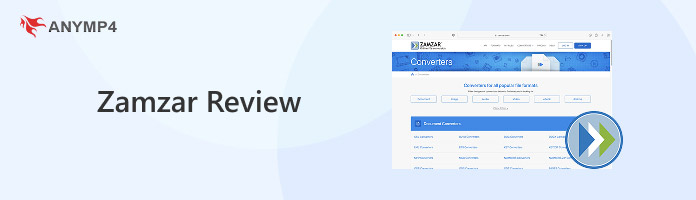
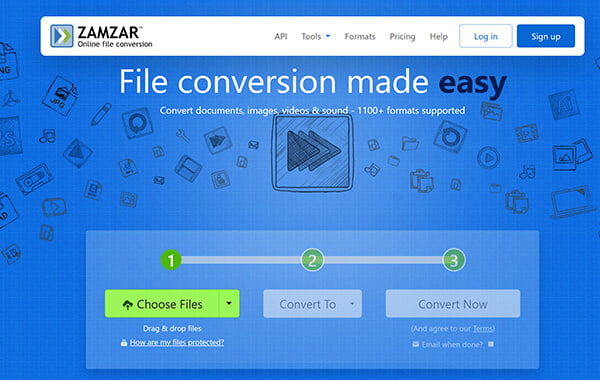
Most web tools vanish after three or four years. Zamzar has been around since 2006. Two brothers in England, Mike and Chris Whyley, built it so regular people could change file formats inside a web browser.
| Founded | 2006, by brothers Chris and Mike Whyley in the UK |
| Free web limit | Up to 50 MB per file in most cases; some file pairs have lower caps |
| Free daily use | Up to 2 conversions in any 24-hour period |
| Free file storage | Converted files stay for up to 24 hours |
| Paid web plans | $12 Basic, $19 Pro, and $39 Business per month on the current monthly pricing page |
| Best use | Small document, image, audio, or less common file conversions |
| Main drawback | The free cap and server upload step can block large or private jobs |
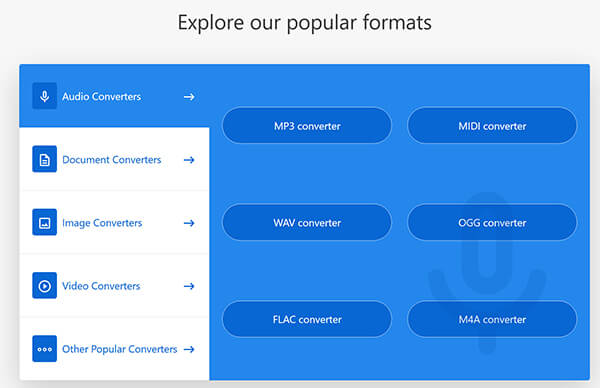
Most people think of Zamzar as a quick audio or video tool, like when you need to convert MP4 to MP3 for a car playlist. In reality, its biggest strength is handling odd office and design files that normal media apps ignore.
If you get stuck with an old camera clip or a strange work attachment, Zamzar almost certainly recognizes the file extension.
Here is where most users get frustrated. Zamzar lets you convert files without making an account, which is great. Yet the free rules are much stricter than they used to be.
During my tests, I ran right into the Zamzar free file size limit. Right now, the free web tier gives you:
How big is 50 MB?
A 15-page PDF contract is only 3 MB. Zamzar finishes it in seconds. A four-minute MP3 song is just 5 MB.
Need to convert M4A to MP3 from a short iPhone voice memo? 50 MB is plenty.
Video is a completely different story. A single two-minute 1080p video shot on your phone easily hits 150 MB to 300 MB. The moment you drop that file onto Zamzar, a red warning box pops up and asks you to buy a monthly subscription.
Even with the tight free limit, Zamzar keeps a few clever tools that newer rivals do not offer.
Back in 2012, Zamzar made headlines with Zamzar email conversion, and it still works today. You do not even have to open their website. Open your email app, attach your file (under 50 MB), and send it to [format]@zamzar.com.
For example, send a Word doc to pdf@zamzar.com, and Zamzar replies with a download link for the finished PDF. Need two formats at once? Put both mp3@zamzar.com and wav@zamzar.com in the To field. It is a lifesaver on locked-down office laptops where web uploads are blocked.
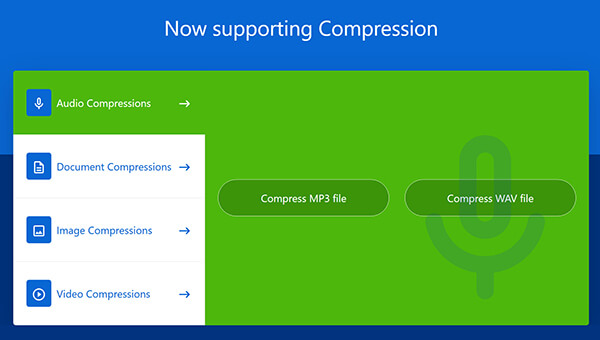
Besides changing formats, Zamzar also shrinks PDF, MP4, MP3, and image files. When a video attachment is slightly too big for Gmail or Discord, you can use a dedicated MP4 compressor or drop small clips into Zamzar's compression tab to cut down the megabytes.
Since 2015, software teams have used Zamzar's REST API to build file conversion straight into their own apps. It supports C#, Java, Node.js, PHP, Python, and cURL, and can pull files directly from HTTP links, FTP servers, or Amazon S3 buckets.
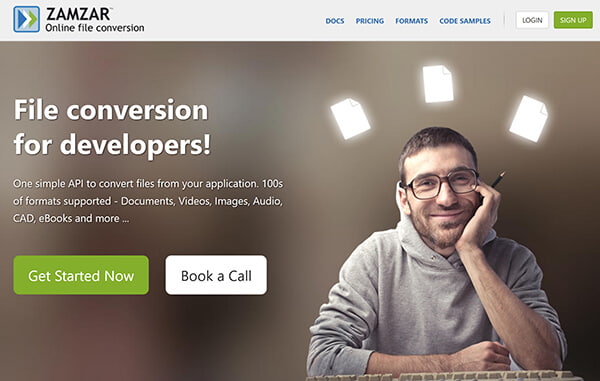
Knowing how to use Zamzar takes less than a minute when your file is under 50 MB. Here is the exact workflow on their website:
1. Go to Zamzar.com in your browser, click Choose Files, and pick a document, song, or small clip under 50 MB from your computer.
2. Click the Convert To dropdown menu and select your target format, such as PDF, DOCX, or MP3.
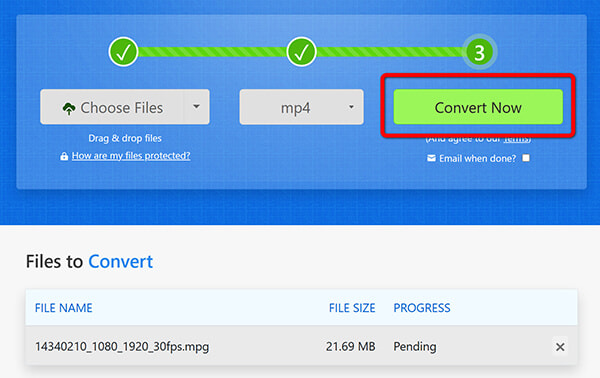
3. Click Convert Now, wait for the progress bar to finish uploading and processing, and you can click the Download button once the file conversion is done.
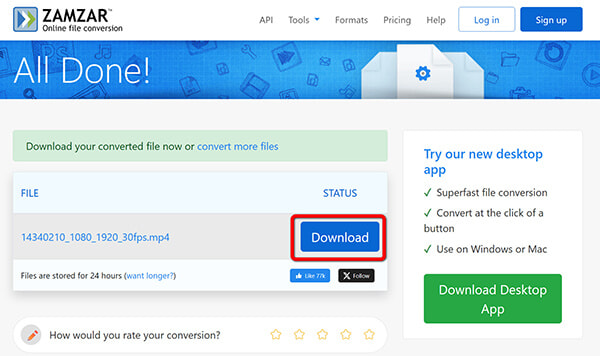
Only three clicks work fine for a 4 MB PDF.
But what about a 1.5 GB MKV movie? Or a 4K MOV clip, or 30 audio tracks at once? Zamzar blocks you unless you pay every month.
Want to skip upload waits and size limitations? Use a desktop software like AnyMP4 Video Converter Ultimate instead.
Follow these six steps to convert large video or audio files on your Windows or Mac computer:
1. Free download AnyMP4 Video Converter Ultimate from the official AnyMP4 website, run the installer, and open the program on your desktop.
Secure Download
Secure Download
Click the Add Files button in the top-left corner (or drag a whole folder into the window) to load your large MKV, MOV, or MP4 videos.
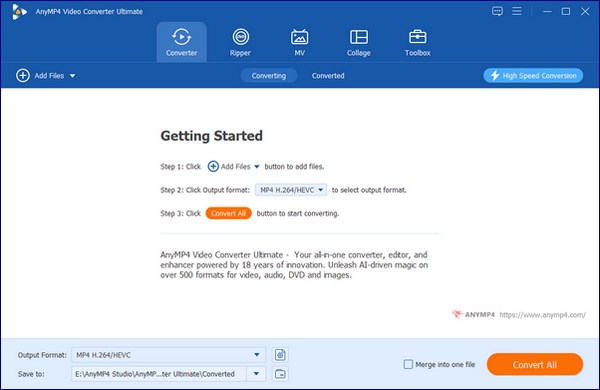
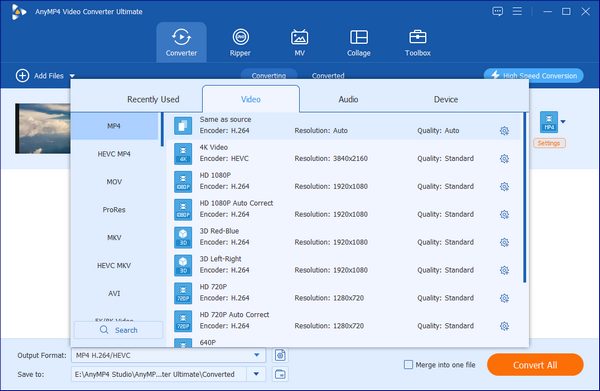
2. Click the Output Format dropdown menu on the right side of the file row, open the Video tab, and choose MP4 (or pick a preset for YouTube, iPhone, or TV).
If you only want to extract or convert sound (such as turning M4A or FLAC files into MP3), switch to the Audio tab, pick MP3, and click 320kbps for clear audio quality.
3. Click the Hardware Acceleration icon at the top-right side of the screen and check the box to turn on GPU acceleration (up to 70x faster on supported graphics cards).
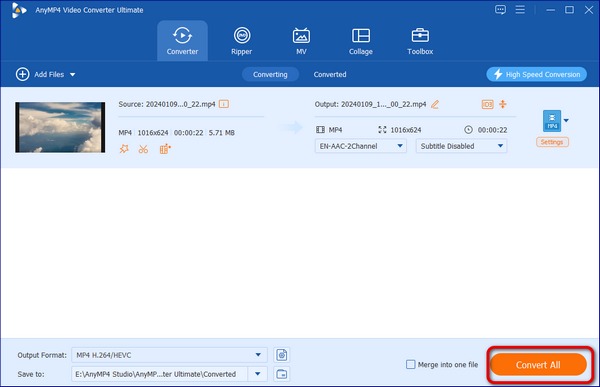
Click Save to at the bottom to pick your output folder, then click Convert All. Because everything runs on your local CPU and GPU, there is no internet upload wait and no 2-file daily limitation.
Zamzar promises on its homepage to finish most files in under 10 minutes.
In my tests, small 2 MB documents finished in 15 to 25 seconds. A bigger 48 MB MP4 video during busy afternoon hours took almost four minutes to upload and convert.
Independent tech reviewers at Lifewire noted the exact same thing: Zamzar is super easy to use, yet its conversion speeds are slower than most competitors. Looking across Trustpilot (where Zamzar holds a 4.1 out of 5 score across roughly 1,285 reviews) and Reddit threads, real users share very clear pros and cons:
• What users love (Trustpilot & r/VideoEditing): People praise how reliably it rescues old, weird file formats that desktop apps refuse to open. Many long-time users also love that the site has no fake download buttons or spammy pop-ups.
• What users complain about (Trustpilot & r/privacy): The #1 complaint is hitting the 50 MB or 2-files-per-day wall right in the middle of a task. Other users point out that paying $12+ per month just to convert three larger videos feels expensive compared to buying a desktop app once.
Whenever you upload a file to a website, you should ask: is Zamzar safe, and who can see my files? Because Zamzar operates out of England, it follows strict UK and European GDPR data protection laws. Their website uses HTTPS encryption while your files travel over the internet.
Here is how long Zamzar keeps your files on its servers:
| File state | Zamzar stated retention |
|---|---|
| Original file after a successful conversion | Deleted after conversion |
| Free converted file | Up to 24 hours |
| Paid converted file | Until you delete it, or up to 35 days after the paid account closes |
| Failed conversion source file | Up to 7 days |
Is Zamzar safe for a school essay, a public YouTube clip, or a recipe PDF? Yes, completely. However, if you are dealing with client contracts, tax records, medical scans, or unreleased company videos, uploading them to any third-party cloud server carries risk. For private media, keeping files 100% offline on your own hard drive with a local MKV to MP4 converter is always the safer habit.
| Software Type | Install Required? | Supported Formats | Free File Size Cap | Free Daily Limit | Max Paid File Size | Batch Processing | Conversion Speed | Video Quality Controls | DVD Burning & Ripping | Privacy & Offline Use | Pricing Model | Best Use Case | |
|---|---|---|---|---|---|---|---|---|---|---|---|---|---|
| Zamzar (Web) | Online browser tool | 1,200+ (docs, CAD, audio, video) | 50 MB per file (combined <50 MB) | 2 conversions per 24 hours | 200 MB / 400 MB / 2 GB by plan | 1 by 1 free; 25–50 concurrent paid | Upload + queue dependent (<10 min) | Basic (choose target format only) | Uploads to UK servers (24h delete) | Monthly subscription ($12–$39/mo) | Small docs, CAD, email conversion | ||
| CloudConvert (Web) | Online browser tool + API | 200+ formats | Free daily credit minutes (~1 GB) | 25 conversion minutes / day | Large files (pay per minute) | (task-based batching) | Server queue dependent | Advanced (codec, CRF, resolution) | Uploads to cloud servers | Pay-as-you-go credits or monthly | Developers & workflow automation | ||
| Convertio (Web) | Online browser tool | 300+ formats | 100 MB per file | Limited free queue per day | Up to 1 GB+ on paid plans | (batch upload) | Server queue dependent | Basic (codec, quality slider) | Uploads to cloud servers | Monthly subscription ($9.99+/mo) | Quick daily web conversions | ||
| AnyMP4 Video Converter Ultimate | Desktop software (Win & Mac) | (one-time install) | 500+ video, audio & device formats | Free trial available | daily conversion count limit | Unlimited (depends only on disk space) | Unlimited local batch queue | Local GPU-accelerated (up to 70x faster) | Full control (4K, bitrate, encoder, trim) | (rip & burn DVD discs/folders) | 100% offline - files never leave PC | One-time lifetime license or annual | Large videos, batch audio, privacy, DVD |
Which tool should you pick?
| Plan | Monthly price | Max file size | Desktop conversions/day |
|---|---|---|---|
| Free | $0 | Usually 50 MB | 25 files total in free app |
| Basic | $12 | 200 MB | 50 |
| Pro | $19 | 400 MB | 100 |
| Business | $39 | 2 GB | 500 |
Here is the catch for everyday users: even on the $19/month Pro plan, you still cannot upload a 600 MB video, and you pay every single month forever. Paying once for desktop software makes far more financial sense if you convert media regularly.
Is Zamzar really free?
Yes. You can convert files on Zamzar.com with no account or credit card. Just keep each file under 50 MB. You get up to 2 conversions every 24 hours.
Why won't Zamzar let me convert my MP4 or MKV video for free?
Most HD videos are larger than 50 MB. When a file crosses 50 MB, Zamzar blocks the free conversion and prompts you to upgrade to a paid plan or use a desktop converter with no file size cap. You can try other HD video converter to do the task successfully.
Does Zamzar have an API for developers?
Yes. Launched in 2015, the Zamzar API supports Python, Node.js, PHP, Java, C#, and cURL, with a free 100-credit sandbox and paid tiers starting at $25/month.
Can Zamzar convert MP4 to MP3 or MKV to MP4?
Yes, as long as your source video is 50 MB or smaller on the free plan. For full-length movies or large recordings, use a desktop tool like AnyMP4 Video Converter Ultimate to convert MP4 to MP3 or MKV to MP4.
Can I use Zamzar without signing up?
Yes. You do not need an account for free conversions on the website. Signing up is only required if you want online file storage or a paid subscription.
Final Verdict: Should You Use Zamzar or Switch to Desktop?
Zamzar earns a solid 7.8 out of 10. It remains one of the most dependable, no-nonsense web converters on the internet. If you need to turn a weird DWG blueprint into a PDF or extract an MP3 from a tiny 10 MB clip without installing software, Zamzar gets the job done cleanly.
At the same time, a 50 MB file cap and a 2-file daily limit cannot keep up with modern video and audio workflows. Follow this simple rule to pick the right tool:
Secure Download
Secure Download
 Posted by Alice Thorne to Converter
Related Articles
 4 Best Ways to Convert FLAC to MP3 (2026: Lossless Quality & Batch)
Looking for the fastest FLAC to MP3 converter? Get AnyMP4, VLC, and online tool to batch convert while keeping 320kbps quality and ID3 tags on Windows/Mac.
 Best 5 AVI to MP4 Converter 2026 Without Quality Loss
Looking for the best AVI to MP4 converter? Check this review of AnyMP4, Movavi, VLC, etc. Compare speed, quality, and ease of use to find your perfect tool now.
 10 (Free) Ways to Extract Audio from MP4 (2026 Guide)
Learn how to rip audio from MP4 files losslessly with the best 10 tools (VLC, Audacity, etc.) to isolate audio in seconds. 100% working for Windows & Mac!
 10 Top Video Compressors to Reduce Size Without Quality Loss
Find the top 10 video compressors of 2026! Try the 10 best tools to reduce video size without losing quality for Discord, email, and 4K edits.