2026 Top 7 Region-free DVD Players You Cannot Miss
Watching DVD movies is one of the best ways to enjoy themself in some people's spare time. However, DVD region codes restrict proper DVD playback and many people complain about this problem. In this situation, you need a DVD player that supports all regions' DVDs. Today, we will introduce you to the 7 best region-free DVD players to watch DVDs freely.

Part 1. What is a Region-free DVD Player
A region-free DVD player (also known as a multi-region or code-free player) is a device that can play DVDs from any geographical area (Regions 1-8) without encountering the "Wrong Region" error.
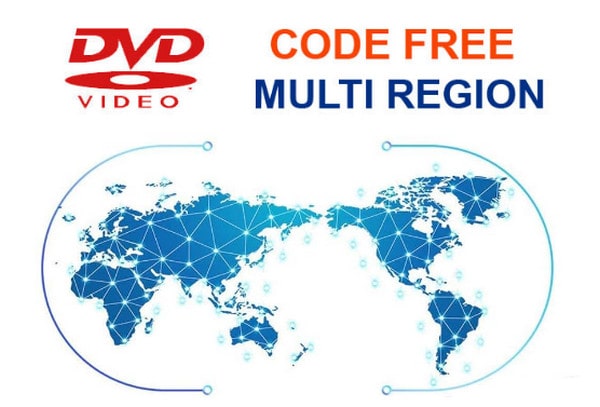
Region-free DVD Player and a Regular DVD Player
Before formally introducing the region-free DVD Player, you should know the concept of DVD region codes. DVD region codes were jointly developed by the eight major film studios in the United States to protect the rights of each region during the release of films, and to prevent cheap discs from being obtained through parallel importation, thus ensuring the interests of distributors.
Though it protects the rights of DVD distributors, it causes inconvenience for people who want to play DVDs in different regions. There are two types of DVD players in the market: region-regular DVD players and region-free DVD players.
The DVD region code system divides the world into six regions, each with a specific DVD coding standard. In other words, if you buy a Region 1 DVD disc, you can only watch it in the United States, Canada, and other DVD Region 1 areas.
Region-regular DVD players have a built-in region code identification system, which can identify and play DVDs that match the local region code. For consumers, this regional restriction prevents them from playing DVDs from different regions and limits the viewing options. In contrast, region-free DVD players can decode and play DVD discs in different regions with built-in decoders, which give people wider viewing options and higher flexibility.
DVD Region-Free vs. Blu-ray Region-Free
When shopping for a player, the biggest mistake users make is assuming "Region-Free" applies to everything. In reality, bypassing a DVD code is a walk in the park compared to the high-security walls of Blu-ray discs.
- • DVD Region-Free (Regions 1-8): Most budget players (like the LG DP132) can be "unlocked" via a simple remote control code or come factory-unlocked because the encryption is decades old. It’s cheap, accessible, and widely available.
- • Blu-ray Region-Free (Regions A/B/C): Blu-ray encryption is much more sophisticated. To play a Region B disc on a Region A player, you usually need a hardware-modified unit (mod-chip) or professional software like AnyMP4 Blu-ray Player. Hardware-modified Blu-ray players are rare and can cost 3-4 times more than standard ones.
| Region-Free DVD Player |
VS |
Region-Free Blu-ray Player |
| DVD, CD, VCD |
Supported Formats |
Blu-ray, DVD, CD, 3D, 4K UHD |
| Max 1080p (via HDMI) |
Upscaling Quality |
4K / UHD Upscaling |
| HDMI & RCA (Analog) |
Typical Outputs |
HDMI (High-Speed) |
| High (Often via Remote Code) |
Ease of Unlocking |
Low (Requires Mod-chip or Pro Software) |
| $35 — $70 |
Price Range |
$150 — $500+ |
Part 2. Best 4 Region Free DVD Player Hardware (Scenario-Based)
While software offers flexibility, dedicated hardware remains the gold standard for a stable, cinematic home theater experience. Modern hardware does more than just "spin discs"; it bridges the gap between old-school 480p DVDs and today’s ultra-high-definition displays through Upscaling Technology.
By using advanced algorithms for pixel compensation, high-end players like the Sony BDP series analyze the original low-resolution signal and "fill in" the missing pixels to create a sharper, clearer image that doesn't look blurry on 4K or 8K TVs.
Below are our top 4 picks for region-free hardware, categorized by your specific needs.
|
Best For |
Max Resolution |
Connectivity |
Unique Feature |
|---|
| Sony S6700 |
4K TVs |
4K (Upscaled) |
HDMI, Wi-Fi |
Best Image Quality |
| Panasonic S700 |
1080p TVs |
1080p (Upscaled) |
HDMI |
Dust-Proof Design |
| Samsung E360 |
Compact Spaces |
1080p (Scan) |
HDMI/AV |
Space-Saving |
| LG DP132 |
Budget Users |
480p (Standard) |
RCA (AV) |
USB CD Ripping |
2.1 Sony BDP-S6700 – Best Overall & 4K Upscaling
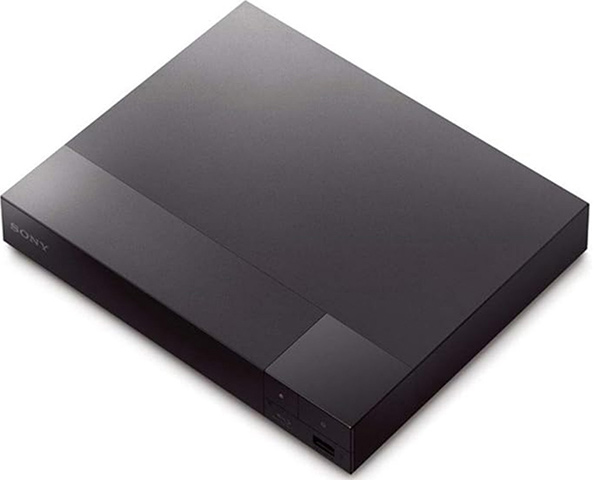
If you own a modern 4K TV, the Sony BDP-S6700 is the ultimate choice. While it is technically a Blu-ray player, it is the most sought-after region-free DVD solution due to its 4K Upscaling engine. It transforms standard DVDs into near-HD quality, ensuring that your vintage movie collection looks crisp on a massive screen.
- • Scenario: Perfect for home theater enthusiasts who want the best possible picture quality from old DVDs.
- • Key Advantage: Advanced 4K upscaling and dual-band Wi-Fi for stable streaming.
PROS
- Breathtaking 4K upscaling for DVDs via HDMI.
- Built-in Wi-Fi and Bluetooth (LDAC) for wireless headphones.
- Supports high-resolution audio formats like DSD and ALAC.
CONS
- Higher price point than basic DVD-only players.
- Interface can feel slightly dated compared to modern smart TVs.
2.2 Panasonic DVD-S700 – The Best for 1080p Upscaling
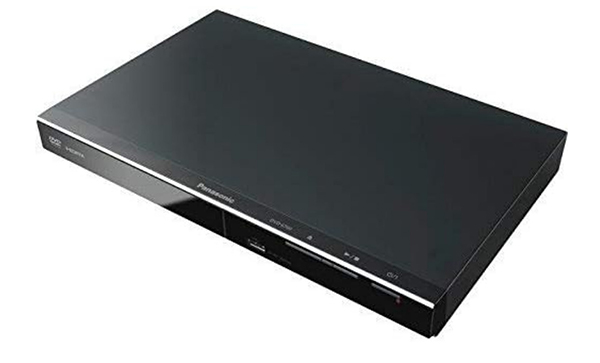
The Panasonic DVD-S700 is the workhorse of the region-free world. It is celebrated for its ability to play Region 0-6 discs effortlessly while offering a significant boost in visual clarity. Its Dust-Proof design makes it exceptionally durable, preventing playback skips caused by environmental debris.
- • Scenario: Best for users with a 1080p TV who want a reliable, "set-it-and-forget-it" player.
- • Key Advantage: Exceptional 1080p upscaling and a "Power Resume" feature that remembers where you stopped even after a power outage.
PROS
- Smooth 1080p upscaling through HDMI.
- Excellent NTSC/PAL conversion (essential for playing European DVDs in the US).
- Compact and durable dust-proof construction.
CONS
- No 4K support.
- No front-panel display (LED screen).
2.3 Samsung DVD-E360 – Reliable Performance & Compact Design
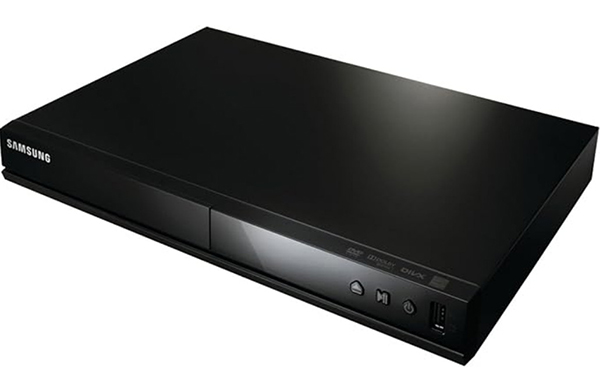
The Samsung DVD-E360 is a classic. Despite its age, it remains a top-tier choice for those who need a compact device that fits into tight spaces. It is highly praised for its ultra-fast disc reading speeds and broad compatibility with varied formats including VCD and CD.
- • Scenario: Ideal for small apartments, bedrooms, or secondary TV setups.
- • Key Advantage: Ultra-compact footprint and wide format compatibility (DVD, DVD-R, VCD, CD).
PROS
- High-speed progressive scan for flicker-free images.
- Easy-to-use parental control settings.
- Superb reliability for playing slightly scratched discs.
CONS
- Released in 2016; lacks modern smart features.
- Reported mechanical noise during initial disc loading.
2.4 LG DP132 – Most Affordable Basic Player
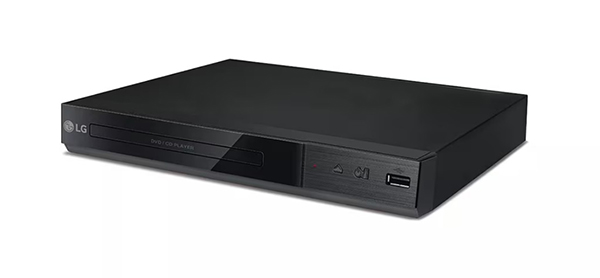
For those on a strict budget, the LG DP132 is the go-to "Region 0" entry-level player. While it lacks HDMI (it uses standard AV cables), it is incredibly reliable for basic playback. A standout feature is the USB Direct Recording, which allows you to "rip" audio tracks from a CD directly onto a USB drive as MP3s.
- • Scenario: Best for budget-conscious buyers or users with older TVs that use RCA/Composite inputs.
- • Key Advantage: Lowest price point and built-in USB media playback for MP4/AVI files.
PROS
- The most affordable brand-name option.
- USB Direct Recording feature for CD-to-MP3 conversion.
- Supports multi-language audio and subtitle outputs.
CONS
- No HDMI output (Standard Definition only).
- No upscaling capabilities; picture quality is limited to 480p.
Part 3. Best 3 Region Free DVD Player Software for PC & Mac
While hardware players are great for living rooms, they are bulky and often limited by outdated codecs. Software players, however, offer the ultimate flexibility. They use advanced decryption algorithms to bypass region locks directly in the system memory, meaning you don't have to worry about the "5-change limit" on your computer's internal or external DVD drive.
Whether you are using a Windows laptop or a Mac, these four software solutions provide the most powerful way to watch international discs in high definition.
|
Region Decoding |
Max Quality |
Key Feature |
Price |
Best For |
|---|
| AnyMP4 Blu-ray Player |
DVD (1-6) & BD (A/B/C) |
4K / 8K / HD |
GPU Acceleration |
Paid (Free Trial) |
All-in-One PC/Mac users |
| DVDFab PlayerFab |
DVD, BD, & 4K UHD |
4K UHD / HDR10 |
Hi-Res Audio / HDR |
Premium |
Audiophiles & 4K Purists |
| Leawo Player |
DVD & Blu-ray |
4K / 1080p |
100% Free |
Free |
Budget-conscious users |
| 5KPlayer |
DVD (All Regions) |
4K / 8K |
AirPlay & DLNA |
Free (with Ads) |
Wireless Streaming |
3.1 AnyMP4 Blu-ray Player – The Best All-in-One Solution
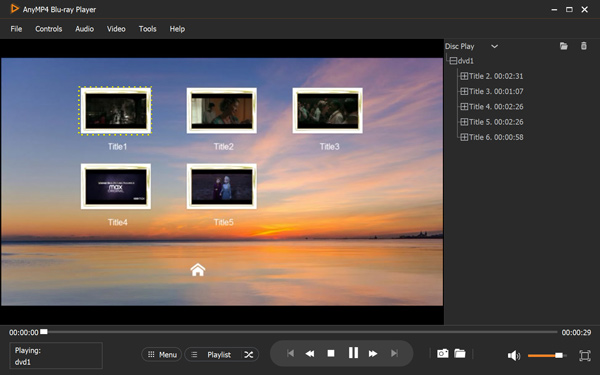
AnyMP4 Blu-ray Player is more than just a DVD tool; it is a universal media hub. While hardware players like the Samsung E360 are restricted to DVDs, AnyMP4 ignores region codes for both DVDs (Regions 1-6) and Blu-rays (Regions A/B/C). It is the ideal choice for users who want to watch 4K Blu-rays and international DVDs on their high-resolution PC monitors without any hardware modifications.
Features:
- Plays DVD discs, ISO files, and folders with zero lag.
- Supports 4K/8K and 1080p HD video with GPU Acceleration (Intel, NVIDIA, AMD).
- Lossless audio support for Dolby Digital 7.1 and 5.1 surround sound.
PROS
- True Versatility: Acts as a region-free player for DVD, Blu-ray, and digital files (MKV, MP4, etc.).
- Customization: Real-time adjustment of hue, saturation, and brightness to suit your monitor.
- Snapshot Tool: Capture high-quality stills from your favorite movie scenes instantly.
CONS
- The free trial version includes a watermark during playback.
3.2 DVDFab PlayerFab – The Professional Choice for 4K UHD & Audiophiles
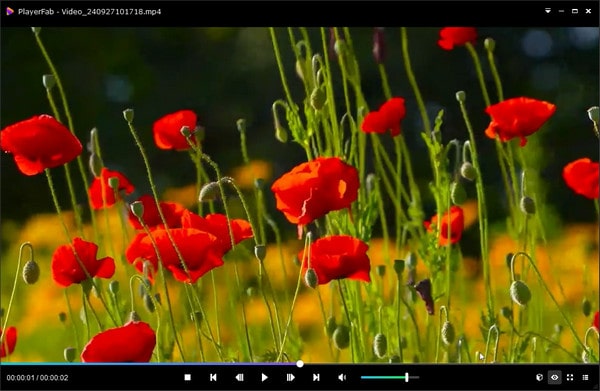
If you own a high-end PC setup with an HDR monitor, PlayerFab is the most sophisticated option. It stands out by supporting HDR10 (High Dynamic Range), which provides much deeper blacks and brighter highlights than standard players. For audiophiles, it offers the best audio parsing in the industry, supporting Hi-Res Audio outputs that rival dedicated home theater systems.
Features:
- Advanced "Poster Wall" to organize your local media library automatically.
- World-leading decryption technology that removes region locks in seconds.
- Full support for Dolby Atmos and DTS:X 7.1 channel surround sound.
PROS
- Cinematic Visuals: The only software in this list that truly masters HDR10 and 4K UHD playback.
- Streaming Integration: Can play videos from Netflix, Amazon Prime, and Disney+ within the same interface.
- Navigation Menu: Offers full menu support for DVDs and Blu-rays, just like a hardware player.
CONS
- Currently available for Windows only.
- The "All-In-One" suite can be expensive for casual users.
3.3 Leawo Blu-ray Player – Best Free Region-Free "Freebie"
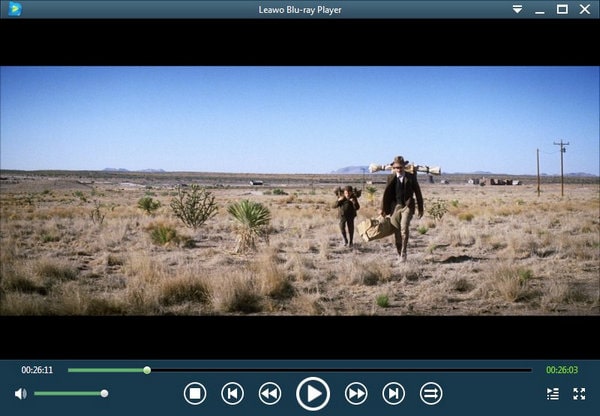
Leawo Blu-ray Player is the "hidden gem" for those who want a 100% free solution. Unlike VLC, which often requires complex library downloads (libaacs) to play encrypted discs, Leawo features built-in decryption technology. It can bypass most CSS and region protections automatically, making it the most user-friendly freebie on the market.
Features:
- Plays region-locked DVDs and Blu-rays on both Windows and Mac for free.
- Virtual remote control allows you to navigate the disc menu using your mouse.
- Low CPU usage, making it perfect for older laptops or tablets.
PROS
- Cost-Effective: Professional-level region-free playback for $0.
- High Compatibility: Handles everything from 4K MKVs to old VCDs.
- Multi-Language: Supports a wide array of subtitle and audio track options.
CONS
- Displays advertisements for other Leawo products upon pausing.
- Loading times for encrypted Blu-rays are slower compared to AnyMP4.
3.4 5KPlayer – Best for AirPlay & Wireless Streaming
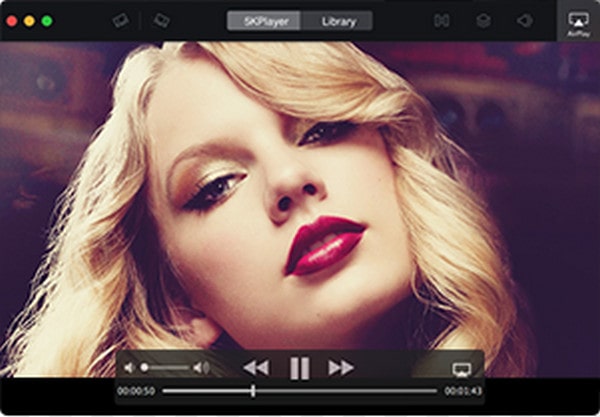
5K Player is a unique hybrid. It combines a region-free DVD engine with AirPlay and DLNA wireless technology. This means you can insert a region-locked DVD into your computer and "beam" the video wirelessly to your smart TV or Apple TV, effectively turning your computer into a wireless region-free bridge.
Features:
- Built-in hardware acceleration (DXVA2) for smooth 4K/8K playback.
- Integrated YouTube downloader to save online videos for offline viewing.
PROS
- Supports AirPlay & DLNA for seamless cross-device streaming.
- Excellent Hi-Fi audio detection for FLAC, ALAC, and Apple Lossless formats.
CONS
- The interface contains third-party ads.
- The library management system can be slightly confusing for beginners.
Part 4. Bonus: How to Play DVD Smoothly
Buying a player is only half the battle. To ensure a seamless viewing experience without "Wrong Region" errors or distorted colors, follow these professional tips on unlocking hardware and managing video signals.
How to Unlock Hardware DVD Players (Remote Hacks)
Many standard DVD players have "hidden" service menus that allow you to change the region settings using only your remote control.
Disclaimer: Attempting to hack your player’s firmware or entering secret codes may void your manufacturer’s warranty. Proceed at your own risk.
General step-by-step guide to unlock DVD regions:
1. Open the disc tray of your player (keep it empty).
2. Point your remote at the player and enter a common unlock sequence (e.g., 0-0-0-0, 9-9-9-9, or 8-8-8-8).
3. Wait for an on-screen menu or a notification to appear.
4. Select Region 0 (which represents "Multi-region" or "Region-Free").
5. Close the tray and restart the device to save changes.
Brand-Specific Expectations:
- • Panasonic S700 Hack: Unlike cheaper brands, most retail Panasonic players are notoriously difficult to unlock via remote. If you haven't bought one yet, we highly recommend searching for a "Factory Modified" or "Multi-region Enhanced" version of the S700 on specialty sites.
- • LG DP132 & Samsung E360 Tips: Most standard versions sold in big-box stores (like Best Buy or Walmart) are "Hard-Locked." When shopping on Amazon, always verify that the product title explicitly states "Region Free Version" or "All-Zone" to ensure the hardware has been pre-unlocked by the seller.
NTSC/PAL Conversion: Fixing the "Black & White" Screen Issue
A common frustration for users is playing a European DVD (Region 2) in the United States (Region 1) and seeing a flickering or black-and-white image, even if the player is region-free. This happens because of the difference in Analog Signal Formats:
- • NTSC: Used in North America, Japan, and South Korea (60Hz).
- • PAL: Used in Europe, Australia, and most of Asia (50Hz).
Learn more details about NTSC VS PAL.
The Solution: To avoid this, you need a player with a Built-in Video Converter. High-quality players like the Panasonic DVD-S700 or the Sony BDP-S6700 automatically detect the signal and convert PAL to NTSC (or vice-versa) so the movie displays in full color on any TV. If you are using software like AnyMP4 Blu-ray Player, this conversion happens automatically via your computer's graphics card, ensuring a perfect picture every time.
Part 5. Hardware vs. Software: Which One Should You Choose
When deciding between a physical player and a software solution, you need to decide where you value convenience versus immersion. While both can bypass region locks, they serve very different lifestyles.
| If you are... |
Your Best Path |
Why? |
|---|
| A student or business traveler |
Software |
Portable, zero cost (for basic tools), and works on any laptop. |
| A Home Theater enthusiast |
Hardware |
Supports 5.1/7.1 surround sound and provides a cinematic TV experience. |
| A senior with a disc collection |
Hardware |
Easy to use with a remote; no need to deal with PC errors or updates. |
| Watching rare foreign indies |
Software |
Highly flexible with external subtitles and advanced decoding. |
The Software Advantage: Drive Firmware Bypass
The most significant technical benefit of using software like AnyMP4 Blu-ray Player or DVDFab PlayerFab is something called "Drive Firmware Bypass." Most computer DVD drives use RPC-2 firmware, which allows you to change the region only 5 times before it locks permanently. Professional software bypasses this by reading the raw data sectors directly from the disc, ignoring the firmware’s "region check" entirely. This means you can play a Region 2 disc followed by a Region 4 disc a thousand times without ever damaging or locking your drive.
The Hardware Advantage: Pure Immersion
Physical players are built for one thing: the movie experience. Unlike a PC, where background processes can cause "stuttering," a dedicated player like the Sony BDP-S6700 ensures 100% smooth playback. Furthermore, hardware players support dedicated Audio Bitstreaming, allowing your soundbar or receiver to decode high-end formats like DTS-HD without interference from a computer's sound card.
Part 6. FAQs: Everything You Need to Know
Is it legal to use a region-free DVD player?
Yes. In most countries, including the US and UK, it is perfectly legal to own and use a region-free player for personal viewing. While some regions have restrictions on the commercial sale of modified players to protect local distribution rights, individual consumers are rarely restricted from playing legally purchased international discs.
Can I make my current DVD player region-free?
In many cases, yes. As discussed in Part 4, many players from brands like LG or Philips can be unlocked via Remote Control Hacks. However, for more premium brands like Panasonic or Sony, you might need a Firmware Update or a physical mod-chip. Always check VideoHelp.com for your specific model before buying a new one.
Does VLC play all region DVDs?
VLC is excellent at bypassing basic region locks because it uses its own decryption library (libdvdcss). However, it can struggle with hard-locked RPC-2 drives or the latest "structural" copy protections found on modern Disney or Sony discs. For those, a professional tool like AnyMP4 is more reliable.
What are the DVD Region Codes?
DVDs are divided into 8 geographical regions:
Region 1: USA, Canada, and Bermuda.
Region 2: Europe, Middle East, Japan, and South Africa.
Region 3: Southeast Asia and East Asia.
Region 4: Latin America, Australia, and New Zealand.
Region 5: Russia, India, and Africa.
Region 6: Mainland China.
Region 0 / All: Playable worldwide.
Conclusion
Today, we introduce the seven best region-free DVD players, three hardware and four software, which can meet your different needs. The advantage of region-free DVD player hardware is that they have good stability, safety, and reliability. Region-free DVD player software performs better in compatibility, supported formats, high video and audio quality, and good portability.
If you try them, you are welcome to share your user experience with us.


 Add your comments to join the discussion here