
 Store
Store- Multimedia
For Windows
- Converter Tools
- Video Converter Ultimate

- Video Converter
- 4K Converter
- MP4 Converter
- Audio Converter
For Mac
- BD/DVD
For Windows
- DVD Tools
- DVD Ripper
- DVD Copy
- DVD Creator
- DVD Converter
- DVD Toolkit
For Mac
- Mobile
For Windows
For Mac
- Utility
- Freeware

AnyMP4 Mac Video Converter Ultimate
AnyMP4 Video Converter Ultimate
 1279 Reviews
All-in-one super video converter for Mac to convert 8K/5K/4K videos to over 500 formats, rip DVDs to MPG lossless and ISO file/folder, edit video effects, and enhance video/image quality on Mac.
Note: Please DO NOT use our software to rip rental DVD or back up DVD for commercial use!

 Free Download
100% Secure. No Malware/Ads
 Buy Now
30-day Money Back Guarantee
 Free Download
100% Secure. No Malware/Ads
Buy Now
30-day Money Back Guarantee

Convert Over 500 Formats (DVD and 8K/5K/4K Videos)
- Convert 8K/5K/4K
- Rip DVD
- Support Any Device
-
Convert 8K/5K/4K/1080p HD
AnyMP4 Mac Video Converter Ultimate offers you a fast and convenient solution for converting the videos between different formats under macOS. The Mac app lets you convert both 8K/5K/4K UHD and 1080p HD and SD videos. With the advanced 8K/5K/4K technology, the powerful Mac media converter can quickly convert video with the codecs, including H.265, VP9, H.264, VP8, and more.

-
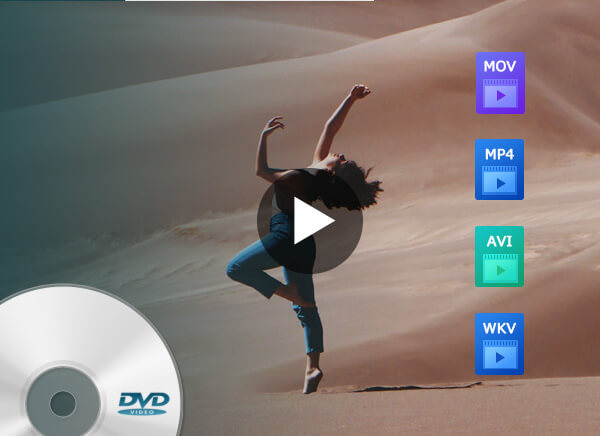
Rip DVD to Video
With the world's leading DVD Video Converter for Mac, you can convert DVD to almost all popular formats with excellent speed and quality. This program allows you to save your homemade DVD movies as a video file on the Mac. It also allows you to convert DVD ISO file and DVD folder into desired media formats to play them without a DVD player on Mac.
-
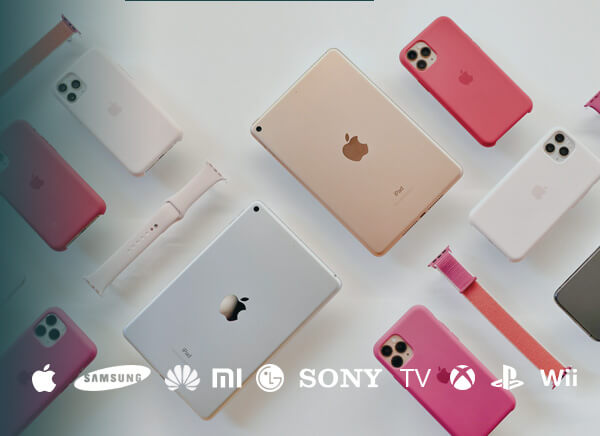
Support Any Device
Want to watch your videos on your smartphone or tablet? AnyMP4 Mac Video Converter Ultimate can convert DVD and digital video formats to other popular formats like TS, MP4, MOV, M4V, MPEG, FLV, MKV, AVI, WMV, WebM, etc., so that you can play any media on iPhone, iPad, Samsung phone/TV, Xbox, Apple TV, iMovie, Final Cut Pro, Avid Media Composer, Premiere Pro, and more devices smoothly.
Super-fast Video and DVD Conversion Speed on Mac
-
70x Faster
Video Converting Speed
Supporting the world’s leading hardware acceleration technology, AnyMP4 Mac Video Converter Ultimate offers you Super high speed and compatibility when converting videos. Compatible with accelerated 8K video/audio processing of AMD®, Intel® HD Graphics, NVIDIA® CUDA®, NVENC, and NVDEC, this super video converter can complete the 8K/5K MP4/MKV, and 4K MP4/MOV/MKV/WebM Conversion quickly.
-
10x Faster
DVD Ripping Speed
As a homemade DVD ripper, AnyMP4 Mac Video Converter Ultimate can speed up the DVD ripping process through multi-core CPUs and GPU accelerations. When you rip the same DVD movie with other DVD ripping software and AnyMP4 Mac Video Converter Ultimate, you will find AnyMP4 Mac Video Converter is 10 times faster than other DVD ripper programs in the market.

Rip and Backup DVD in 1:1 Ratio on Mac
Please DO NOT use our software to rip rental DVDs or back up DVD for commercial use!
-
Convert DVD to MPG lossless on Mac
AnyMP4 Mac Video Converter Ultimate can convert DVD movie to MPG lossless on Mac, which will keep all the original subtitles, audio tracks, and other playback settings on Mac. You can watch the ripped MPG movie on Mac just like you watch them via DVD player.
-
Copy DVD to ISO file and folder on Mac
Not only the digital formats, but this Mac DVD ripper can backup DVD movies to Mac in 1:1 ratio as a folder or ISO file. Whether you want to open the folder on Mac without a DVD player, or want to burn ISO file to a DVD further, this software can meet your demands easily.


Create MVs with Photos and Videos
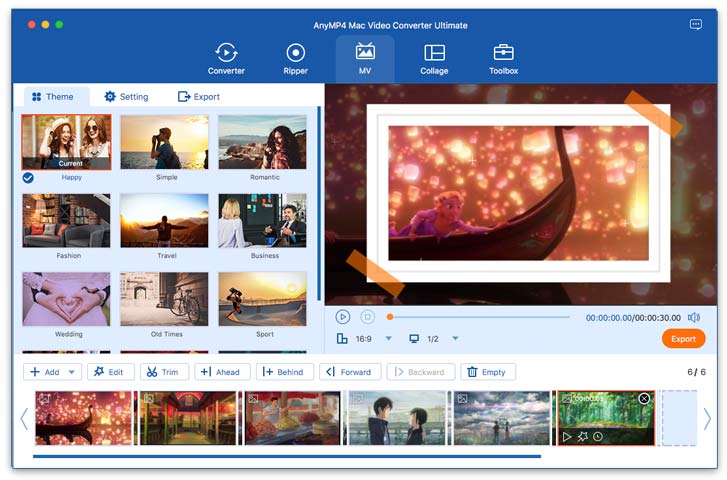
Creating video presentations can be as easy as possible. What you need is to import your video recordings, and choose the template to generate your slideshow. This software offers various templates to make your video show by adding the transitions, filters, elements, and text in the template for Happy, Fashion, Travel, Business, Christmas, and more themes. Besides, you can customize your video effects with the built-in editing tools to rotate, flip, crop, trim, merge, filters, and more.
The Most Versatile Editing Functions to Refine Media
With the powerful editing features of this Mac Video Converter Ultimate, you can optimize your video quality to create a shinning file conveniently.
-
Cut

-
Merge

-
Crop
-
Rotate
-
Adjust Effect

-
Watermark

-
Audio Track
-
Subtitle
-
Cut Videos
Mac Video Converter Ultimate has versatile editing functions that let you edit videos. The software can not only split a video into several clips, but also trim video to keep the part that you want to keep. For example, you can remove an ad from your video and cut only the desired parts.

-
Merge Videos
AnyMP4 Mac Video Converter Ultimate can combine multiple video clips into one file. Just put the video clips in the order you want, and then merge them into one long collection file. You can watch a smooth episode series seamlessly without searching for those fragments.

-
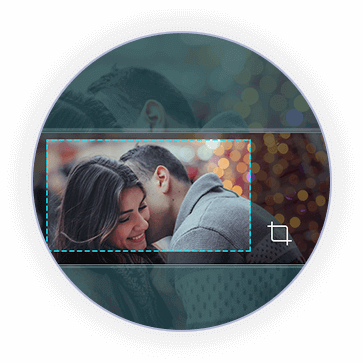
Crop Videos
Feel annoyed by the black edges of videos? Just remove those black frames with the crop feature. AnyMP4 Mac Video Converter Ultimate can crop video in 3 modes, Full, Letter Box, Pan & Scan. It also lets you change the video ratio in 16:9, 4:3, 21:9, 16:10, 5:4, 1:1, and more to suit your display.

-
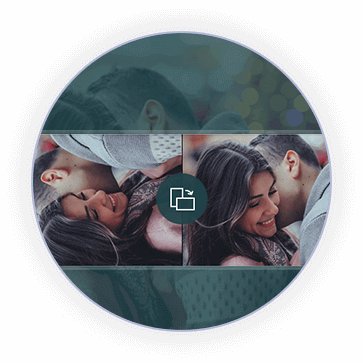
Rotate Video
Get a sideways video via your camera? Do not worry, and let AnyMP4 Mac Video Converter Ultimate rotate it. It can rotate a sideways video in90 counterclockwise and 90 clockwise to get the correct angle you want. Moreover, it can flip video vertically and horizontally as you wish.

-
Filter
If you want to create a glittery video, the filter is one tool you cannot miss. This super video converter can add filters to videos on your Mac. It offers various filter effects like whirpool, purple, plain, coordinates, modern, warm, and more to produce a differently stylish video file.

-
Watermark videos
Before uploading a video online for sharing, you should not forget to add the watermark. This powerful video converter lets you add text or images as a watermark to your video. You can also customize the watermark position, size, opacity, and more to specify your production.

-
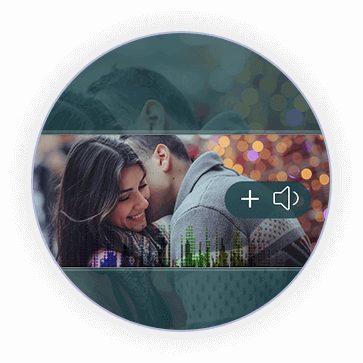
Adjust audio track
How to add English subtitles to your movies? AnyMP4 Mac Video Converter Ultimate can help you exactly. It now supports adding an external audio track and multi-audio track to fully meet your demands. Compatible with various audio/video formats, you can add MP3, WAV, AAC, WMA, and more audio tracks to movies for enjoying better and make a wonderful video with your audio.

-
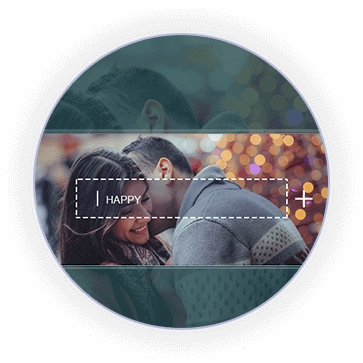
Edit subtitle
When you are watching a foreign movie but you cannot understand what they are talking about, you should insert a translated subtitle. This super video converter lets you search for the appropriate subtitles (*.srt, *.ssa, and *.ass.) and then put them with the video together. The subtitle formats include

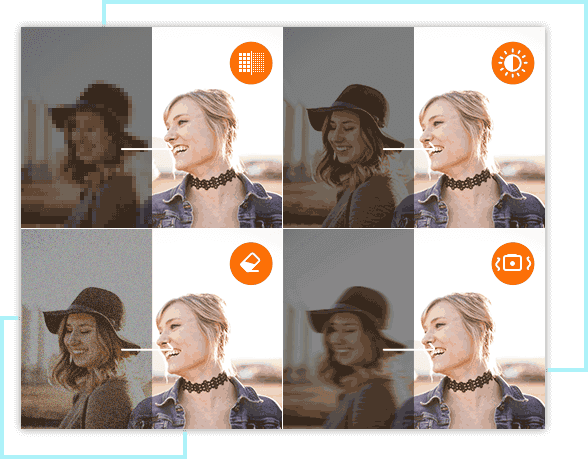
Enhance Video Quality in 4 Feasible Ways
With the powerful enhancement features of this Mac Video Converter Ultimate, you can increase the video quality in 4 feasible solutions.
Upscale video resolution: The program allows you to convert low-resolution videos to a higher resolution.
Optimize brightness and contrast: You can optimize the brightness, hue, saturation, and contrast to adjust the video color to make a dim video brightening.
Remove video noise: Get rid of the white spots in a video and remove all those noises to get a super clear video vision.
Reduce video shaking: Stabilize a shaky video by reducing the video motion from its whole frame movements.

Create Split-Screen to Get Multiple Visions
Feel cool when watching a split-screen on YouTube? You can also make a video with multiple screens. AnyMP4 Video Converter Ultimate shorten your process of making a split-screen. It offers over 44 split-screen modes to support more than 12 screens in one video. Besides, you can set the screen border style and color as you like. Even if you want to create a special-shaped screen, this software can meet your demands fully. Besides, it offers editing tools to add filters and set the background audio for a separate screen or the whole screen to refine your output file.
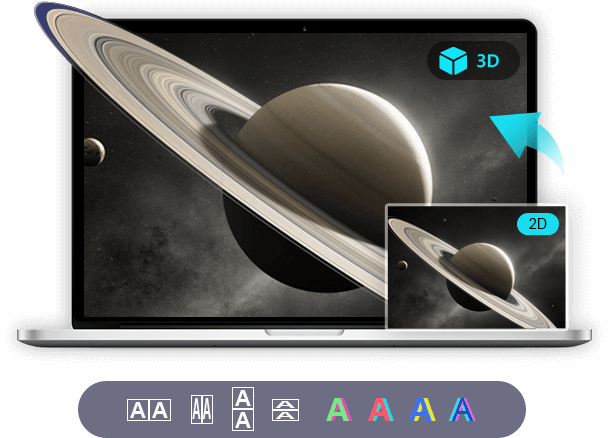
Convert 2D/3D to 3D on Mac
3D movies bring you a vivid vision that 2D movies cannot achieve. This great video converter can convert 2D video to 3D for your VR devices. It can convert a 2D video to a 2D movie in Anaglyph Red/Cyan with monochrome/half color/full color/quality Dubois, Green/Magenta with monochrome/half color/full color, and Amber/Blue with monochrome/half color/full color. Besides, it also lets you output a 3D in split-screen side by side (Half-width/Full) or top and bottom (Half-width/Full).
It also lets you convert 3D to 3D to change its 3D modes or 3D formats like 3D MP4, 3D MOV, 3D MKV, 3D AVI, 3D WMV, 3D WebM, 3D M4V, 3D FLV, and 3D TS.
Sizzling Built-in Features You Cannot Miss
-
 Compress videos
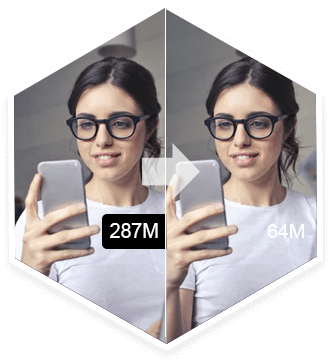
Compress a large video file into smaller with a high compression rate of up to 95% for Email, messages, and more.
 Create GIFs from videos
Make funny, happy, interesting, and more GIF animated emojis to share with your friends and families.
-
 Edit ID3 tag
Edit ID3 tag for music and video to add album, name, artist, genre, year, and other information you want to add.
 Preview videos
You can preview the video effects before you outputting a video file and make adjustments timely.

More Features Make Mac Video Converter Ultimate Great
-
Video Watermark Remover
You can use this tool to remove or erase watermarks, logos, texts, and even objects from videos.
-
Audio Compressor
This tool enables you to compress audio or reduce the file size of audio easily as you like.
-
Video Speed Controller
With this feature, you can easily speed up or slow down videos based on your needs.
-
Video Reverser
Want to make your videos funny or unique? You can use this feature to reverse your videos.
-
File Date Changer
You can change the created, modified, and accessed dates of your files easily using this tool.
-
Audio Sync
Are your video and audio out of sync? Use this tool, you can adjust the audio track based on your needs.
-
Volume Booster
If the volume of your video is too small, you can turn up the volume based on your needs by this tool.
-
Color Correction
This tool can let you adjust the contrast, brightness, hue, and saturation of your video if you need.
Simple Steps on Mac
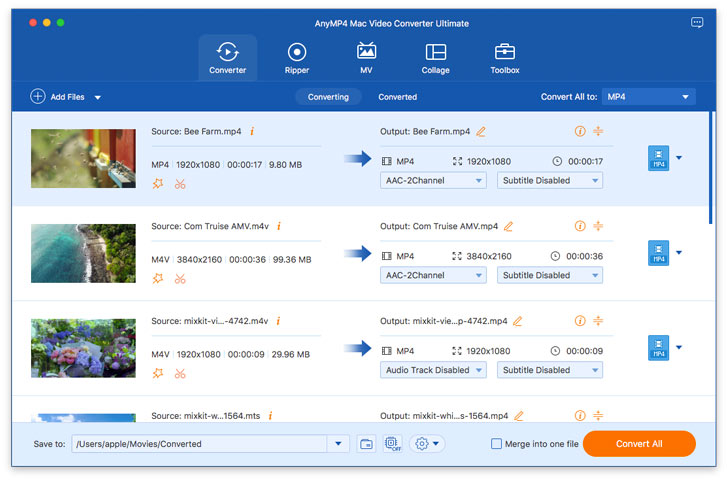
Step 1. Drag and drop video/audio files or load DVD files to AnyMP4 Mac Video Converter Ultimate.
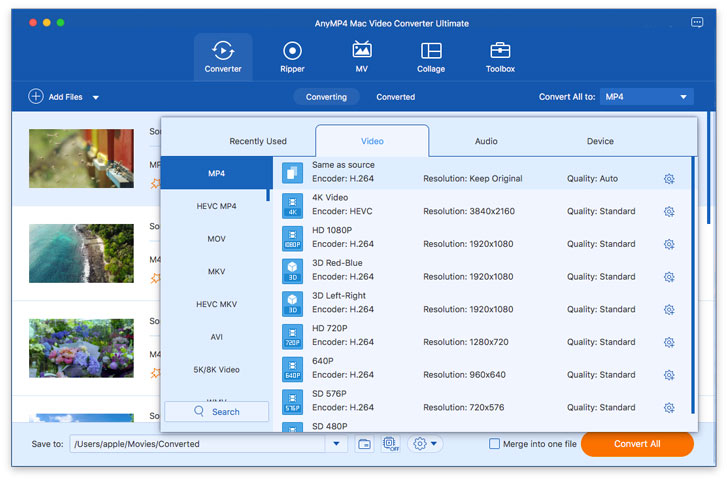
Step 2. Tab the dropdown arrow of Convert All to to choose the output format.
Step 3. Edit the video with the built-in tools, and click Convert All to start ripping or converting the DVD and other media files on Mac.
What Our Users Say
-
 Riley Jackson
Great support service. I download a free trial of AnyMP4 Mac Video Converter Ultimate, and I do not know where is the clip feature as they claimed. Then I contact their support team, and they replied to me soon and solved my problem successfully. Your support service is good and I will recommend you to my friends.
-
 Clem Rees
I love its recent update. It has a big update and can support 8K and 5K video conversion. I have an 8K MKV video and want to convert 8K MP4. I tried many programs and they all failed to analyze the 8K videos. Then I found this super video converter, and it did work to change 8K MKV to 8K MP4. Thank you.
-
 Drew Spencer
I just love this software, its functions of converting videos, audio and ripping homdmade DVDs are amazing. It is really easy to use and have batch operation. So it does improve the conversion efficiency, when I convert my MOV videos into MP4. Apart from digital video conversion, I find this software can easily rip my DVD discs to MPG without quality loss. Expectedly, it can preserve the original structure of my DVD discs. I’m really impressed by its powerful function!

Special Offer
-
 1 Month License
$37.50$18.75
Use it for 1 month and renew if satisfied.
-
Lifetime License
$74.95$59.96
Use this product on 1 PCMac forever and enjoy free lifetime update.
HOT -
5-User License
$269.88$89.96
Use this product on 3 PCsMacs forever and enjoy free lifetime update.
Related Hot Articles
- DVD Ripper Solutions How to Convert AVI to MP4 on Mac with Top 10 Methods How to Burn MP4 to DVD on Mac Top 5 Solutions to Convert APE to MP3 on Mac How to Convert AVI to MOV How to Import MOV to iMovie with Top 5 Methods
- Video Converter Tips 8 Best MP3 Music Players Download Free How to Convert MOV to SWF or Reverse on Windows and Mac How to Insert WMV Files into PowerPoint 2019/2016/2013/2010 on Mac Top 3 Ways to Convert WMV to MKV How to Export/Save/Convert iMovie to MP4 in 5 Methods
You May Like These Products
-
 Mac Screen Recorder
Screen Recorder allows you to record any part of your screen, record 4K/HD videos and audio, and take screenshots anytime.
-
 Mac Blu-ray Player
Blu-ray Player can play Blu-ray or DVD disc/folder/iso image file, and HD/SD video files with original sound and image quality.
-
 Mac Blu-ray Ripper
Blu-ray Ripper can rip Blu-ray disc/folder/iso file to video like MP4, MOV, MKV, AVI, WMV, etc. and extract audio from Blu-ray.
