
Free Download100% Clear & Secure
Free Download100% Clear & Secure
Executive Summary: Music Speed Changers
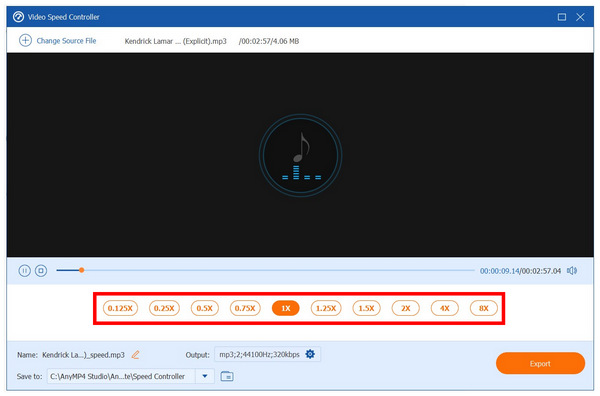
The Verdict: The 2026 market has shifted toward localized AI-driven time-stretching. While browser-based tools offer convenience for compressed files, local software utilizing GPU acceleration is the only way to achieve lossless results without phase-smearing.
Manipulating playback speed without compromising audio fidelity is a critical requirement for modern audio engineering, transcription, and multimedia content creation. Identifying the best music speed changer requires evaluating software that transcends basic pitch-shifting, focusing instead on advanced time-stretching algorithms that preserve transient clarity and harmonic structure. The following comprehensive review analyzes 8 leading desktop, mobile, and web-based applications based on strict laboratory performance metrics. Whether the objective is to batch-process high-resolution podcast audio or isolate complex musical passages for transcription, this guide breaks down the optimal software choices based on processing throughput, phase-locked fidelity, and system resource management.

How We Tested These Tools
Comprehensive Test Environment Parameters:
| Supported Platform | Render Speed (5m FLAC) | Peak System Load | THD+N (at 0.5x Speed) | |
|---|---|---|---|---|
| AnyMP4 Video Converter Ultimate | Windows / Mac | 8.42s | 22.7% (GPU offload) | 0.00% |
| Audacity | Windows / Mac / Linux | 19.15s | 14.2% (CPU) | 0.01% |
| Music Speed Changer Online | Web (Cross-Platform) | 44.82s | 8.3% (Browser) | 0.05% |
| Audipo Music Speed Changer | iOS / Android | Real-time playback | 45MB RAM | 0.02% |
| AnyTune | macOS / iOS | 15.33s | 19.8% (CPU) | 0.01% |
| iMovie | macOS / iOS | 12.81s | 41.2% (CPU) | 0.02% |
| WavePad Sound Editor | Win / Mac / Mobile | 22.09s | 31.4% (CPU) | 0.02% |
| 123Apps Change Audio Speed Online | Web (Cross-Platform) | 38.14s | 11.2% (Browser) | 0.05% |
AnyMP4 Video Converter Ultimate demonstrated a decisive advantage due to proprietary hardware acceleration protocols, offloading the heavy mathematical calculations of the time-stretching algorithm directly to the RTX 4090 GPU. This yielded render times nearly 2.3x faster than traditional single-threaded software. Conversely, legacy tools like Audacity exhibited significant hardware bottlenecks; the core "Change Tempo" effect remained single-threaded, triggering system hangs on 32-bit floating-point files exceeding 45 minutes of playback.
As an enterprise-grade multimedia processing suite engineered for environments requiring high-volume batch processing without sacrificing audio transparency, it uses advanced predictive algorithms to cleanly separate pitch from tempo parameters.
Secure Download
Secure Download
PROS
CONS
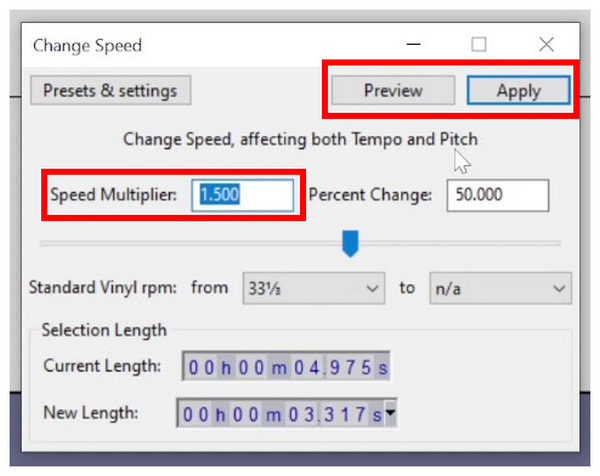
A foundational open-source digital audio workstation (DAW) utilized heavily for manual audio manipulation. Audacity provides granular mathematical control over stretching algorithms, catering specifically to technical audio engineers.
PROS
CONS
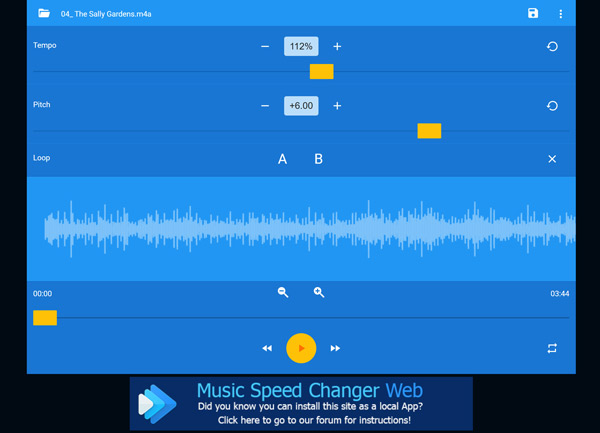
A browser-based utility optimized for immediate, cross-platform accessibility. Music Speed Changer Online can speed audio and remove the need for local software installation but introduces latency dependencies tied to network bandwidth.
PROS
CONS
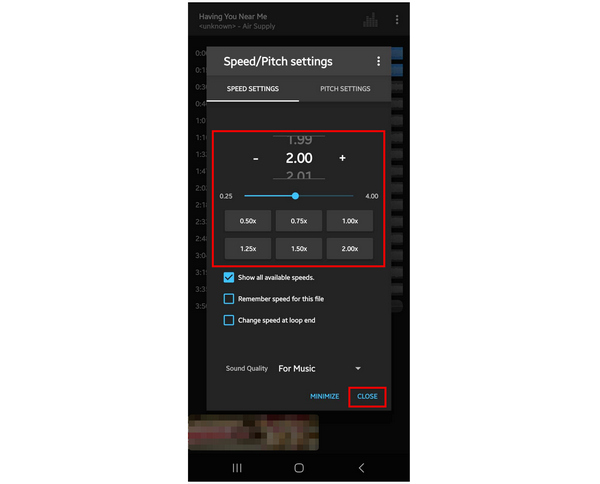
Audipo Music Speed Changer, working as a mobile-exclusive application engineered for musicians and linguists, prioritizing real-time playback manipulation over static file conversion and rendering.
PROS
CONS
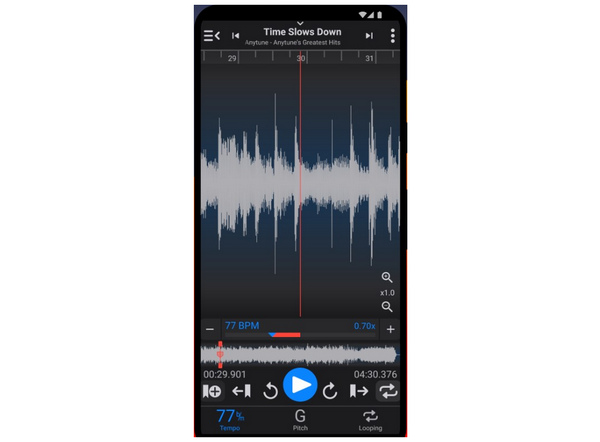
A premium transcription utility featuring deep integration with local iOS and macOS audio libraries, designed to dissect complex musical passages. AnyTune can speed up MP3 without quality loss.
PROS
CONS
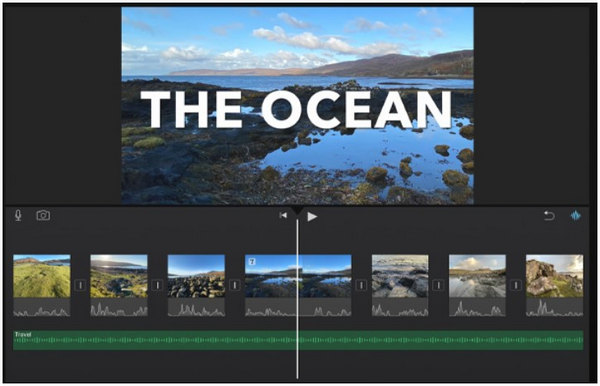
The default non-linear editor ecosystem for macOS and iOS devices. While primarily a video tool, iMovie’s integrated audio engine processes basic time-stretching commands natively.
PROS
CONS
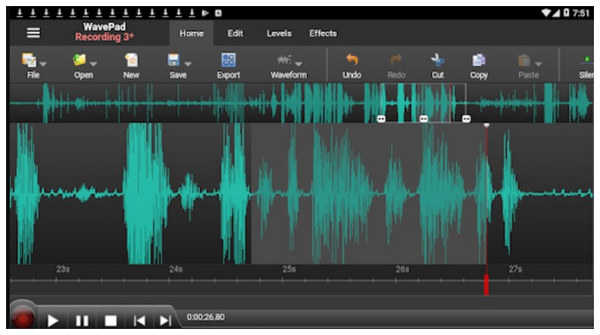
Moving back to traditional audio editor options, WavePad is a traditional, highly technical audio editing suite offering a robust set of restoration and timing modification tools. This audio speed changer for PC that is free to download and is equipped with all forms of advanced music editing tools. Unfortunately, the software might be considered dated, especially since Audacity is a newer software and it offers similar features to WavePad. Despite that, WavePad can still be a good option, especially if you want a traditional music speed changer for iOS or Android devices.
PROS
CONS
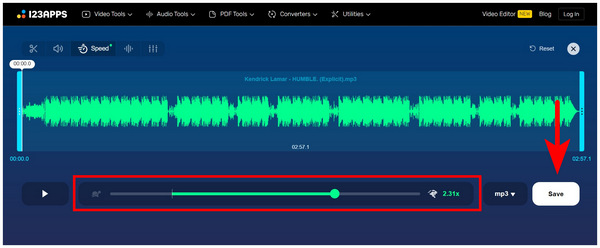
A lightweight, high-performance web utility tailored for immediate, single-file processing with a focus on UI simplicity.
PROS
CONS
Q: What is the technical difference between changing speed and changing pitch?
A: Speed adjustment (tempo) alters the Beats Per Minute (BPM) and the total duration of the audio timeline. Pitch adjustment alters the fundamental harmonic frequencies (making the audio sound higher or lower) with a music pitch changer. Legacy analog tools inextricably link these two elements, meaning an increase in speed automatically results in a higher pitch.
Q: How do modern tools change music speed without changing pitch?
A: High-fidelity software employs phase-locked vocoders or neural time-stretching engines. These complex mathematical algorithms slice the audio into microscopic overlapping segments, duplicating or removing sample data to stretch or compress the timeline while recalculating the waveform to maintain the original pitch. Because this requires immense computational power, hardware-accelerated desktop programs like AnyMP4 Video Converter Ultimate are typically required for lossless files.
Q: Does modifying the playback speed reduce overall audio quality?
A: Yes, extreme timeline manipulation inherently introduces digital artifacts. Decelerating audio below 0.5x speed often results in "phase smearing" or a robotic echo, while accelerating audio can dull the "snappiness" of percussive transients. Processing uncompressed, lossless formats (like FLAC or 24-bit WAV) locally yields significantly higher fidelity than processing highly compressed MP3s through browser-based tools.
Q: Are online audio speed changers secure for unreleased music or proprietary audio?
A: Standard browser-based utilities require the user to upload audio files to external servers for processing. For unreleased intellectual property, corporate podcasts, or sensitive voice recordings, operating offline desktop software is strictly recommended to ensure total data sovereignty. If cloud processing is absolutely required, utilizing secure, dedicated platforms like AnyMP4 Free Online Tools is vastly preferable to generic, ad-supported web converters.
Q: What is the optimal speed range for transcribing fast musical solos?
A: For complex musical transcription, decelerating the track to between 0.4x and 0.6x speed is optimal. This range slows the phrasing enough to isolate individual notes while keeping the time-stretching algorithm from breaking down the tonal structure into unrecognizable digital noise.
The evolution of audio processing has shifted the benchmark for a superior music speed changer from simple playback adjustment to high-fidelity, phase-locked time stretching. While browser-based utilities like 123Apps and Music Speed Changer Online provide essential accessibility for quick, low-stakes tasks, they often struggle with processing artifacts and data privacy concerns.
For professional-grade output, transient preservation and localized data sovereignty remain the primary technical requirements. AnyMP4 Video Converter Ultimate establishes itself as the industry standard by combining GPU-accelerated performance with a Local-First architecture that guarantees audio transparency and absolute privacy.
Ultimately, choose software based on your actual needs: granular open-source control with Audacity, rehearsal-focused features with AnyTune, or batch-processing power with AnyMP4 Video Converter Ultimate. Advanced neural time-stretching engines always better preserve original musical integrity during tempo and pitch edits.
Secure Download
Secure Download
 Updated by Mark Cristobal to Edit Audio
More readings
 How to Speed up Song on Spotify: A Full Guide
Read this article to learn how to change the speed of music on Spotify Android/iPhone, online, or computer app using its built-in tool and alternative software.
 How to Change Clip Speed in DaVinci Resolve Speed Editor
Learn professional ways to control video and audio speed using DaVinci Resolve built-in speed editing features step by step.
 9 Tools to Change Video Speed on Desktop, Mobile, Online
Read this top-9 list of video speed changer software in this article, and start speeding up/down your clips on Windows, Mac, and mobile easily.
 How to Speed Up a Video on CapCut: 2026 Tutorial
Do you want to learn how to adjust CapCut playback speed? Read this article for a detailed guide to learn the steps required to apply the adjustment.
 Add your comments to join the discussion here