
Quick Summary:
An ASF file (Advanced Systems Format) is a legacy Microsoft digital container designed for streaming media, holding compressed audio, video, and metadata. While native to Windows Media Player, modern devices often require third-party tools like VLC or a conversion tool like AnyMP4 Video Converter Ultimate to convert it to MP4 for seamless playback and broad compatibility.
Have you ever stumbled upon an .asf file and wondered why your modern media player is giving you the cold shoulder? Developed by Microsoft as the backbone of Windows Media, the Advanced Systems Format (ASF) was once the gold standard for internet streaming before 'Netflix and chill' was even a phrase. While it may seem like a relic of the early 2000s, ASF remains a critical container for low-bandwidth streaming and legacy hardware. In this definitive guide, we’ll demystify what’s inside an ASF container, why it still matters, and how to modernize these files for today's devices.

The ASF file (Advanced Systems Format, originally known as Advanced Streaming Format) is a proprietary digital media container format developed by Microsoft in the late 1990s. Designed specifically for the streaming media era, ASF serves as the underlying structural framework for storing and delivering video, audio, and metadata.
Clarification: Unlike Microsoft's common codecs, Windows Media Video (WMV) and Windows Media Audio (WMA), it is a container (the wrapper), not a codec (the compression method).
The architecture of an ASF file is built around a flexible, object-oriented structure. Every standard ASF file relies on three foundational objects below:
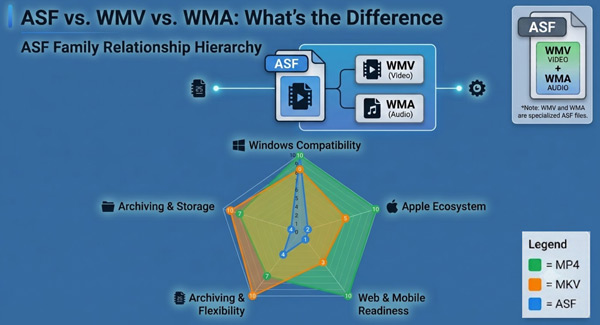
To understand the difference between ASF, WMV, and WMA, we must first realize that they are not competing formats. Although each has its own dedicated file extension, they all use the same underlying ASF container structure. In other words, .wmv and .wma files are essentially specialized ASF files.
While ASF laid the groundwork for early internet video streaming, modern container formats such as MP4 and MKV usually have broader device compatibility and better compression performance.
Below is a quick-glance table comparing ASF with modern container formats MP4 and MKV.
| ASF | MP4 | MKV | |
|---|---|---|---|
| Developer | Microsoft | ISO/IEC | Matroska |
| Primary Codecs | WMV (7/8/9), WMA, VC-1, legacy MPEG-4 | H.264 (AVC), H.265 (HEVC), AV1, AAC | H.264, H.265, AV1, VP9, FLAC, AC3, PCM |
| Windows Support | Native (Windows Media Player, Movies & TV) | Native | Native (Windows 10/11) |
| macOS / iOS Support | Poor (Requires VLC / 3rd-party apps) | Native (Apple Photos, QuickTime, Safari) | Moderate (Requires VLC / Infuse) |
| Mobile & Web Browsers | Unsupported natively | Universal standard | Unsupported natively in Web |
| Best for | Network streaming for legacy Windows environments | General playback and modern web/mobile distribution | High-quality and flexible archiving |
1. Windows (Natively supported).
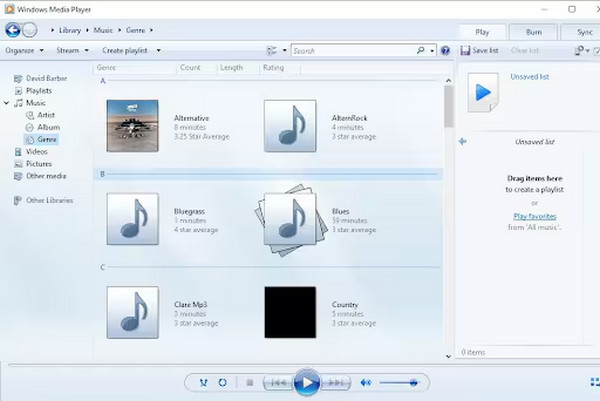
Windows Media Player in Windows 10/11 can natively decode the ASF container structure without requiring extra software.
1. Open Windows Media Player on your Windows computer.
2. Drag and drop the ASF files into the window and click the Play button to start.
2. macOS (Third-party required).
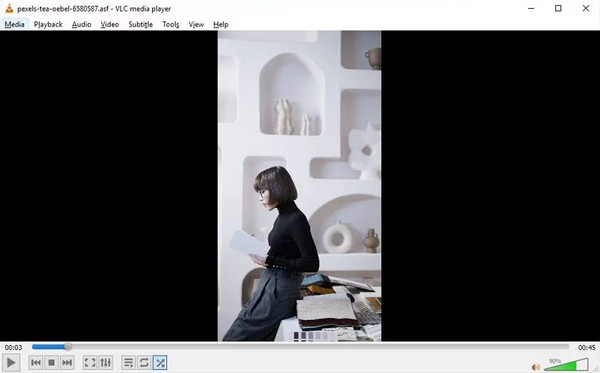
Apple’s native media framework and default player, QuickTime Player, do not support the ASF container format. So, to play ASF on macOS without converting, you need to use a dedicated media player. VLC Media Player has a built-in decoder that can parse ASF containers.
1. Download and open VLC Media Player on your Mac computer.
2. Click Media > Open File in the top-left menu bar, or drag the ASF file directly into the program.
If you want a fast, reliable desktop solution that supports batch processing legacy ASF files while maintaining quality, AnyMP4 Video Converter Ultimate is the best choice.
Key Features of this ASF converter:
1. Download and install AnyMP4 Video Converter Ultimate on your computer. Once finished, it will launch automatically.
Secure Download
Secure Download
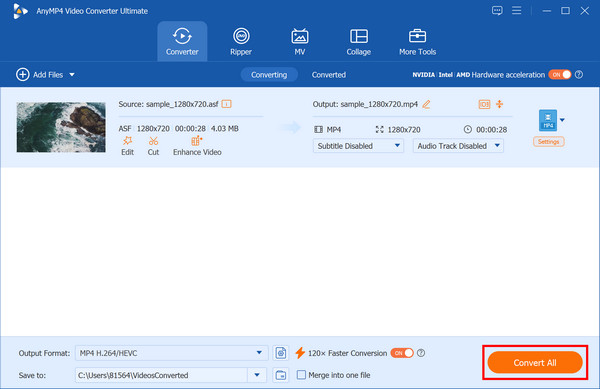
2. Click Add Files in the top-left corner, or directly drag and drop your ASF files into the window to load them.
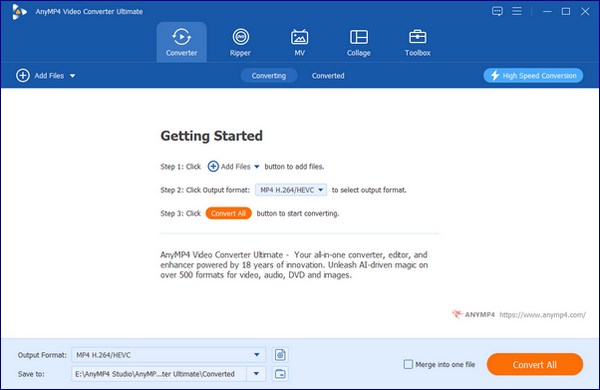
Then, click the Output Format option to select MP4 from the Video tab. Choose the Same as Source to keep the original video quality.
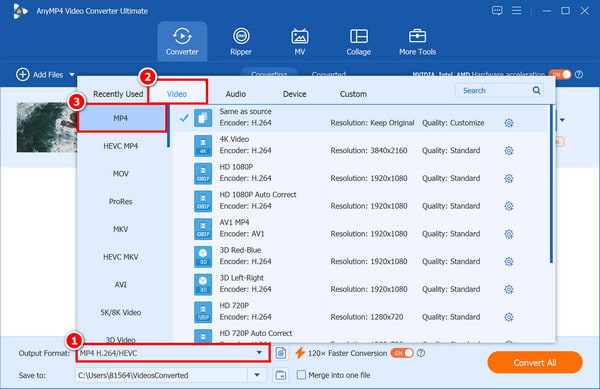
3. Select the save path for the converted file. Finally, click Convert All to start converting your ASF file to MP4.
Is ASF better than MP4?
No. For almost all modern use cases, ASF is not better than MP4.
Can I play ASF files on an iPhone?
Apple's native apps do not support ASF files natively, but you can play them using third-party programs or by converting the file to a more compatible format.
Is ASF a 'lossy' format?
No, ASF itself is neither lossy nor lossless because it is a container format, not a compression format.
How do I fix a corrupted ASF file?
Corrupted ASF files can be recovered by converting the format using converters such as VLC or AnyMP4 Video Converter Ultimate, or by using specialized video repair tools such as FFmpeg.
The ASF format is a fascinating piece of digital history that continues to surface in professional and legacy environments. While its role has shifted from the forefront of the internet to a niche specialized container, knowing how to handle these files is essential for any digital media professional. Whether you’re archiving old family videos or managing professional security footage, having the right tools makes all the difference.
Ready to bring your legacy media into the modern era?
Don't let incompatible formats slow you down. Download AnyMP4 Video Converter Ultimate today to convert ASF files to any modern format with lightning speed and zero quality loss.
Secure Download
Secure Download
 Updated by Alice Thorne to Glossary
More readings
 What Is an SWF File? How to Open, Play, and Convert SWF
Still dealing with .swf files? Learn what an SWF is and explore the best ways to open, play, and convert SWF to MP4 now that Flash Player has been discontinued.
 What Is M4V and How to Play and Convert this Format
This informative post will provide you with a detailed explanation of what M4V is. Also, we will present you with tools for playing and converting this format.
 What is WebM and How Can You Watch This File Format
Want to learn what WebM is and what is the best WebM player? Please read this article to learn how to play and convert WebM easily and conveniently.
 What Is AAC and Why It Matters in Audio Technology
This post will highlight what AAC is. Discover the origins, advantages, disadvantages, and versatile applications of the Advanced Audio Coding files.
 Add your comments to join the discussion here