
Free Download100% Clear & Secure
Free Download100% Clear & Secure
Quick Summary:
When you need to create a custom ringtone, stitch voice memos, or compile a seamless music mix, finding a reliable MP3 joiner is essential. However, in 2026, joining audio involves more than just a simple copy-and-paste; mismatching specifications can cause serious technical headaches, such as pitch shifts from conflicting sample rates (44.1kHz vs. 48kHz) or muddy compression caused by forced re-encoding that drops a crisp 320kbps track to a lower bitrate. To help you maintain flawless audio fidelity and achieve smooth transitions, we have tested and compiled the top 8 MP3 joiners—ranging from instant online utilities to powerful desktop workstations—so you can find the perfect match for your workflow.
Need a quick fix without installing heavy software? Web-based MP3 joiners are perfect for lightweight, on-the-go editing. They operate entirely in your browser, making them ideal for merging short voice memos or ringtones instantly on any OS. While limited by file size caps and internet speeds, they offer unmatched convenience for casual tasks.
Audio Joiner is a free MP3 merger online offered by the 123Apps platform. With this audio merger, you can merge as many audio tracks as you want. It lets you combine songs, recordings, or audio clips without complex software. With its user-friendly interface, this MP3 combiner can efficiently combine different audio clips into one with fade-in and fade-out options for smooth transitions. Moreover, it ensures high-quality output. Not just MP3; it supports more than 300 audio file formats.

PROS
CONS
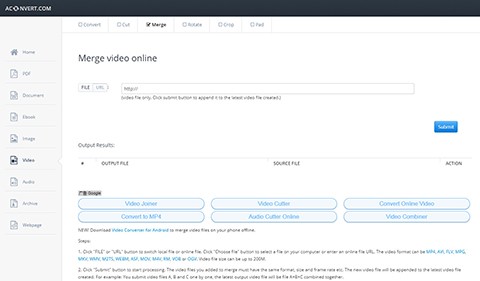
Aconvert is one of the best MP3 audio file joiners, which enables you to either select designated MP3 files from the local folder or paste an online audio URL directly. It supports lots of audio formats, such as WAV, OGG, AAC, WMA, AU, FLAC, MKA, M4A, AIFF, and RA, and so on. Besides the merge feature, it also includes many editing features, like convert, resize, split, etc., which can meet your different MP3 editing needs.
PROS
CONS
Browser tools fall short when handling large files or private data. For heavy audiobooks, massive music folders, or offline security, a dedicated desktop application is non-negotiable. These local workhorses run entirely offline—eliminating data leaks—and use hardware acceleration to deliver blazing-fast execution and flawless audio fidelity.
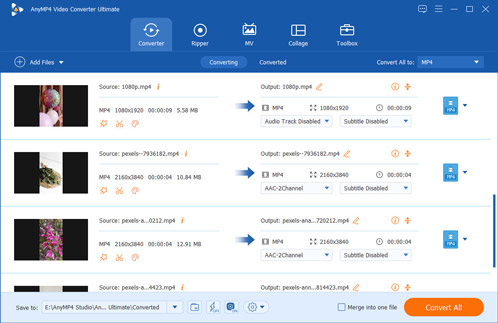
When your primary bottleneck is time—such as compiling an entire 10-hour audiobook collection or managing vast folders of voice assets—AnyMP4 Video Converter Ultimate approaches the MP3 joining task from an efficiency-first perspective. It targets a major pain point for Western productivity enthusiasts: the sluggishness and size caps of browser-based tools. Built with native hardware acceleration, this desktop application specializes in lossless concatenation (direct stream copying). If your source MP3 files have identical parameters, the software stitches them together sequentially at the file structure level. This bypasses the traditional re-encoding stage entirely, saving precious CPU cycles and eliminating even the slightest risk of generational audio compression or quality loss.
PROS
CONS
Secure Download
Secure Download
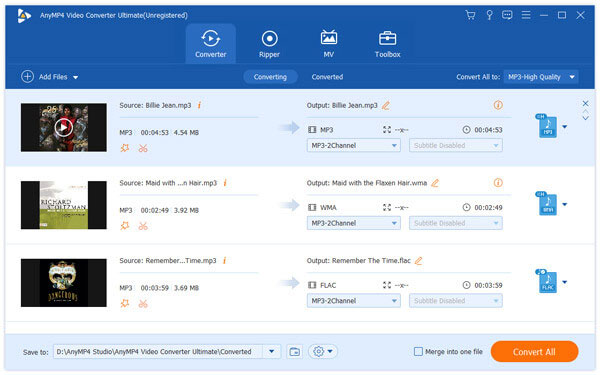
1. Free download this audio merger, then install and launch it on the computer.
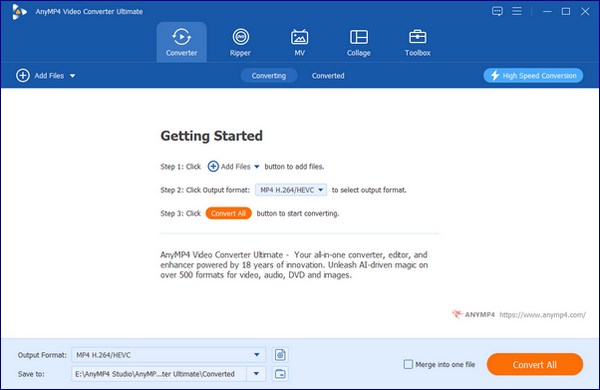
2. Click Add Files to add your MP3 files.
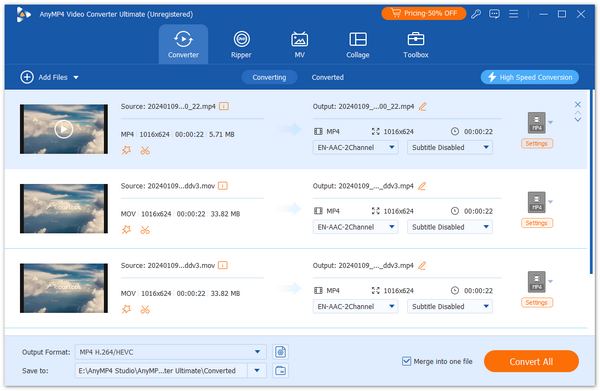
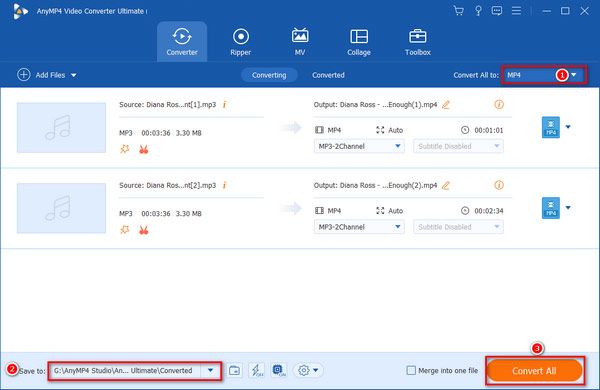
3. Check the option of Merge into one file to merge multiple MP3 files into one file.
4. Waiting for a while, and you will get a merged MP3 file.
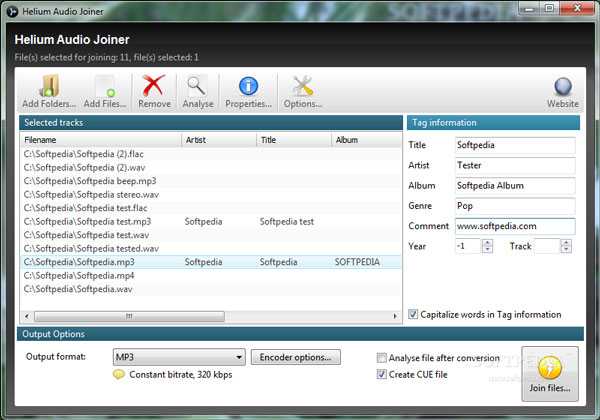
Helium Audio Joiner is one of the best MP3 joiners developed by Imploded Software. It is designed specifically for the simple task of merging multiple audio tracks - including MP3, FLAC, M4A, AAC, and WMA, into a single file.The program lets you insert silence between MP3 files, which enables you enter time in seconds. The MP3 combiner enables you to define the audio title, genre, year, comment, artist and album name.
PROS
CONS
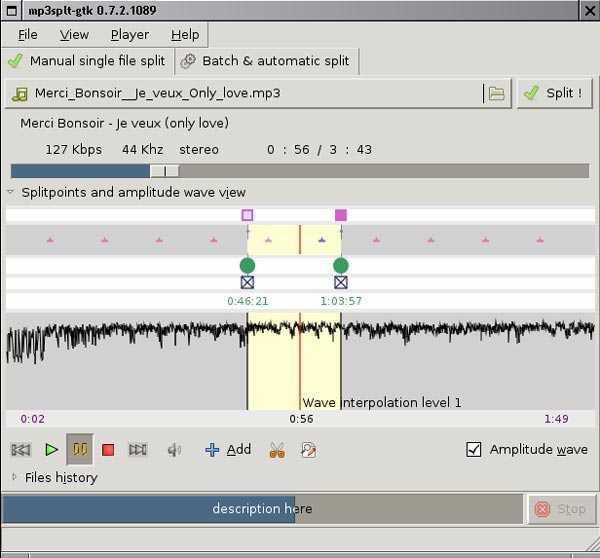
Mp3splt is an open-source MP3 combiner that allows you to split and join MP3 files without encoding or decoding the original file. If you have audio files in different formats, you can combine them into one MP3 file while the original sound quality is preserved. With Mp3splt, you can split single or multiple audio files, split an album, or split/trim by silence detection.
PROS
CONS
A hard, sudden cut between tracks can ruin the listener's experience. If you are mixing a podcast, music compilation, or social media audio, you need precise transition effects. These industry-standard software solutions provide visual timelines and professional tools like custom crossfades to ensure your final audio flows naturally.
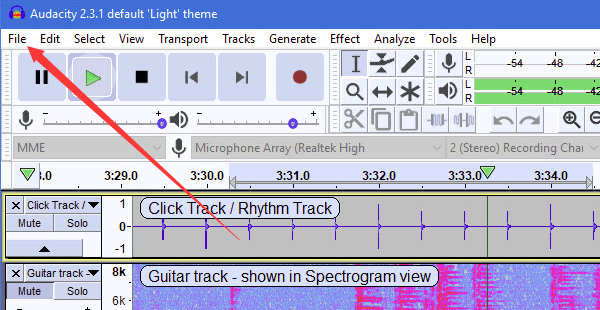
For European and American users who demand full ownership of their production workflow and are deeply skeptical of cloud-based privacy policies, Audacity remains the undisputed heavyweight champion. It treats MP3 joining not as a rigid, one-click conveyor belt, but as a visual, multi-track studio environment. This software completely bypasses the security risks of online converters by processing every byte of data locally on your machine. When bringing together disparate audio clips, Audacity excels at handling underlying technical discrepancies. It allows users to perform bitrate alignment—such as conforming a legacy 128kbps voice memo to a studio-grade 320kbps music track—ensuring uniform playback volume and sample rate consistency across the entire timeline.
PROS
CONS
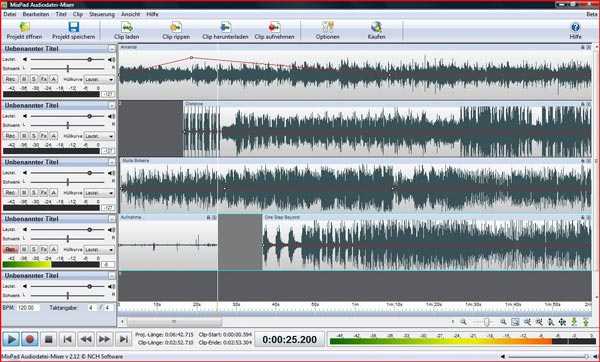
Instead of an MP3 joiner, MixPad is a music mixing software that can cut and join MP3 files quickly. With MixPad, you can cut, join, and mix many audio tracks without any tech skills or knowledge. This is an overkill solution for basic joining, but is the best option for users who require precise, professional control, such as adding crossfades between tracks, adjusting volume levels at different points, or applying equalization (EQ) before the final merge.
PROS
CONS
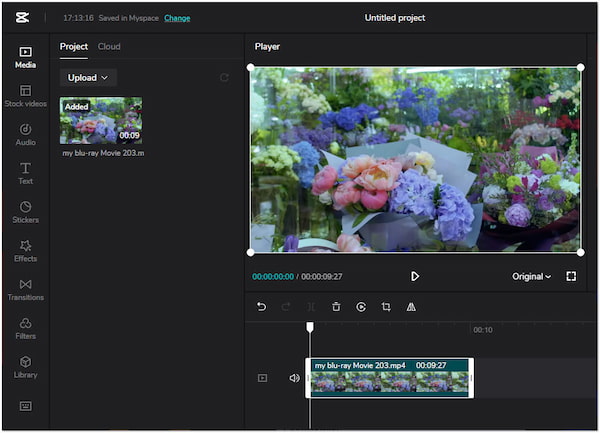
In today's social media-driven landscape, joining MP3 files is frequently the first step toward producing a TikTok, YouTube Short, or podcast episode. CapCut completely reimagines the audio merging process by moving away from clinical, wave-only interfaces and introducing a highly visual, magnetic timeline. Designed for creators who view audio as a core element of visual storytelling, this platform allows users to snap disparate MP3 tracks together with absolute structural ease. It is particularly effective for aligning background instrumentals with spoken voice-overs, enabling a streamlined workflow where timing, pacing, and overall energy can be managed within a single, cohesive interface.
PROS
CONS
Testing audio software isn’t just about dragging files into a timeline and hoping for the best. To give you the real dirt on these tools, our team set up a controlled benchmarking environment. We used a standard Windows 11 machine (Intel i7, 16GB RAM) and an M2 MacBook Air running macOS Sonoma.
Our testing asset? A messy batch of five different audio clips: two studio-grade 320kbps MP3s 44.1kHz), a raw 1411kbps WAV file, a compressed 128kbps AAC file, and a wandering voice memo recorded at 48kHz.
We pushed each contender through the same gauntlet. We checked if the software could handle the mixed sample rates without making the speaker sound like a chipmunk. We looked for forced re-encoding—a massive red flag that destroys audio fidelity—and monitored whether original ID3 metadata tags survived the export. Finally, we zoomed in on the transition points to see if the clips crashed into each other or blended smoothly. Here is how they actually stacked up under real-world pressure.
| Tool Name | Platform | Max Size | Re-Encoding | ID3 Tags | Crossfade | Best For |
|---|---|---|---|---|---|---|
| Audio Joiner | Web Browser | Unlimited | Yes | Stripped | Yes | Quick, ad-hoc mashups |
| Aconvert Audio | Web Browser | 200 MB | Yes | Stripped | No | Multi-format conversions |
| AnyMP4 Video Converter Ultimate | Windows / Mac | Unlimited | No | Preserved | No | Bulk, ultra-fast merging |
| Helium Audio Joiner | Windows | Unlimited | Yes | Preserved | No | Tagging legacy music libraries |
| Mp3splt | Win / Mac / Linux | Unlimited | No | Preserved | No | Surgical, bit-perfect splicing |
| Audacity | Win / Mac / Linux | Unlimited | Optional | Preserved | Yes | Precision audio engineering |
| MixPad | Windows / Mac | Unlimited | Yes | Preserved | Yes | Multitrack music production |
| CapCut | Win / Mac / iOS / Android | Unlimited | Yes | Stripped | Yes | Social-first content creators |
Even with the best tool in your arsenal, digital audio can be incredibly finicky. You hit export, play the new file, and suddenly something sounds entirely off. Don't panic—most of these glitches boil down to a few invisible settings.
The Pitch Shift Nightmare (The Chipmunk Effect)
You merge a podcast intro with an interview track, and suddenly the guest sounds like they inhaled helium. This happens when your joiner forces two different sample rates (44.1 kHz and 48kHz) into a single stream without rendering them properly.
The Sudden Volume Drop
Nothing ruins a custom music mix faster than a track change that forces you to frantically grab the volume knob. If your source MP3s came from different websites, their gain levels are likely all over the place.
The Mystery of the Vanishing Artwork
You spent an hour organizing an audiobook, but the moment you merged the files, all your cover art, chapter titles, and artist data vanished. Cheap online utilities treat audio as raw data blocks, completely discarding the underlying ID3 container tags during the process.
What is the best MP3 audio joiner?
AnyMP4 Video Converter Ultimate is the best MP3 audio joiner to merge different MP3 files into one song simultaneously. The program is supported by both Windows and Mac operating systems. You can also merge video files into a single video file. Apart from this feature of merging audio files, you can also perform the tasks of cutting and trimming the unwanted parts in your audio file with the use of built-in editor that AnyMP4 Video Converter Ultimate comes with.
What is the best audio joiner?
To find the best audio joiner, read on 10 Best Audio Joiner software to Combine Audio Files As One.
Does merging audio mess with overall quality?
If you just splice the audio files by merging, the audio quality will not be affected. However, if you remix the audio tracks, that can cause distortion.
Is it safe to use online MP3 joiners?
Yes. It is generally safe if you use reputable sites, but risks include malware, ads, or privacy issues.
Does merging MP3 files affect quality?
No, merging doesn’t reduce audio quality since MP3s are just concatenated.
What's the fastest software to batch merge 100+ audio tracks for an audiobook?
You want a heavy-duty desktop tool that supports lossless concatenation. AnyMP4 Video Converter Ultimate handles bulk processing instantly by stitching the file structures directly. If you prefer a completely free, command-line approach and don't mind a bit of code, FFmpeg is unbeatable for raw speed. It merges hundreds of files in seconds because it doesn't waste time re-encoding the data.
Will the concatenation of MP3 files cause audio distortion or bitrate drops?
Not if you do it right. If you use a tool that supports 'lossless joining,' it simply fastens the audio blocks end-to-end without touching the inner data. Your bitrate stays exactly the same. However, if your software forces a re-encode—re-compressing the already compressed MP3 data—you will definitely suffer a drop in audio fidelity.
What is the best free MP3 joiner for Windows 11 that doesn't lower the audio quality?
Go with Audacity or Mp3splt. Audacity is the open-source king; just make sure your export settings match your original source bitrate 320kbps, for instance. If you want zero risk of quality loss without dealing with heavy editing menus, Mp3splt is brilliant. It splices and joins at the frame level natively on Windows 11 without decoding the files.
How can I combine multiple MP3 files into a single track online without a 50MB file size limit?
Most browser tools choke on big files, but Audio Joiner by 123apps has an unlimited tier for basic merging. Another solid contender is Clideo’s Audio Joiner, which generously allows up to 500MB per project on their free tier. Just keep an eye on your upload speed. Large files take time over standard Wi-Fi.
Is there a safe online audio joiner that doesn't require registration or contain malicious ads?
Finding a clean online space is tough since free sites rely heavily on ad revenue. 123apps (Audio Joiner) is generally considered the safest mainstream bet. The layout is clean, and you don't need an account. For absolute peace of mind, avoid the web entirely. A tiny, lightweight offline utility will always protect your privacy better than a browser page.
Combining your MP3 files doesn’t have to mean sacrificing audio quality or dealing with cluttered interfaces. The top-picked 8 MP3 joiners can meet your diverse needs. Whether you need a quick, browser-based tool like Audio Joiner for basic clips or a visual platform like CapCut to craft smooth crossfades for social media, the right tool depends entirely on your workflow. For those managing large audio libraries, multi-format mixing, or projects requiring strict ID3 tag preservation and zero-loss execution, a dedicated desktop solution like AnyMP4 Video Converter Ultimate offers the speed and stability that online utilities simply cannot match.
Which tool are you going to try for your next audio project? If you run into any issues with bitrate alignment or sample rate drops, let us know in the comments below!
Secure Download
Secure Download
 Updated by Mark Cristobal to Edit Audio
Related Articles
 6 Best Audio Joiner software to Combine Audios
Learn more details about the 6 best Audio Joiner software to combine them.
 5 Best Free MP4 Joiner to Join Videos into One
The article explains the best free MP4 joiner software that helps you achieve the goal easily.
 Top 10 Video Joiner Software to Join Multiple Files
Check the top 10 Video Joiner Software to combine multiple video files together.
Best 15 Video Joiner to Merge Multiple Video Files into One
To create a marvelous video, you need to clip and merge multiple video clips. Take the best 15 video joiner software on Windows and Mac to combine videos.
 Add your comments to join the discussion here