
Quick Summary at a Glance:
What Is DPG? This post introduces the technical DNA of the legacy Nintendo DS video container format and explores its historical roots. Whether you want to open and play .dpg files on modern PCs, Macs, or original DS hardware, or you need a step-by-step conversion to transcode MP4 videos, this ultimate guide covers everything you need to optimize your playback experience today.
Imagine it is 2006. You are on a long road trip, and while everyone else is squinting at tiny iPod Nano screens or carrying bulky portable DVD players, you are watching The Matrix on your Nintendo DS. The secret? A 'magic' file extension called .dpg.
While the world moved on to 4K streaming, the DPG format remains a cornerstone of the retro-handheld community. Whether you are a homebrew enthusiast reviving an old DS Lite or a digital archivist curious about niche containers. So, what is DPG? This guide will peel back the curtain on the Nintendo DS's most famous movie format.

Born from the MoonShell homebrew project by 'Mr. Moonlight,' the DPG format served as the ultimate multimedia workaround. Because the Nintendo DS lacked a native movie player, DPG was custom-engineered to unlock video playback on the handheld.
Technically, DPG is not a standalone codec, but a highly specialized container for packaging MPEG-1 video streams and MP2 audio. It can transmit data directly to the old graphics chip with minimum decoding delay. To adapt to DS hardware, DPG video will be scaled to the native resolution of 256×192 pixels. Its versions include DPG0, DPG1, DPG2, DPG3 and modern DPG4.
If you are building a library, always aim for DPG4. It supports higher frame rates and bit rates, reducing the blocky artifacts common in older DS videos.
While DPG files are tailored for historical handheld limitations, you do not necessarily need an old console to view them. Depending on whether you want a nostalgic retro experience or just need to check the contents of a file on your laptop, you can play DPG videos using the methods below.
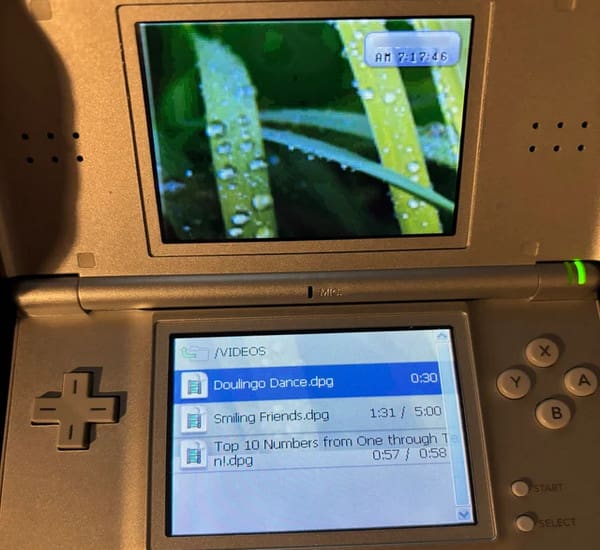
To experience DPG video files from the 2000s, you should play them directly on the original Nintendo DS console. This method relies on native hardware scaling and makes full use of the classic physical buttons and dual-screen layout.
1. Prepare your flashcart like the R4, CycloDS, or DSTWO loaded with a compatible kernel, and insert its microSD card into a computer.
2. Download the stable MoonShell 2.10 on your MicroSD card. It offers the best compatibility and the most stable, reliable DPG playback on DS hardware.
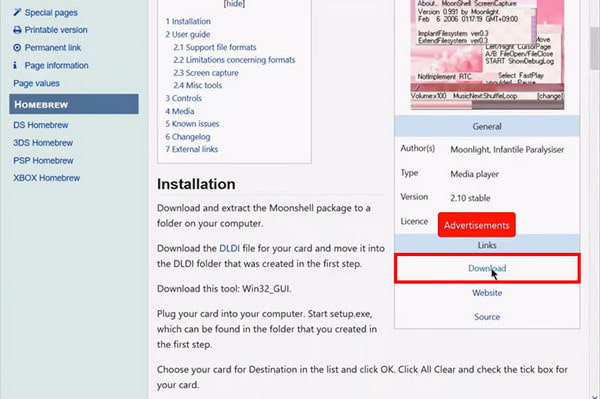
3. Place your .dpg files into the Video/Multimedia folder on your SD card, and insert the card into your DS. Finally, boot up MoonShell through your flashcart menu, and select your video to play.
If you just need to preview your DPG files without digging out old gaming hardware, modern desktop computers can decode the underlying media streams. Since standard system video applications will fail to recognize the container, a robust, open-source player is required.
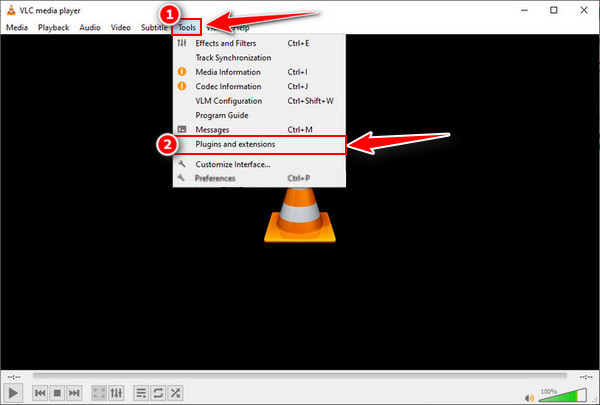
1. Launch VLC Media Player on your computer and select Tools > Plugins and extensions on the top menu bar.
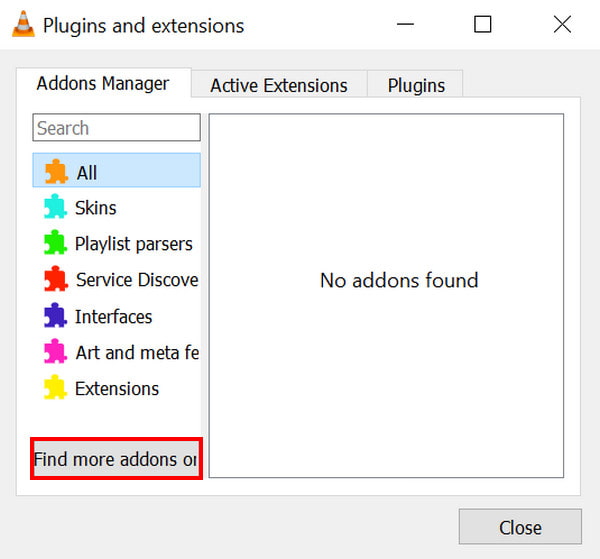
2. Then, you can find some extensions and plugins created by VLC to decode DPG formats. If you do not find what you need, click the Find more addons on online button.
3. After finding and installing the extension you need, simply drag your .dpg file into the VLC window to start playback.
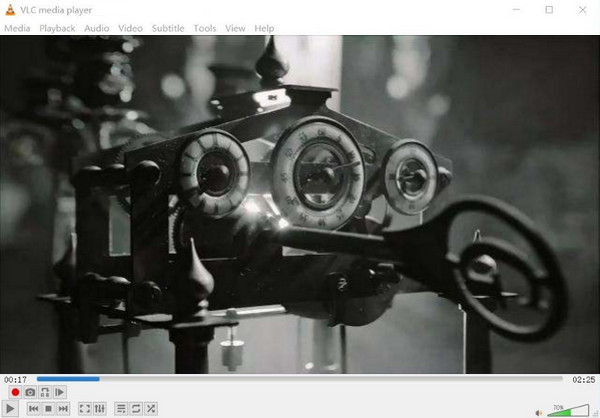
Do not just double-click! Most modern OSs will not recognize DPG. Right-click and 'Open With' VLC; even if it does not show a thumbnail, the MPEG-1 core allows it to play in most robust players.
To play modern MP4 videos on a Nintendo DS, you must compress and transcode them into the dedicated .dpg format. Choosing the right software can ensure smooth video playback without your classic handheld system crashing.
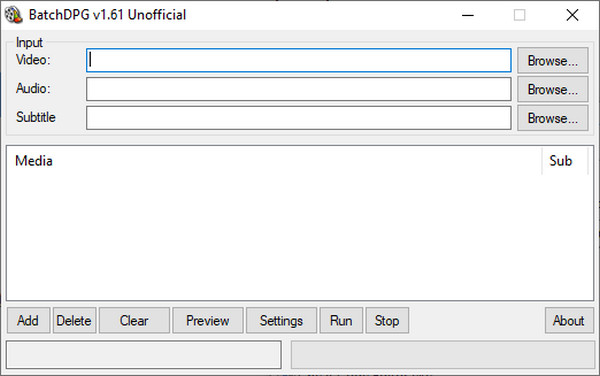
BatchDPG is the definitive, classic Windows automation tool built specifically for MoonShell users. It allows you to queue multiple MP4 files for simultaneous conversion. Besides, this tool is highly reliable at generating stable DPGv4 files, but requires older system dependencies to run correctly on modern Windows setups.
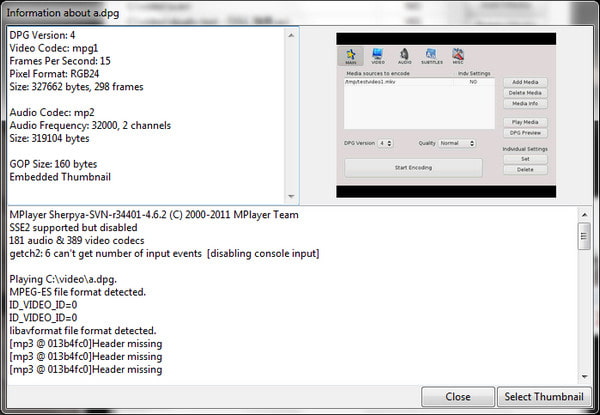
DPG4X is the best cross-platform (Linux/Mac/Windows) open-source tool. This lightweight program can provide a clean and cross-platform interface for encoding videos without complicated Windows-specific scripts. It excels at parsing modern MP4 formats and converting them directly into hardware-compatible DS resolutions without aspect-ratio distortion.
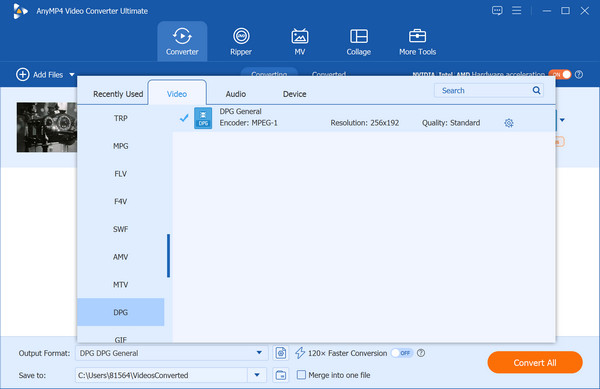
If you want to skip ancient homebrew tools altogether, AnyMP4 Video Converter Ultimate offers a comprehensive professional suite. It is a powerful modern suite compatible with Windows 11/10/8 and macOS 10.12-15. It effortlessly converts MP4 files to the DPG format while letting you customize key output parameters, such as encoders and resolutions. Equipped with hardware acceleration technology, it guarantees lightning-fast conversion speeds. Additionally, it features advanced editing tools to crop, rotate, apply filters, and adjust subtitles or audio tracks, as well as a Media Metadata Editor to organize your file information seamlessly.
Secure Download
Secure Download
When setting up your custom profile encoder, use the following 'golden settings' for quality to achieve optimal hardware performance.
Can I play DPG files on a Nintendo Switch?
The short answer is no. Because it is compressed using outdated specifications, modern consoles do not natively support it.
Why is my audio out of sync?
When video and audio fall out of sync, it usually boils down to a breakdown in how the media is being processed, decoded, or transmitted.
Is MoonShell still being updated?
No, MoonShell is completely abandoned. It has not received an official update in over 15 years.
What is DPG? The DPG file is more than just a video container: it is a testament to the ingenuity of the homebrew community. It proved that with a little bit of code and a lot of passion, you could turn a 'simple gaming handheld' into a pocket cinema. Whether you are revisiting your childhood library or experimenting with low-res aesthetics for a creative project, the DPG format remains a fascinating slice of digital history.
Ready to start your conversion? Download our 2026 Retro-Media Toolkit or leave a comment below if you’re having trouble getting MoonShell to boot!
Secure Download
Secure Download
 Updated by Alice Thorne to Glossary
More readings
 What is M4A | A Comprehensive Review of MPEG-4 Audio File
This informative post will focus on what M4A is. Besides discussing its aspects, we will also present viable tools for playing and converting these files.
 FLAC: Full Knowledge of Lossless Audio Format
Want to experience the smoothest listening sessions today? Check this article out, where we will answer what is the best FLAC player and FLAC converter to use.
 WMV File - What Is a WMV File and How to Open/Convert WMV Format
What is a WMV file? What will play a WMV file on Mac? Is WMV better than MP4? How to convert WMV to MP4? All the answers about WMV format are here.
 What Is an MP4 File? Ultimate Guide to the MP4 Format (2026)
Wondering what the MP4 format is? Learn what MP4 stands for, how it differs from MP3, and how to safely open or convert the world's most popular video file.
 Add your comments to join the discussion here