
What should you do if the VOB files do not work with the media player? Is there any method to convert VOB to other video with high quality? When you have some VOB files, you might need to playback VOB on other devices with high quality. As for the case, convert VOB to AVI should be the best solution.
In order to turn VOB to AVI in high quality, the article introduces the top 5 solutions to get AVI from VOB files with ease. Just check out the detailed solution and get the right answer from the article now.
VOB format possesses high video quality and is always used on high-end video players. If you want to enjoy high-definition VOB with your own video player, you can consider using AnyMP4 Video Converter Ultimate to convert VOB video to AVI and any popular video format. This software also helps you personalize video effect according to your needs.
Secure Download
Secure Download
Step 1: Download and install Video Converter Ultimate
You can download AnyMP4 Video Converter from our website or by clicking the "Free Download" button. The installation is easy for anyone to complete.
Step 2: Load the original VOB video
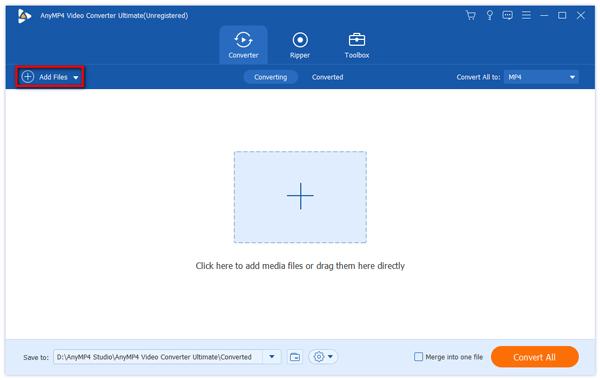
Click the "Add Files" button on the toolbar to load your original VOB video. You can also select "Add Files" > "Add Folder" to load more than one video file.
Step 3: Select AVI format
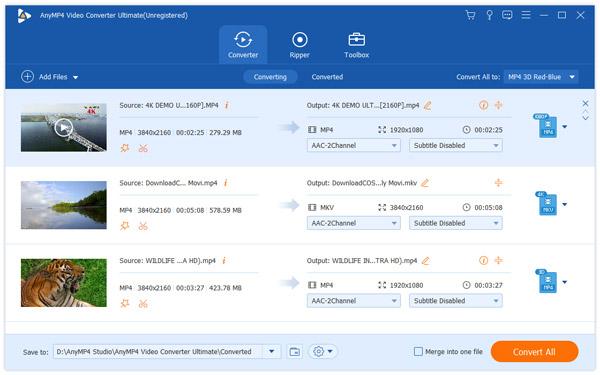
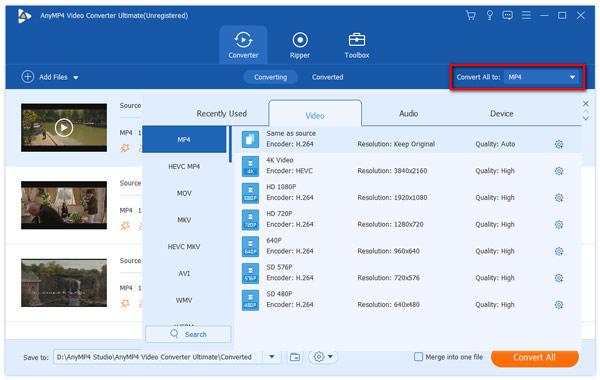
Click the "Profile" drop-down list and select AVI profile. If you have problems finding it, you can input "AVI" in the text area below and the software will find it for you to apply.
Step 4: Set video effect
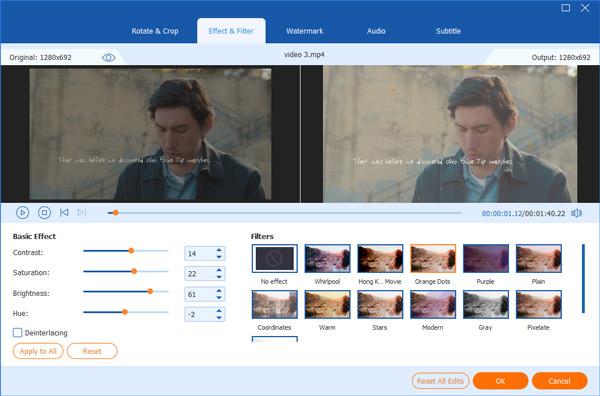
AnyMP4 Video Converter provides you with a collection of versatile editing tools to customize video effect according to your needs. You can click the "Effect" button on the toolbar to trim video length, crop video frame, merge video clips together, add watermarks, 3D settings and adjust Video Brightness, Contrast, Hue and Saturation.
You can also adjust output settings such as Video Encoder, Resolution, Bitrate, Frame Rate, Aspect Ratio, Brightness, Contrast and Saturation as well as audio parameters such as Encoder, Channels, Sample Rate and Bitrate.
Step 5: Choose audio track and subtitle
AnyMP4 Video Converter allows you to choose your preferred audio track and subtitle if they are available.
Step 6: Convert VOB to AVI format
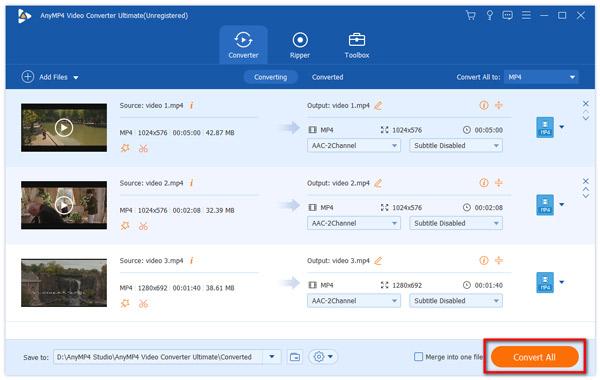
You can start the conversion by clicking the "Convert All" button. After finishing the conversion, you can play the converted AVI video with any portable device supporting AVI format.
Movavi Video Converter is a free converter, which you can easily change formats of videos from VOB to AVI. It has fast conversion speed and high quality. Both Windows and Mac users can enjoy this wonderful converter.
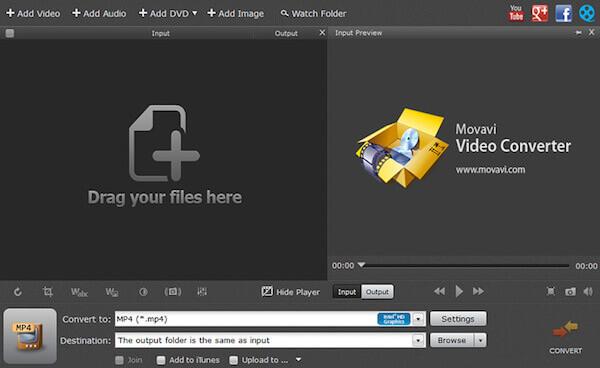
Step 1: Download Movavi Video Converter on your computer and finish the installation. Then launch it.
Step 2: Insert the video DVD and then click on Add Media. Next choose Add DVD, and click on Open DVD. Now you can add the VOB file.
Step 3: Now choose AVI as your output format in Video tab. Then select the folder where you want to save the converted file by clicking Folder button.
Step 4: Click "Convert" button to begin converting VOB to AVI. It takes a few minutes to turn the VOB files into AVI.
Free VOB Converter is also a free converter you can use to convert VOB to AVI on your computer. It is totally free to download and safe to use. But there is no official MAC or Linux version for those users to use.
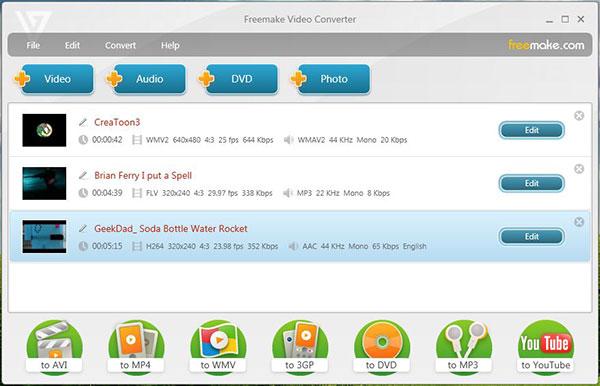
Step 1: Install Free VOB Converter on your computer and then launch it.
Step 2: Click File and the choose Video to add the files. You can also click +DVD button to load your VOB file.
Step 3: Now choose To AVI option. You can also edit your videos.
Step 4: Now you are able to click Convert button to convert VOB to AVI.
If you want to play VOB files on Android, you can convert VOB to Android supported formats like 3GP, or simply find VOB player for Android here.
You can also use an online converter as Convertio to convert VOB to AVI. But you can only load 100 MB files to this online website.
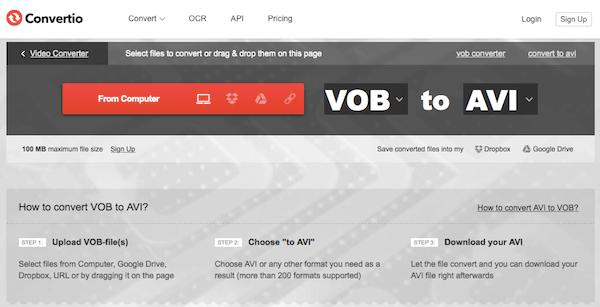
Step 1: Search this online converter with your browser and then open it.
Step 2: Add your VOB file to this converter from your computer, Dropbox, Google Drive or URL. You can also drag and drop it on this page.
Step 3: Choose VOB as your input format and AVI as your output format.
Step 4: Now begin this VOB to AVI conversion. You can also store converted files into Dropbox or Google Drive.
Zamzar is another online converter, which is strongly recommended to you. You can simply convert your VOB to AVI with this website. But it also has some limited, such as the file size.
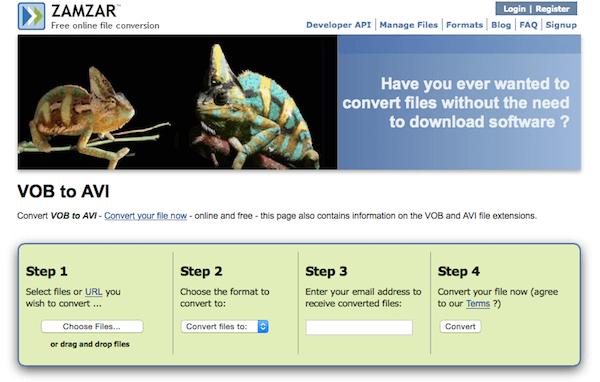
Step 1: Open this online converter on your browser.
Step 2: Add your VOB file by clicking Choose Files or from URL.
Step 3: Choose AVI as your output format from the list.
Step 4: Enter your email address to receive converted files.
Step 5: After you agree the terms, click "Convert" button to begin convert VOB to AVI.
AVI is a multimedia container format introduced and developed by Microsoft, which can contain both audio and video data in a file container that allows synchronous audio-with-video playback. AVI format is popular throughout the world.
In this article, we introduce you 5 useful methods to convert your VOB files to AVI. All the methods are easy but professional. Simply following these efficient ways, you must can convert VOB to AVI successfully. If you think this article is helpful, just share it with your friends.
 Updated by Ted Klarso to Convert Video
Related Articles
 3 Easiest Methods to Convert ARF to MP4 Video
If you have an ARF file produced by WebEx, you may want to convert ARF to MP4.
 10 Best AVI to MP4 Converters to Convert AVI
All best AVI to MP4 Converters are here in the post. And you can get one to use.
 10 Best Methods to Convert AVI to MP4 on Mac
You can learn about multiple free methods to encode AVI video to MP4 format on Mac.
 How to Convert MP4 to M4A – 10 Best Ways for You
This article lists 10 different ways to convert MP4 to M4A including online converters and software.
 Add your comments to join the discussion here