
Blu-ray video possesses incredibly high video quality and is favored by users from all over the world, but a professional Blu-ray player is needed to watch the video. Aiming to solve that problem, Blu-ray Ripper can help users rip Blu-ray video to whatever format they need or to portable devices. Designed for fast speed, high quality and universal application, AnyMP4 Blu-ray Ripper can help you enjoy Blu-ray video whenever and wherever you like.
Secure Download
Secure Download
The download link for AnyMP4 Blu-ray Ripper is shown on our website. The downloading and installation process can be completed within minutes.
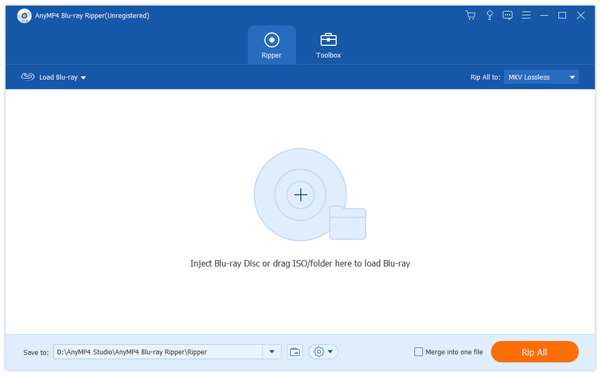
Click the "Load Blu-ray" button to load the Blu-ray disc you need to rip.
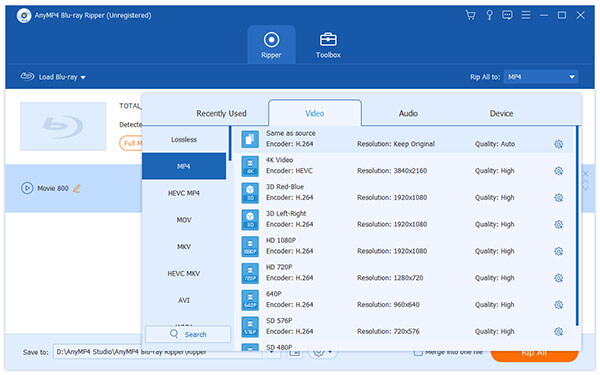
Click the "Profile" drop-down list to select your portable device profile or video format. AnyMP4 Video Converter supports multiple portable devices including but not limited to iPod, iPhone, iPhone 4, iPad, iPad 2 and Android devices.
After loading the Blu-ray disc, you are free to try the collection of editing tools provided by AnyMP4 Blu-ray Ripper. You are allowed to clip video length, crop video frame, and add text/image watermark. Output parameters such as Video Brightness, Saturation and Contrast are also adjustable for you to conduct further optimizations.
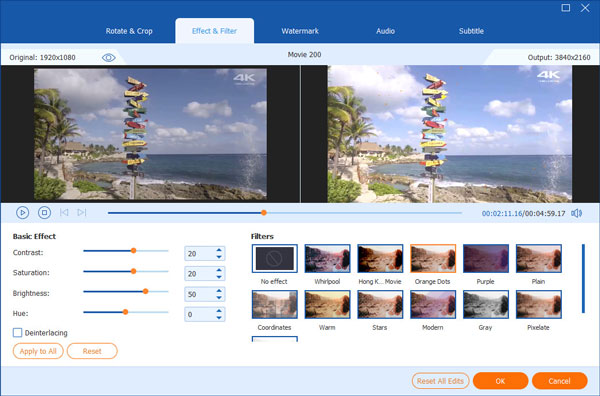
You can also choose your preferred audio track and subtitle if they are available.

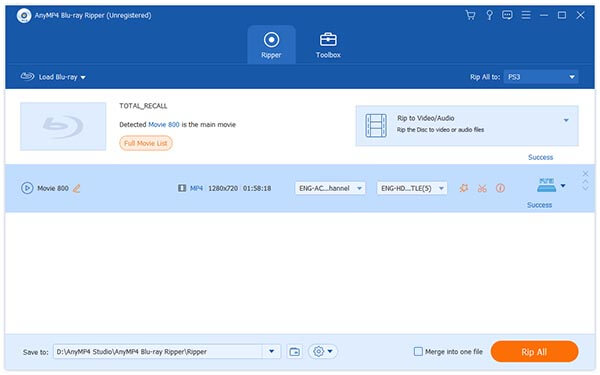
Click the "Rip All" button to start ripping the Blu-ray disc to your selected profile. The ripping progress will be completed within minutes.
After finishing the ripping task, you'll get your needed video files and you can play them with all kinds of video players.
 Updated by Joan Aimee to Blu-ray
Related Articles
 10 Best External DVD Player on Mac/Windows
External DVD player reviews, with the guide to play DVD on PC or Mac easily.
 How to Fix The Issue on VLC Won't Play DVD
How to fix the problems that VLC won't play DVD or VLC DVD player not working?
 Best WinX DVD Player to Play DVD Movies Efficiently
Here are top 4 alternative DVD Players of WinX DVD Player to Play DVD disc/movie.
 Fix the Issue in Windows Media Player Won't Play DVD
Top 5 windows media player alternatives to play dvd on Windows 8/10 with ease.
 Add your comments to join the discussion here
