
Nintendo Wii is definitely one of the most popular family game console. It can not only act as a game console, but also a video player. Although it can be used to play movies, it cannot read a Blu-ray disc directly.
Dedicated for Wii fans, AnyMP4 Blu-ray Ripper is capable of ripping Blu-ray video to Wii compatible MOV and AVI video format. It can also help users optimize video effect for better enjoyment.
Secure Download
Secure Download
You can download and install AnyMP4 Blu-ray Ripper to the selected path of your PC. for more information of this amazing software or more featured video tools, please visit our website: www.anymp4.com.
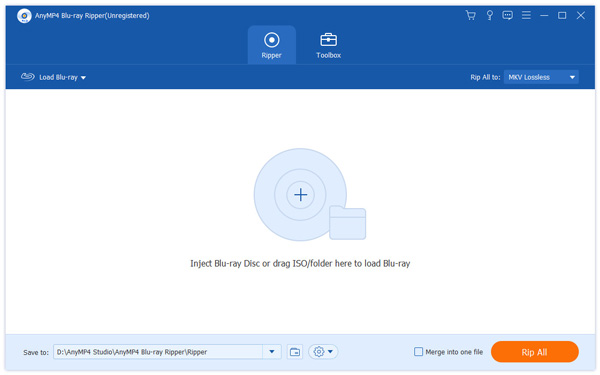
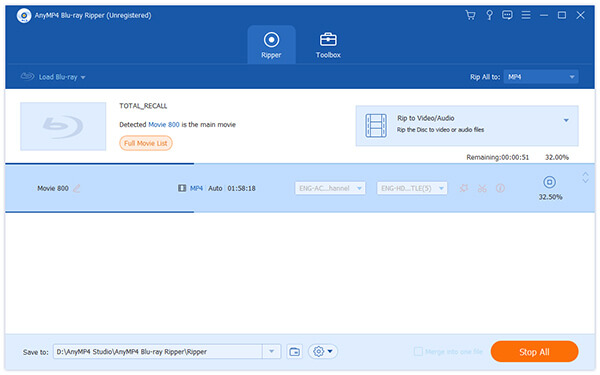
Put your Blu-ray disc in the Blu-ray drive tray and click the "Load Blu-ray" button on the toolbar of the software, and the video files within the Blu-ray disc will be shown in the "File Name" list. You can easily remove files from the list by selecting them and clicking the "Remove" button.
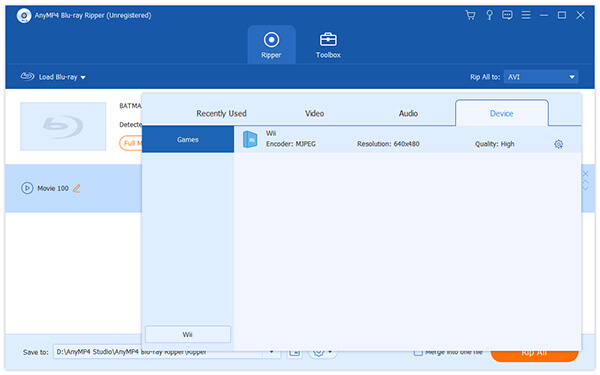
Then you should click the "Profile" drop-down list to select Wii compatible video formats. You can choose Wii compatible MOV and AVI format. Cannot find your needed video format? Input it in the text area to order the software to find it for you.
You should know that you don't need to rip several video files to different formats on by one. AnyMP4 possesses incredible batch processing function and enables you to rip multiple files with only one step. You can select specific profile for each single file in the "File Name" list, then click the check box in front of the file name to select them. Click the "Convert" button and the software will conduct the ripping tasks in batches, with only one operation.
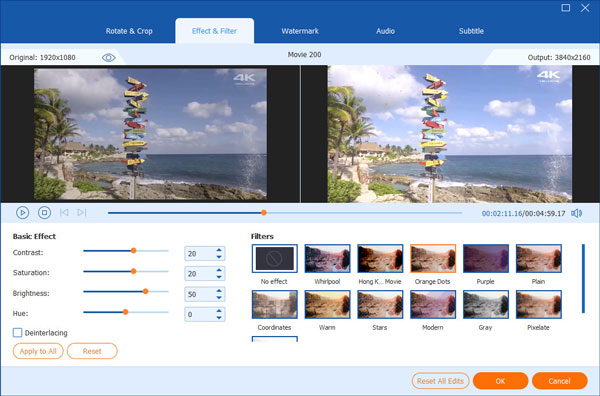
AnyMP4 Blu-ray Ripper has a collection of useful editing tools at your disposal. You can utilize these powerful tools to conduct specific video effect customization. You can trim video length, crop video frame, edit video effect and add watermark. You can also try adjusting Video Contrast, Brightness, Saturation, Hue and Volume.
Cut video length
AnyMP4 Blu-ray Ripper enables you to cut a part of one video out by using its "Cut" function. Select a video file and click the "Cut" button on the toolbar and you'll see the interface. Here you can either drag the slider bar to define the part of the video you need, or input the exact start and end time.
Crop video frame
If you need some parts of one frame removed, use the "Crop" function. Here you can define the exact part of one frame that you need by setting the exact coordinates, or by simply dragging the 4 edges and 8 control points of the yellow frame. You can also use this function to remove black edges of the video.
Add watermark to video
Make the video bear your unique signature! AnyMP4 Blu-ray Ripper provides you compelling "Watermark" function. Click the "Watermark" button and select the "Enable watermark" check box, and input your name in the text area. Then you can adjust the watermark's size, color, transparency, font size and position.
Output effect customization
Output parameters such as Video Encoder, Resolution, Bitrate, Frame Rate, Aspect Ratio as well as audio settings such as Audio Encoder, Channels, Sample Rate and Bitrate can all be adjusted to optimize the video effect.
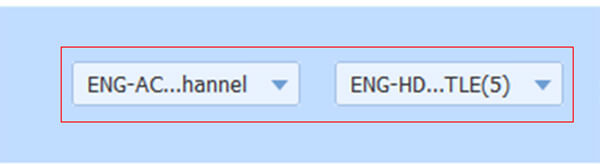
Remember that some video has more than one audio track. You can select your preferred audio track and add downloaded subtitle to the video for better enjoyment.
The last thing need to do is click the "Rip All" button to rip Blu-ray video to Wii compatible format. AnyMP4 Blu-ray Ripper can achieve the ripping task with the original video quality preserved.
 Updated by Joan Aimee to Blu-ray
Related Articles
 10 Best External DVD Player on Mac/Windows
External DVD player reviews, with the guide to play DVD on PC or Mac easily.
 How to Fix The Issue on VLC Won't Play DVD
How to fix the problems that VLC won't play DVD or VLC DVD player not working?
 Best WinX DVD Player to Play DVD Movies Efficiently
Here are top 4 alternative DVD Players of WinX DVD Player to Play DVD disc/movie.
 Fix the Issue in Windows Media Player Won't Play DVD
Top 5 windows media player alternatives to play dvd on Windows 8/10 with ease.
 Add your comments to join the discussion here
