
It is common to hold the HD camcorder (like Sony, Panasonic, Canon, etc.) to record memorable moments, such as birthday party, wedding, holiday, family reunion and more. And M2TS is one of the video to output. Though M2TS video format is usually record onto 8cm mini VDS, blue-ray DVDs, SD memory cards, Memory Stick and hard drive HD camcorders, there are still some situations that you have to convert M2TS to MP4.

* Save more memory.
* Low compatibility.
* Fail to play on portable devices.
You are not able to play M2TS recordings on iPhone, iPad, Android and other tablets without the M2TS to MP4 conversion. Or you can convert M2TS videos to other popular video formats.
AnyMP4 Video Converter Ultimate is your all-in-one video converter that enables users to convert M2TS videos in batch. It can convert batch MTS and M2TS files to MP4 videos to save time. It supports over 500 formats to transcode M2TS/MTS to MOV, WMV, AVI, WebM, and more. Its toolbox lets you compress large M2TS file size, edit M2TS file metadata information, enhance low-quality M2TS files to high-quality videos and do more.
Recommendation
Secure Download
Secure Download
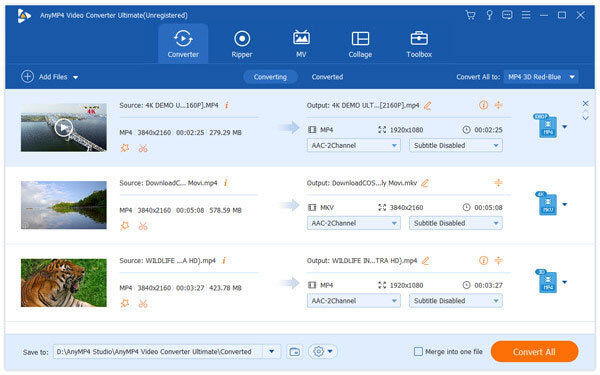
1.Add M2TS files
Launch AnyMP4 Video Converter Ultimate. Click"Add Files" button to import your M2TS videos. It also lets you drag and drop the M2TS videos into this software directly.
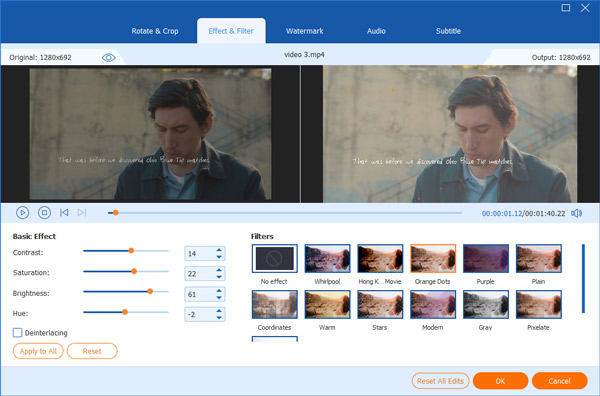
2.Edit M2TS video effect optionally
This M2TS to MP4 converter also lets you edit the video effects before converting. You are able to tap "Edit" or "Cut" icon to rotate, trim video length, crop video, adjust video brightness, and do other video-editing tasks. There are the original preview and output preview you can compare with.
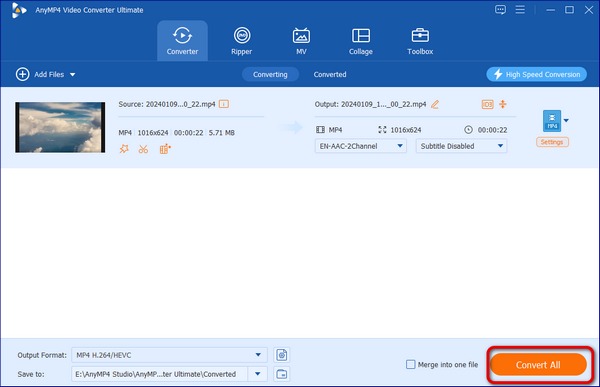
3.Convert M2TS to MP4
Select "MP4" as the output format from "Convert All to" drop-down menu. Set the Destination folder and then click "Convert All" to start converting M2TS to MP4 on Mac or PC.
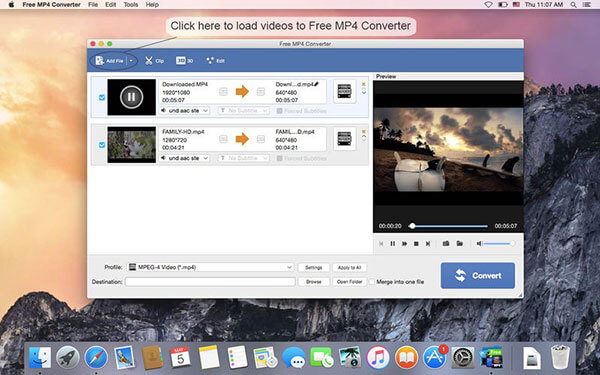
Free MP4 Converter supports batch M2TS to MP4 conversion on Mac computer. And you can also edit your M2TS videos by modifying the video and audio output settings mainly. The M2TS to MP4 converter freeware enables users to convert any video to MP4, and then you can play converted M2TS to MP4 videos on iPhone, iPad, iPod and Apple TV.
Download from: https://apps.apple.com/us/app/free-mp4-converter/id693443591?&mt=12
1.Add M2TS videos
Click "Add File" icon on the top right corner. And then pick up which M2TS videos you wanna convert.
2.Customize M2TS video settings
Tap "Edit" to customize and preview your target videos on Mac freely. And you can batch edit M2TS videos.
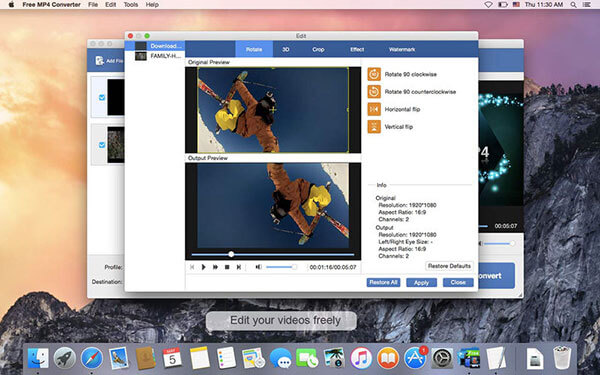
3.Convert .m2ts to .mp4 on Mac
Set the destination folder. Click "Convert" button to convert M2TS files to MP4 on Mac.
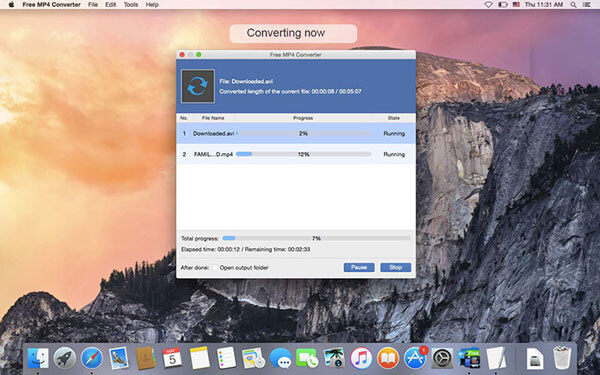
Or you can use M2TS to MP4 online converter to convert a M2TS to a MP4 for free. You are only able to convert video to MP4 instead of other video-editing features. If you just need to convert M2TS files and then output to video editor for further editing.
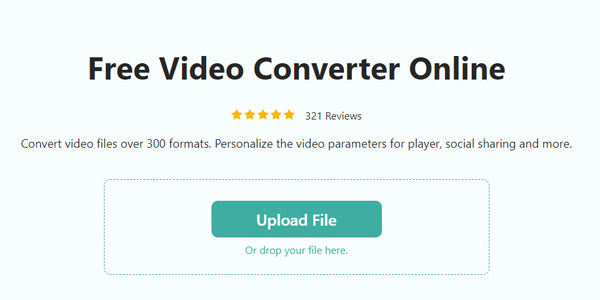
Free Online Video Converter is a free M2TS to MP4 converter online. It can free convert batch M2TS/MTS files to MP4 videos online at one time. Moreover, it lets you adjust the parameters of MP4 to choose the video encoder, resolution, frame rate, and more. It highly supports 1080p HD M2TS files, which can complete the whole conversion for free.
1.Click “Add Fil” to select and add the M2TS files to this site online.
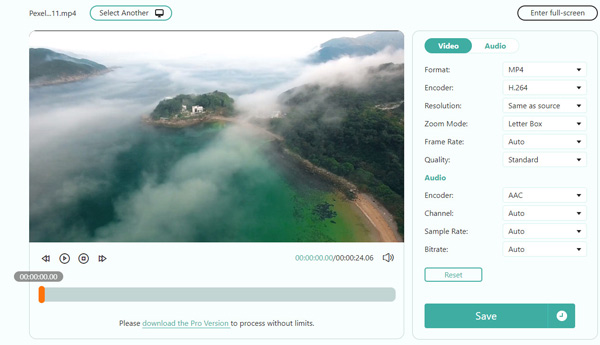
2.Select “MP4” under the “Video” Tab, and click “Save” to start converting and downloading the MP4 video.
The parameters are available for you to change the video codec, resolution, frame rate, quality, and more for free.
URL: http://www.convertfiles.com/
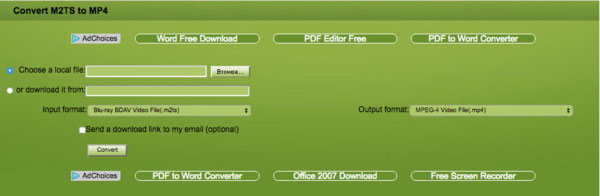
Convert.Files allows users to convert M2TS to MP4 or other formats online. And you can also set to send a download link to your email after converted. However, this free online M2TS to MP4 converter can convert up to 250 MB currently. If you'd like to convert larger video files, you have to see its premium plan.
1.Click "Browse" to open your M2TS video.
2.Select "MP4" from the "Output format" drop-down menu.
3.Tap "Download" button to start M2TS to MP4 conversion online.
URL: http://www.zamzar.com/
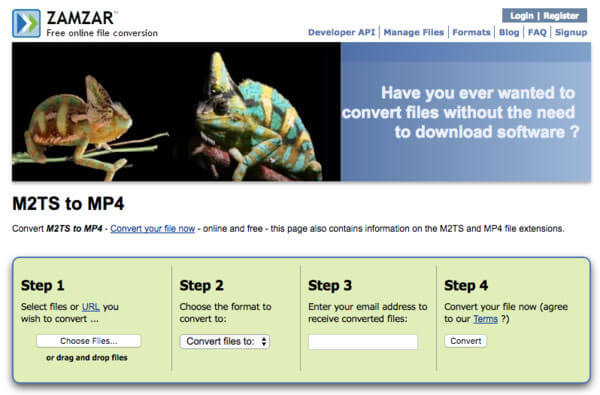
Zamzar is the free video converter that offers information about your target M2TS and MP4 file extensions below. This free M2TS to MP4 converter has a limited time conversion in under 10 minutes. If you have a long video file, then you have to cut down it into clips.
1.Select your M2TS video.
2.Choose "MP4" as the output format.
3.Enter your email address.
4.Tap "Convert" to receive converted M2TS to MP4 video.
Can VLC convert MTS to MP4?
Yes. VLC is not only the media player to open MTS files, but also a video converter to convert MTS to MP4.
How do I play an M2TS file?
Currently, the M2TS files can be played by Picture Motion Browser, ALLPlayer, MPlayer, VLC, PotPlayer, AnyMP4 Blu-ray Player, and other media players. Moreover, you can convert M2TS files into the most popular MP4 videos for playback on more devices.
What is the difference between MTS and M2TS files?
M2TS file is primarily used for high-definition video on Blu-ray disc and AVCHD. MTS file is the file extension of M2TS when M2TS file is imported into computer.
From the above overviews and step-by-step guide of M2TS to MP4 converters online and offline, you can find your proper video converter to manage M2TS videos easier. Using online video converter to convert M2TS to MP4 online is simple. No register or download required, but you are only able to convert M2TS files to MP4. Fortunately, Mac users can use Free MP4 Converter to convert M2TS videos to MP4 in batch mode, as well as customizing basic video-editing tasks. But there are also lots of limitations mentioned above. For people who need to convert and edit videos frequently, then definitely you should choose Video Converter Ultimate. You are able to not only use it as the professional M2TS converter, but also the comprehensive video editor that offers more filters and features. Through this post, you can convert M2TS to MP4 files without data loss on Windows and Mac flexibly.
 Updated by Ted Klarso to Convert Video
More readings
 Top 7 Methods to Convert MTS to MP4 Video
Get the best solution to convert MTS to MP4 and feel free to play converted MTS.
 Top 10 Methods to Convert AVCHD to MP4
You can pick up AVCHD to MP4 Freeware to convert videos with zero quality loss.
 WMV to GIF – 2 Best Methods to Convert WMV Videos to Animated GIFs
Whether you need to convert WMV to animated GIF online, or customize the GIF files, you can learn more about the 2 efficient methods from the article.
 Top 5 Best Methods to Convert WLMP to MP4
Have no idea to convert WLMP to MP4? Just learn the solutions from the article.
 Add your comments to join the discussion here