
When you want to further edit the AVCHD videos from Camcorder on Final Cut Pro and other video editors on your PC and Mac, you should convert MTS or M2TS to MOV files beforehand. Whether you need to transcode the MTS files for free, or convert the AVCHD with the original video quality, you can learn more about the 2 most efficient methods from the article.

AnyMP4 Video Convert Ultimate is a versatile MTS/M2TS to MOV converter, which you can convert 4K and 1080P videos to MOV, MP4 and more than 500 file format. You can tweak the video/audio settings, extract the videos from DVD, edit the videos and apply video filters. Moreover, there are other built-in features, such as built-in video player, video compressor, GIF maker and media metadata editor.
Secure Download
Secure Download
Step 1: Download and install MTS to MOV converter for Windows and Mac, you can launch the program on your computer. Go to the Converter menu and choose the MTS or M2TS videos. You can also drag-and-drop the files from camcorder directly into the program.
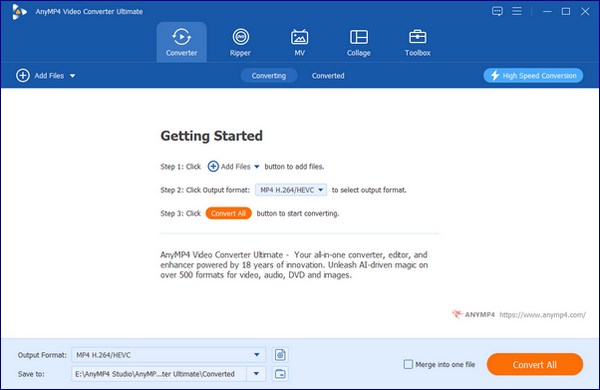
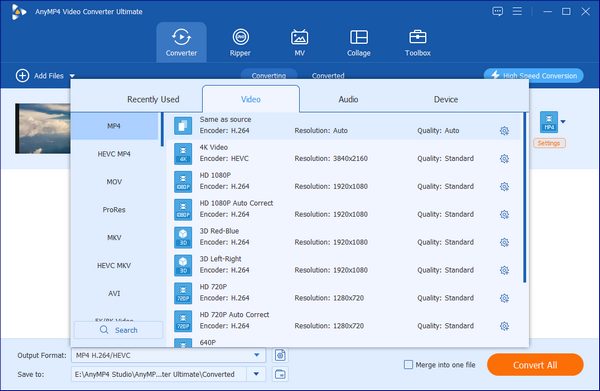
Step 2: Click on the format icon to choose the MOV as the output format. You can also choose a preset and adjust the profile settings, such as the video codec, frame rate, sample rate, and more other video and audio settings according to your requirement.
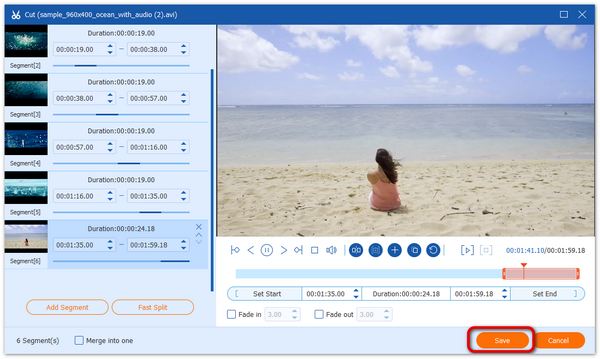
Step 3: When you need to cut out the desired part of the AVCHD video, you can click the Edit icon and choose the start and end time for your clip. Then click the Add Segment button to add the current clip to the list. After that, you can save the MTS videos.
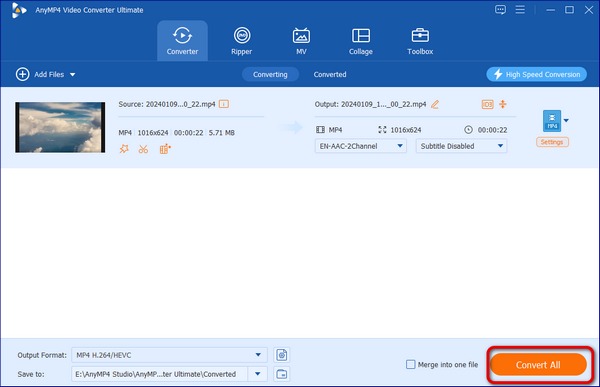
Step 4: Select a destination path for the converted MOV files. You can click the Convert All button on the main interface to start converting MTS/M2TS to MOV with the original quality. Now you can transfer or copy the MOV files to the desired video editor instead.
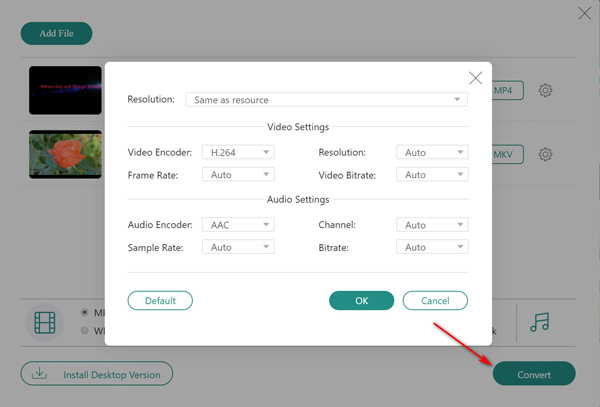
When you need to convert MTS to MOV on Windows and Mac, AnyMP4 Free Online Video Converter is a versatile media converter that supports more than 800 formats. It lets you adjust the video resolution, video encoder, frame rate and video bitrate to compress the video file size.
Step 1: Go to the free online video converter, click the Add Files to Convert button to download the converter launcher and add the video MTS or M2TS files that you want to convert.
Step 2: Select the checkbox of the output format for the video or audio file you want. It also enables you to video encoder, resolution, frame rate, video bitrate, and more settings.
Step 3: Click the Convert button to start converting MTS or M2TS video to MOV file format and downloading them into the computer. Of course, you can also share them to social media websites.
1. What are The Differences between MTS and M2TS?
When you get the AVCHD video, there are two major formats, MTS and M2TS files. MTS was specially designed to record video format with Sony and Panasonic camcorders. M2TS became recognized universally as one of the best solution available to save videos on a Blu-Ray disk.
2. Why I Cannot Upload the MTS to Online Video Converter?
Because the MTS or M2TS videos are large in size, it might take a very long time or no response or very slow, you should try to cancel then submit again. Of course, you can split the MTS videos into different parts before converting MTS/M2TS to MOV.
3. How to Play the MTS/M2TS without Converting?
If you just need to play the AVCHD videos, you do not need to convert MTS or M2TS videos. Just download the codec extension to your computer, and then you can play the AVCHD from camcorder, or the Blu-ray movies. Simply download the VLC Media Player is another efficient method.
If you need to play or edit the MTS/M2TS files on your MacBook or iPad, you should know how to convert MTS to MOV with the original quality. Just learn more about the most efficient method, as well as the best tips from the article. AnyMP4 Video Converter Ultimate is the optimal solution to preserve the original video quality with ease.
 Posted by Riley Mitchell to Convert Video
Related Articles
 Everything You Need to Know about MTS and M2TS
Both MTS and M2TS are file extensions for AVCHD video. This guide will show you the differences between them and how to easily play them on your computer.
 Top 5 Ways to Convert VOB File to MOV Video
Looking for the best ways to convert VOB to MOV? Here we identify and list top 5 best methods to re-encode VOB to MOV for playback videos on any devices.
 Top 10 MOV Editors and QuickTime Movie Editors for Windows and Mac
Need to do some MOV video editing but don't have the proper tool? Check out this list of the best MOV editors available to Windows 10/8.1/8/7 and Mac OS X/11/12.
 How to Convert MTS and M2TS to AVI Files without Losing Quality
Read and get 2 different ways to quickly convert MTS to AVI online and offline. You can change MTS M2TS to AVI format on your phone or computer without quality loss.
 Add your comments to join the discussion here